

VisuCaller
VisuCaller is made and published by iRead Solutions Inc. AppBrain is an independent app data site and isn't affiliated with iRead Solutions Inc. The app name, icon, screenshots and description belong to iRead Solutions Inc. and are shown as published on the App Store.
AppBrain's verdict
Established- Best rank
- #72
- Top Paid, Saudi Arabia
- Rating on App Store
- 4.58
- 12 ratings
- Last updated
- November 10, 2023
It doesn't have enough ratings yet to judge what users think. Its best ranking is #72 in Top Paid, Productivity in Saudi Arabia.
Rankings
App Store top charts- Highest rank
- #72
- Chart
- Top Paid
- Productivity
- Country
- Saudi Arabia
App Store Rankings for VisuCaller
Top rankings
| Rank | Country | Category | List |
|---|---|---|---|
| 72 | Saudi Arabia | Productivity | Top Paid |
Ranking history in Saudi Arabia
Competitors
Similar apps and more from iRead Solutions Inc.Alternatives to VisuCaller








More from iRead Solutions Inc.

Releases
Updates seen on the App Store- Version
- 3.0
- Launched
- June 2014
No changelog data
User feedback
Ratings and reviews on the App StoreComments on VisuCaller for iOS
We don't have enough comments to show example comments. Please check back later.
Technology
Found in the app by AppBrain- Price
- $1.99
- App size
- 7.18 MB
- Content rating
- Everyone
Technologies used by VisuCaller
About the app and developer
About VisuCaller
VisuCaller is a productivity app developed by iRead Solutions Inc.
User Ratings
VisuCaller is rated 4.58 out of 5 stars. The rating is based on 12 ratings.
App Information
VisuCaller costs $1.99. The app size is 7.18 MB. The latest version available is 3.0. The last update was on November 10, 2023.
Technical Requirements
The app has a content rating of Everyone. The app has been available on the App Store since June 2014.
Developer information for iRead Solutions Inc.
Address:
Frequently asked questions about VisuCaller
Is VisuCaller free?
No. VisuCaller costs $1.99 on the App Store.
Is VisuCaller still available?
Yes. VisuCaller is on the App Store, and the last update we saw was on November 10, 2023.
How large is VisuCaller?
VisuCaller is 7.18 MB.
Is VisuCaller suitable for children?
App Store rates the content of VisuCaller as suitable for everyone.
How do people rate VisuCaller?
VisuCaller scores 4.58 out of 5 stars, from 12 ratings on the App Store.
Who made VisuCaller?
VisuCaller was developed by iRead Solutions Inc. It is listed in the productivity category on the App Store.
What are the best alternatives to VisuCaller?
People looking at VisuCaller also look at these productivity apps: SceneThat, MeMail - Email yourself fast!, BeeLine Reader, iKnock Organizer, Word Counter + Plain Text Pro.
Store listing
By iRead Solutions Inc., from the App Store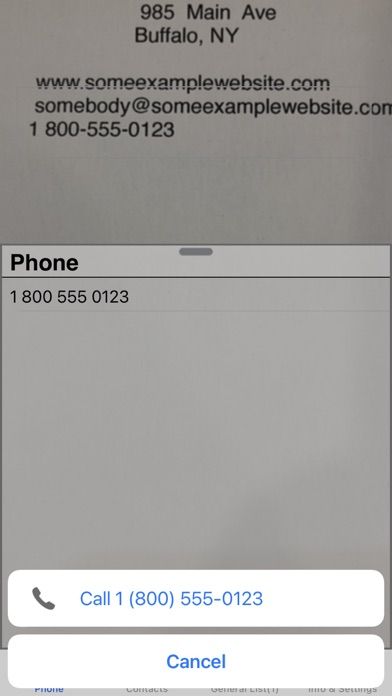

Description by iRead Solutions Inc. Written by the developer, not by AppBrain. Click to read.
For the phone tab, a viewfinder is used to enclose data to be scanned and phone numbers detected from the data are displayed in a list. If a number is detected multiple times quickly, the App will highlite it in green and can automatically initiate calling it (if enabled in settings). You can edit phone numbers in the list to add prefix codes or correct errors. Zoom control is provided using pinch gestures or double tapping.
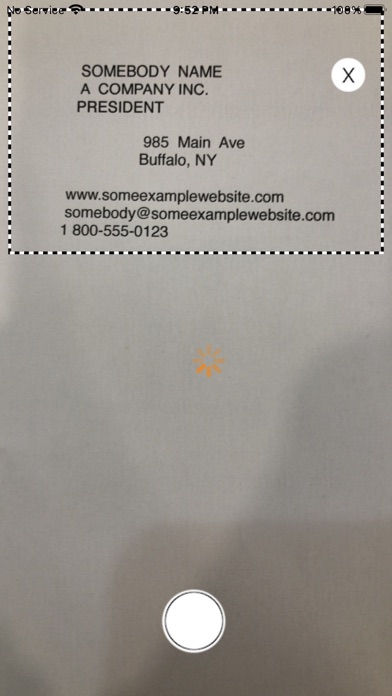
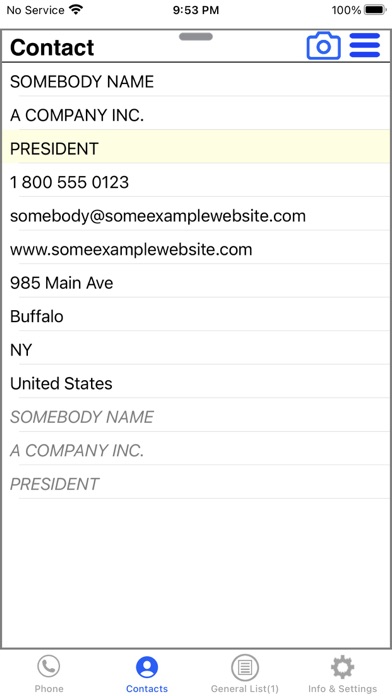
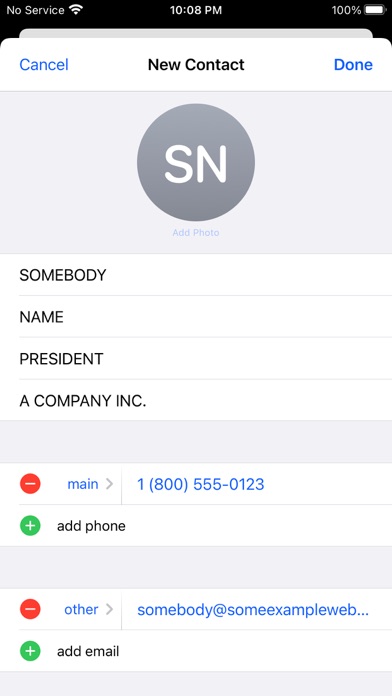
For the contacts tab (in app purchase), data can be detected by taking one or more pictures and/or using viewfinder for scanning smaller specific information. With either method, detected information is displayed in a list. The list shows hints of the types of contact information that can be scanned and you scan only the data you desire. If data is detected multiple times in succession, the App will highlite it in green, which is an indication the data has a high probability of being accurate. Specific list rows can be selected which will bias the viewfinder scanner to the particular data expected for the list row, which can improve detection ability. If you simply want to scan data but not save it, you simply tap the item once scanned to get map directions, email or browse a website.
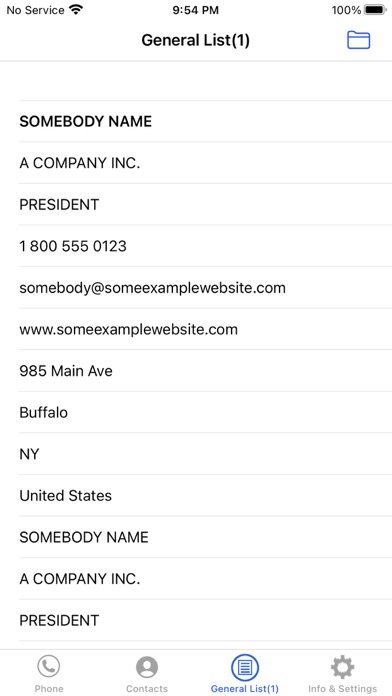
The list tab permits managing personal lists in the app. This is handy for information you may want to note but not necessarily save in your device's contacts to avoid cluttering. For example, you may take a trip once, need various pieces of contact information available but once the trip is finished, you may never need that information again. You can simply delete the list when the trip is done. This is much easier than going through your contacts and deciding what you need to delete.
Common user interactions are :
- tap viewfinder to refocus
- swipe across viewfinder to clear list data and rescan
- tap a camera button to take a photo for data to be processed for contact information
- drag list handle up/down to stop/start camera scanning using the viewfinder
- double tap viewfinder to cycle zoom levels ( 1.0, 1.5, 2.0, 1.0 ...)
- pinch zoom control
- tap a list item to action ( make a call, browse a website, email, get map directions)
- tap a list item to add it to information in a contact row
- hold a list item to edit
Note that this app uses OCR technology and only works with printed English text (not handwritten text) and cannot guarantee information is always scanned without errors. If the printed text is clear, characters are not touching or overlapping, it will very often detect correctly.