

VizKeeper - Screenshot AI
VizKeeper - Screenshot AI is made and published by YOMOO LLC. AppBrain is an independent app data site and isn't affiliated with YOMOO LLC. The app name, icon, screenshots and description belong to YOMOO LLC and are shown as published on the App Store.
AppBrain's verdict
- Last updated
- January 6, 2025
Rankings
App Store top chartsApp Store Rankings for VizKeeper - Screenshot AI
Competitors
Similar apps and more from YOMOO LLCAlternatives to VizKeeper - Screenshot AI




More from YOMOO LLC


Releases
Updates seen on the App Store- Version
- 1.0
- Launched
- January 2025
No changelog data
User feedback
Ratings and reviews on the App StoreComments on VizKeeper - Screenshot AI for iOS
We don't have enough comments to show example comments. Please check back later.
Technology
Found in the app by AppBrain- Price
- Free
- App size
- 54.3 MB
- Content rating
- Everyone
Technologies used by VizKeeper - Screenshot AI
About the app and developer
About VizKeeper - Screenshot AI
VizKeeper - Screenshot AI is an utilities app developed by YOMOO LLC.
User Ratings
The app has no ratings yet.
App Information
VizKeeper - Screenshot AI is freely available from the App Store. The app size is 54.33 MB. The latest version available is 1.0. The last update was on January 6, 2025.
Technical Requirements
The app has a content rating of Everyone. The app has been available on the App Store since January 2025.
Developer information for YOMOO LLC
Address:
Store listing
By YOMOO LLC, from the App Store


Description by YOMOO LLC Written by the developer, not by AppBrain. Click to read.
KEY FEATURES:
AI-Powered Organization
• Automatic categorization of screenshots (tickets, IDs, orders, chats, notes)
• Smart information extraction and structuring
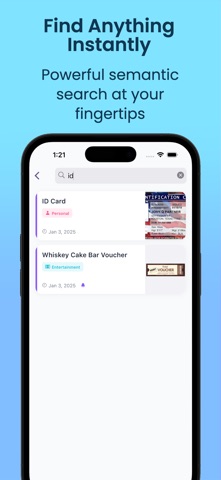
• Semantic search capabilities - find anything with natural language
Smart Reminders
• Automatic event detection and reminder creation
• Flight departure alerts
• Document expiration reminders
• Order tracking and refund deadlines
Powerful Search & Retrieval
• Full-text search across all screenshots
• Filter by category, date, and keywords
• Quick access to frequently needed information
• Semantic search support ("find last month's flight ticket")
Privacy & Security
• Local-first processing for maximum privacy
• Encrypted storage for sensitive information
• Optional cloud backup
• Special protection for ID documents
User-Friendly Design
• Clean, modern interface
• Intuitive navigation
• Quick sharing capabilities
• Beautiful card-based organization
Whether you're a frequent traveler keeping track of bookings, a busy professional managing documents, or someone who wants to stay organized, VizKeeper transforms how you manage screenshot information.
Stop scrolling through endless screenshots. Let VizKeeper's AI do the work for you!
Download now and experience the future of personal information management.