

VKO1 is made and published by Juan Maguid. AppBrain is an independent app data site and isn't affiliated with Juan Maguid. The app name, icon, screenshots and description belong to Juan Maguid and are shown as published on the App Store.
AppBrain's verdict
- Rating on App Store
- 4.60
- 5 ratings
- Last updated
- September 11, 2026
It doesn't have enough ratings yet to judge what users think.
Rankings
App Store top chartsApp Store Rankings for VKO1
Competitors
Similar apps and more from Juan MaguidMore from Juan Maguid


Releases
Updates seen on the App Store- Version
- 1.31
- Launched
- March 2026
No changelog data
User feedback
Ratings and reviews on the App StoreComments on VKO1 for iOS
We don't have enough comments to show example comments. Please check back later.
Technology
Found in the app by AppBrain- Price
- $11.99
- App size
- 45.0 MB
- Content rating
- Everyone
Technologies used by VKO1
About the app and developer
About VKO1
VKO1 is a photo & video app developed by Juan Maguid.
What is the rating of VKO1?
VKO1 is rated 4.60 out of 5 stars, based on 5 ratings.
Is VKO1 free?
VKO1 costs $11.99. The app size is 45.01 MB. The latest version available is 1.31. The last update was on September 11, 2026.
What are the requirements for VKO1?
The app has a content rating of Everyone. The app has been available on the App Store since March 2026.
Developer information for Juan Maguid
Address:
Store listing
By Juan Maguid, from the App Store


Description by Juan Maguid Written by the developer, not by AppBrain. Click to read.
VKO1 is a visual performance app for iPad, iPhone, and Apple Silicon Mac — built for musicians and DJs who want stunning visuals without a dedicated VJ. Load your clips, set your BPM, and let it run.
Made for performers
You're playing. VKO1 stays locked to your music and keeps visuals moving — no babysitting required.
Automix does the work
MIX mode pulls from all 8 banks, auto-switches on the beat, and rotates effects automatically. A full visual set, hands-free.
Build your own visuals
The Node Editor lets you wire together generators, modifiers, and combiners into custom reactive visuals — no coding needed. Import your own Metal shaders or start from scratch.
Browse the Store
Download free and premium GPU visualizers — real-time Metal shaders that run directly on your device. No video files. No lag. Drop them straight into your set and go.
Control from anywhere
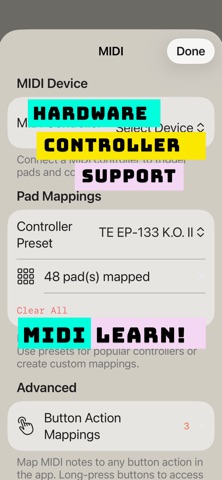
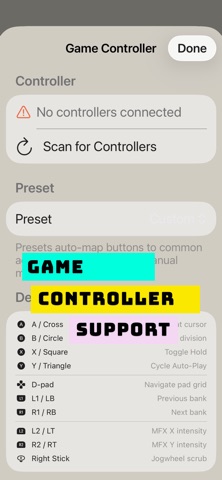
iPhone in your pocket, iPad on a stand, MIDI controller on your table, Bluetooth gamepad in your hand. AirPlay to the big screen — no cables.
51 real-time effects
All BPM-synced, all GPU-accelerated via Metal. One knob controls everything playing.
Stays in sync
Tap tempo, MIDI clock, Ableton Link — four ways to lock visuals to your music.