

Voice Type: Offline Dictation
Voice Type: Offline Dictation is made and published by Saravanan Pitchaimani. AppBrain is an independent app data site and isn't affiliated with Saravanan Pitchaimani. The app name, icon, screenshots and description belong to Saravanan Pitchaimani and are shown as published on the App Store.
AppBrain's verdict
- Last updated
- August 4, 2026
Rankings
App Store top chartsApp Store Rankings for Voice Type: Offline Dictation
Competitors
Similar apps and more from Saravanan PitchaimaniMore from Saravanan Pitchaimani

Releases
Updates seen on the App Store- Version
- 1.01.03
- Launched
- November 2024
No changelog data
User feedback
Ratings and reviews on the App StoreComments on Voice Type: Offline Dictation for iOS
We don't have enough comments to show example comments. Please check back later.
Technology
Found in the app by AppBrain- Price
- Free
- App size
- 7.75 MB
- Content rating
- Everyone
Technologies used by Voice Type: Offline Dictation
About the app and developer
About Voice Type: Offline Dictation
Voice Type: Offline Dictation is a productivity app developed by Saravanan Pitchaimani.
What is the rating of Voice Type: Offline Dictation?
Voice Type: Offline Dictation has no ratings yet.
Is Voice Type: Offline Dictation free?
Voice Type: Offline Dictation is free. The app size is 7.75 MB. The latest version available is 1.01.03. The last update was on August 4, 2026.
What are the requirements for Voice Type: Offline Dictation?
The app has a content rating of Everyone. The app has been available on the App Store since November 2024.
Developer information for Saravanan Pitchaimani
Address:
Frequently asked questions about Voice Type: Offline Dictation
Is Voice Type: Offline Dictation free?
Yes. Voice Type: Offline Dictation is free on the App Store.
Is Voice Type: Offline Dictation still available?
Yes. Voice Type: Offline Dictation is on the App Store, and the last update we saw was on August 4, 2026.
How large is Voice Type: Offline Dictation?
Voice Type: Offline Dictation is 7.75 MB.
Is Voice Type: Offline Dictation suitable for children?
App Store rates the content of Voice Type: Offline Dictation as suitable for everyone.
Who made Voice Type: Offline Dictation?
Voice Type: Offline Dictation was developed by Saravanan Pitchaimani. It is listed in the productivity category on the App Store.
Store listing
By Saravanan Pitchaimani, from the App Store



Description by Saravanan Pitchaimani Written by the developer, not by AppBrain. Click to read.
Hold your shortcut, speak naturally, release. Your words appear right where your cursor is. Draft emails, documents, messages, notes, and code without breaking your flow.
No subscription. No cloud dictation. Your audio never leaves your Mac.
Your mouth is faster than your keyboard. Use it.
TRY IT FREE, BUY ONCE
Every transcription feature is free for 7 days. Then unlock lifetime access for US $19.99. One purchase, no recurring subscription, no account.
PRIVATE, OFFLINE DICTATION
Voice Type runs Whisper speech recognition models entirely on your Mac. Whisper is the same open speech recognition technology trusted for high accuracy across accents, names, and technical jargon, and here it runs fully on-device. Voice Type does not upload your audio or collect your data. Download a recognition model once, then dictate without an internet connection.
BUILT FOR REAL WRITING
- Dictate into any Mac app and editable text field
- Customizable global shortcut: hold to talk, release to insert
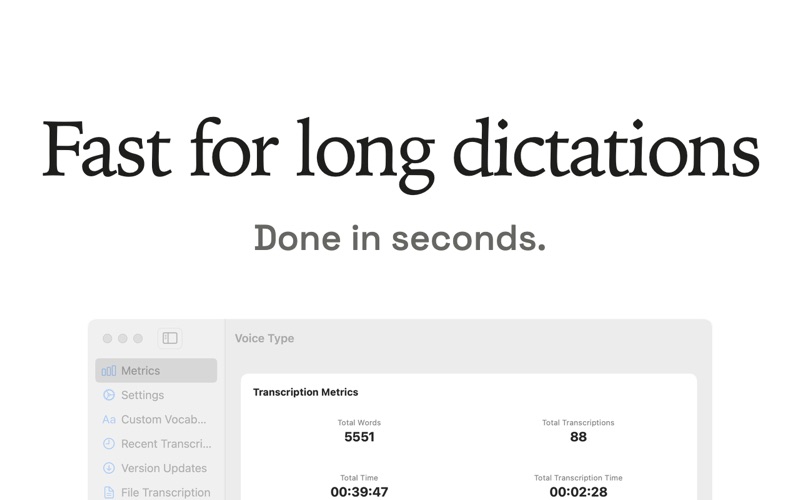
- Handles quick replies and long dictations
- Say punctuation and formatting commands such as "comma" and "new paragraph"
- Teach Voice Type your own vocabulary: names, brands, acronyms, and product terms
- Create find-and-replace rules for repeat corrections
- Five Whisper models to choose from: Small, Medium, and Large v3 Turbo in balanced, high accuracy, and max accuracy builds
- Whisper-grade accuracy on names, brands, acronyms, and technical terms
- Detect the spoken language automatically or select it yourself
- Transcribe imported audio and video files
- Rewrite selected text with optional tools you configure
HOW IT WORKS
1. Grant microphone and Accessibility permissions
2. Download the recognition model you prefer
3. Put the cursor in a text field
4. Hold your shortcut, speak, and release
PRIVACY DETAILS
Core dictation, vocabulary, formatting, and file transcription run on-device. Optional rewrite providers may require internet access and send selected text to the provider you choose. Apple services may be contacted for App Store purchases and receipt verification.
Requires macOS 13.4 or later. Performance varies by recognition model and Mac hardware.
Questions or feedback: support@carelesswhisper.app