

VR Motorcycle
VR Motorcycle is made and published by Park Lane Solutions Ltd. AppBrain is an independent app data site and isn't affiliated with Park Lane Solutions Ltd. The app name, icon, screenshots and description belong to Park Lane Solutions Ltd and are shown as published on the App Store.
AppBrain's verdict
Established- Rating on App Store
- 2.74
- 69 ratings
- Last updated
- February 18, 2025
- Size
- 1.05 GB
It doesn't have enough ratings yet to judge what users think.
User feedback
Ratings and reviews on the App StoreComments on VR Motorcycle for iOS
We don't have enough comments to show example comments. Please check back later.
Store listing
By Park Lane Solutions Ltd, from the App Store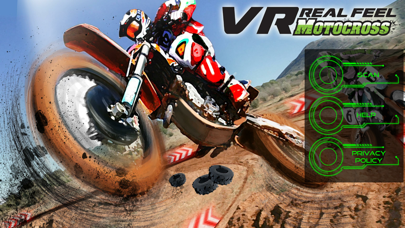
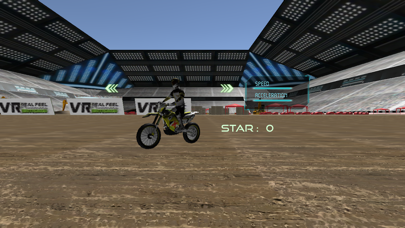

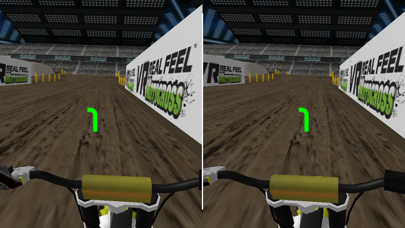
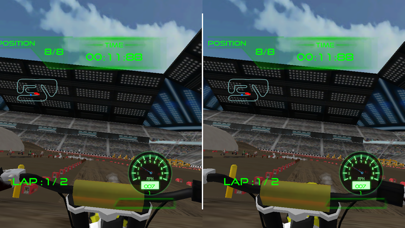
Description by Park Lane Solutions Ltd Written by the developer, not by AppBrain. Click to read.
With VR Real Feel Motocross, you'll be racing against other bike riders through stunts and jumps and twists and turns! Different courses to race, including indoor, outdoor, and even road courses! Level up and unlock new bikes with different performance characteristics, new track levels as you move up in the race campaign!
- VR Motocross comes with everything you need to start racing - VR headset, and a Bluetooth handlebar for ultimate control!
- Use your Bluetooth handlebars to race and unlock different motorcycles, and different tracks.
- The Max Force Feedback in the handlebars lets you feel every bump and jump or when you crash into other bikes or obstacles for even more realism.
- Our VR headset has a comfortable foam face, adjustable straps, and an adjustable phone cradle.
- Easy setup - download this app. Put 3 AAA batteries (not included) into the handlebar. Turn on Bluetooth on your phone, and place your iPhone in the headset & race!
HOW TO PLAY
- Turn on your handlebars, launch the VR Real Feel Motorcycle App; press the Scan button to connect.
*IMPORTANT: In the Settings of your device, turn both Bluetooth and Location settings to ON. Then open the app and press the Scan button in the main page to connect the controller. DON'T manually connect the controller in advance in the Settings/Bluetooth section of your device.
For Best Performance:
• Turn off other active apps on your iPhone.
• Ensure Bluetooth is turned on.
• Adjust the harness of the headset to fit your head
• Keep your handlebars upright and play through the tutorial level to learn how to play.
• After playing for 20 minutes, take a 5-minute break to avoid any feelings of dizziness.
Safety and technology
Found in the app by AppBrain- Price
- Free
- App size
- 1.05 GB
- Content rating
- Everyone
Technologies used by VR Motorcycle
Releases
Updates seen on the App Store- Version
- 5.1
- Launched
- July 2017
No changelog data
Alternatives
Similar apps and more from Park Lane Solutions Ltd





Rankings
App Store top chartsApp Store Rankings for VR Motorcycle
About the app and developer
About VR Motorcycle
VR Motorcycle is a games app developed by Park Lane Solutions Ltd.
User Ratings
VR Motorcycle is rated 2.74 out of 5 stars. The rating is based on 69 ratings.
App Information
VR Motorcycle is freely available from the App Store. The app size is 1.05 GB. The latest version available is 5.1. The last update was on February 18, 2025.
Technical Requirements
The app has a content rating of Everyone. The app has been available on the App Store since July 2017.
Developer information for Park Lane Solutions Ltd
Address:
Frequently asked questions about VR Motorcycle
Is VR Motorcycle free?
Yes. VR Motorcycle is free on the App Store.
Is VR Motorcycle still available?
Yes. VR Motorcycle is on the App Store, and the last update we saw was on February 18, 2025.
How large is VR Motorcycle?
VR Motorcycle is 1.05 GB.
Is VR Motorcycle suitable for children?
App Store rates the content of VR Motorcycle as suitable for everyone.
How do people rate VR Motorcycle?
VR Motorcycle scores 2.74 out of 5 stars, from 69 ratings on the App Store.
Who made VR Motorcycle?
VR Motorcycle was developed by Park Lane Solutions Ltd. It is listed in the games category on the App Store.
What are the best alternatives to VR Motorcycle?
People looking at VR Motorcycle also look at these games apps: Drone On My Phone, Dirt Bike Sketchy Racing Game, Off-road Dirt Bike Racing Game, MX Racer - Motocross Racing, Wheelie King 3 - Racing game.