

vrBox - VR Player
vrBox - VR Player is made and published by Guangzhou Jichuang Technology Co., Ltd. AppBrain is an independent app data site and isn't affiliated with Guangzhou Jichuang Technology Co., Ltd. The app name, icon, screenshots and description belong to Guangzhou Jichuang Technology Co., Ltd. and are shown as published on the App Store.
AppBrain's verdict
- Last updated
- August 24, 2026
Rankings
App Store top chartsApp Store Rankings for vrBox - VR Player
Competitors
Similar apps and more from Guangzhou Jichuang Technology Co., Ltd.More from Guangzhou Jichuang Technology Co., Ltd.


Releases
Updates seen on the App Store- Version
- 3.1
- Launched
- August 2021
No changelog data
User feedback
Ratings and reviews on the App StoreComments on vrBox - VR Player for iOS
We don't have enough comments to show example comments. Please check back later.
Technology
Found in the app by AppBrain- Price
- Free
- App size
- 22.0 MB
- Content rating
- Everyone
Technologies used by vrBox - VR Player
About the app and developer
About vrBox - VR Player
vrBox - VR Player is an utilities app developed by Guangzhou Jichuang Technology Co., Ltd.
User Ratings
The app has no ratings yet.
App Information
vrBox - VR Player is freely available from the App Store. The app size is 22.04 MB. The latest version available is 3.1. The last update was on August 24, 2026.
Technical Requirements
The app has a content rating of Everyone. The app has been available on the App Store since August 2021.
Developer information for Guangzhou Jichuang Technology Co., Ltd.
Frequently asked questions about vrBox - VR Player
Is vrBox - VR Player free?
Yes. vrBox - VR Player is free on the App Store.
Is vrBox - VR Player still available?
Yes. vrBox - VR Player is on the App Store, and the last update we saw was on August 24, 2026.
How large is vrBox - VR Player?
vrBox - VR Player is 22.04 MB.
Is vrBox - VR Player suitable for children?
App Store rates the content of vrBox - VR Player as suitable for everyone.
Who made vrBox - VR Player?
vrBox - VR Player was developed by Guangzhou Jichuang Technology Co., Ltd. It is listed in the utilities category on the App Store.
Store listing
By Guangzhou Jichuang Technology Co., Ltd., from the App Store


Description by Guangzhou Jichuang Technology Co., Ltd. Written by the developer, not by AppBrain. Click to read.
Play compatible 2D, 3D, VR180, and 360° videos from your device, Photos, Files, iCloud Drive, compatible video links, or SMB shares on your local network. Use vrBox Player with a compatible mobile VR headset for an immersive viewing experience.
KEY FEATURES
• Play compatible 2D, 3D, VR180, and 360° videos
• Support for side-by-side and top-bottom 3D video
• Watch regular 2D videos in VR mode
• Open videos from Photos, Files, and iCloud Drive
• Play videos from SMB shares on your local network
• Open compatible direct video links
• Switch between available playback and display modes
• Adjust display scale and screen orientation
• Control the viewing angle by moving your iPhone or swiping the screen
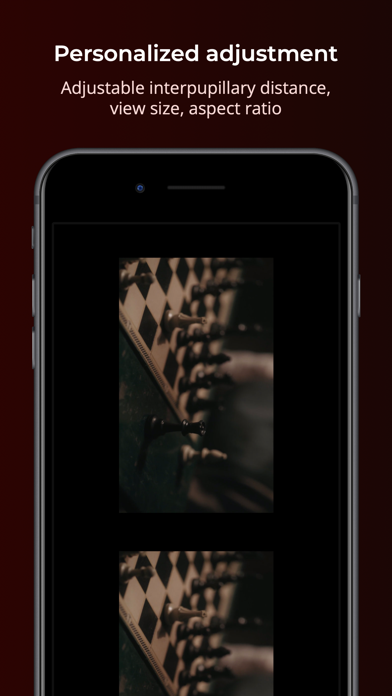
• Adjust interpupillary distance for a more comfortable VR experience
• Keep your media private: selected media is processed on your device and is not uploaded to VRBox servers
A compatible mobile VR headset is recommended when using VR mode.
Playback availability depends on the video format, codec, resolution, device, and network environment. Some files, links, or network servers may not be compatible.
FREE PREVIEW AND SUBSCRIPTIONS
vrBox Player is free to download. Without an active subscription, you can preview each video for up to 10 minutes. Subscribe to unlock uninterrupted playback and all subscriber features.
Payment will be charged to your Apple Account when you confirm your purchase. Subscriptions automatically renew unless canceled at least 24 hours before the end of the current billing period. Your Apple Account will be charged for renewal within 24 hours before the end of the current billing period, at the price shown when you purchased the subscription.
You can manage or cancel your subscription at any time in Settings > [Your Name] > Subscriptions. If you cancel, your subscription will remain active until the end of the current billing period. You can also restore eligible purchases from within vrBox Player.
Privacy Policy:
https://api.vrbox.app/privacy-policy
Terms of Use:
https://api.vrbox.app/terms-of-use
Questions or feedback:
help@pddy.site