

VRPlayer
by Takahide Noro
· Entertainment
· Free
On the App Store since December 2017
· Data updated
VRPlayer is made and published by Takahide Noro. AppBrain is an independent app data site and isn't affiliated with Takahide Noro. The app name, icon, screenshots and description belong to Takahide Noro and are shown as published on the App Store.
AppBrain's verdict
- Last updated
- June 10, 2024
Rankings
App Store top chartsApp Store Rankings for VRPlayer
This app is not ranked
Competitors
Similar apps and more from Takahide NoroMore from Takahide Noro








Releases
Updates seen on the App Store- Version
- 2.3
- Launched
- December 2017
No changelog data
User feedback
Ratings and reviews on the App StoreComments on VRPlayer for iOS
We don't have enough comments to show example comments. Please check back later.
Technology
Found in the app by AppBrain- Price
- Free
- App size
- 1.34 MB
- Content rating
- Everyone
Technologies used by VRPlayer
About the app and developer
About VRPlayer
VRPlayer is an entertainment app developed by Takahide Noro.
What is the rating of VRPlayer?
VRPlayer has no ratings yet.
Is VRPlayer free?
VRPlayer is free. The app size is 1.34 MB. The latest version available is 2.3. The last update was on June 10, 2024.
What are the requirements for VRPlayer?
The app has a content rating of Everyone. The app has been available on the App Store since December 2017.
Developer information for Takahide Noro
Address:
Store listing
By Takahide Noro, from the App Store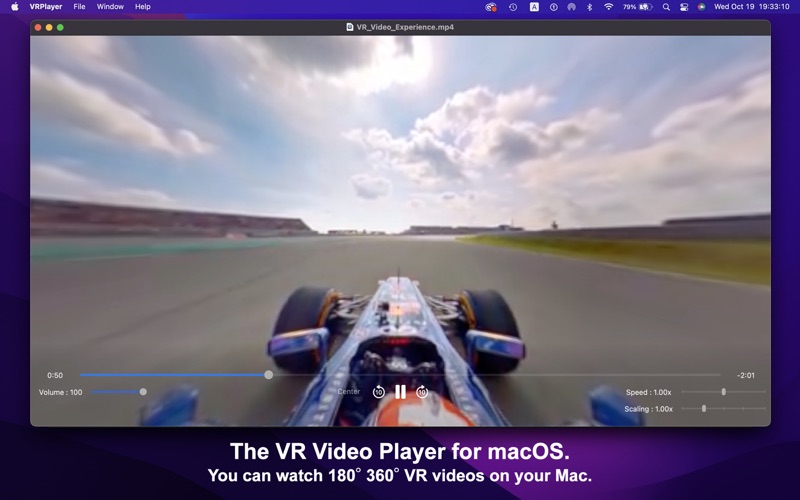

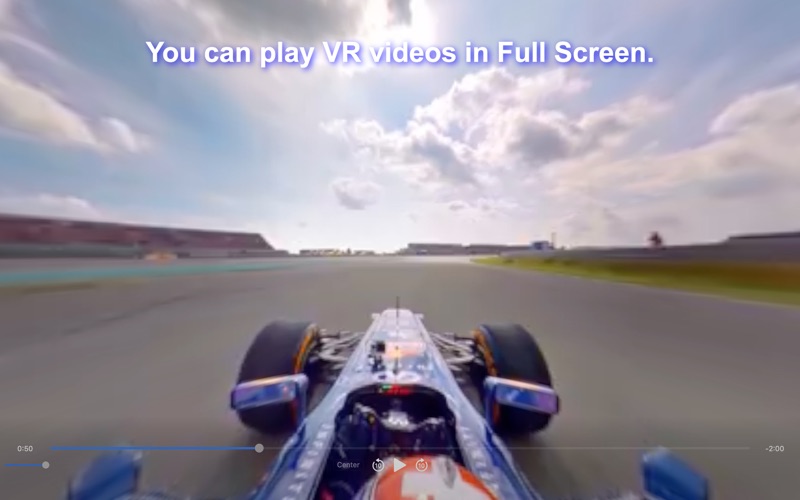
Screenshots by Takahide Noro, from the the App Store listing
Description by Takahide Noro Written by the developer, not by AppBrain. Click to read.
VRPlayer is a 2D,3D,180°,360° VR Video Player for macOS.
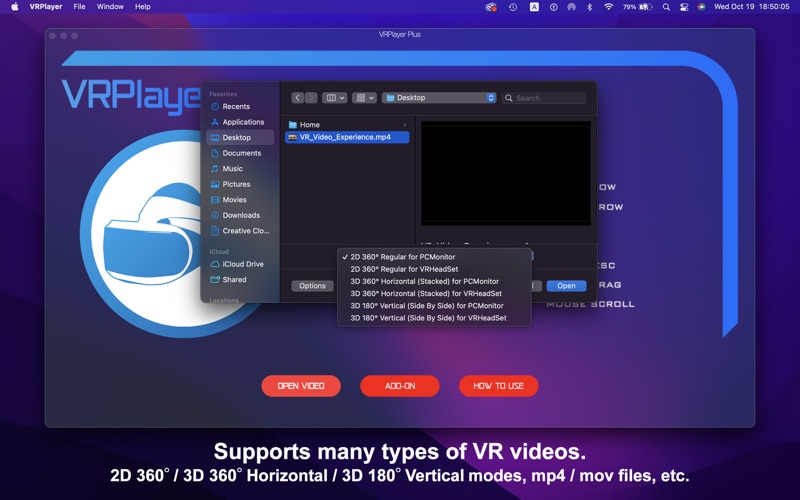
SUPPORTS MODES
- 2D 180°
- 3D 360° Horizontal (Stacked)
- 3D 180° Vertical (Side By Side)
SUPPORTS VIDEO FILES
- mp4
- m4v
- mov
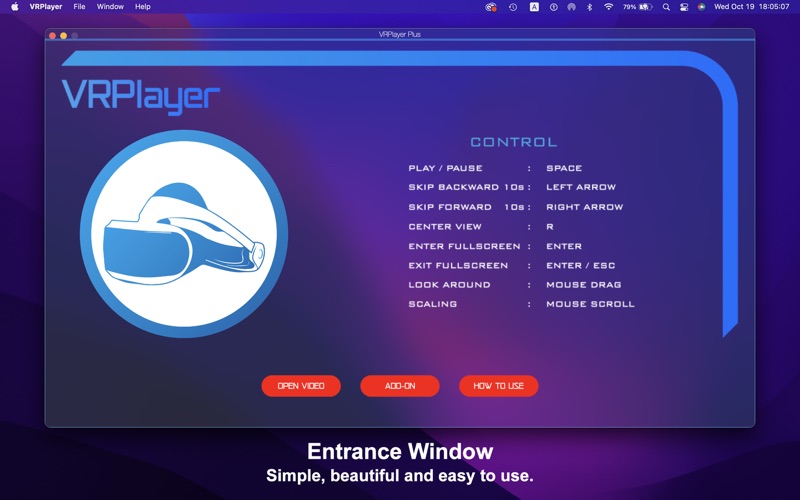
KEYBOARD & MOUSE CONTROL
- Play / Pause : Space
- Skip backward : Left Arrow
- Skip forward : Right Arrow
- Center view : R
- Full screen : ENTER / ESC
- Look around : Mouse drag
- Scaling : Mouse Scroll
SPECIAL FEATURES
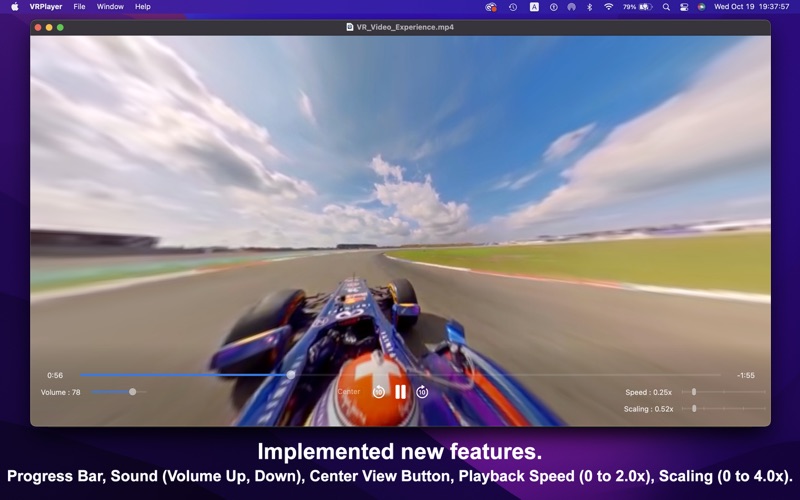
- Playback Speed Control (0 to 2.0x)
- Scaling (0 to 4.0x)
- Progress Bar
- Sound Control
OTHER
- Supports Light mode and Dark mode
This link is a demo video of this application.
https://youtu.be/3jx0DVdiLCk
Subscription
For terms and conditions regarding subscription usage, please refer to the following:
1. Privacy Policy: https://dehixlab.com/appsubscription-privacypolicy/
2. Terms of Service: https://www.apple.com/legal/internet-services/itunes/dev/stdeula/
Thank you for downloading our application!
SUPPORTS MODES
- 2D 180°
- 3D 360° Horizontal (Stacked)
- 3D 180° Vertical (Side By Side)
SUPPORTS VIDEO FILES
- mp4
- m4v
- mov
KEYBOARD & MOUSE CONTROL
- Play / Pause : Space
- Skip backward : Left Arrow
- Skip forward : Right Arrow
- Center view : R
- Full screen : ENTER / ESC
- Look around : Mouse drag
- Scaling : Mouse Scroll
SPECIAL FEATURES
- Playback Speed Control (0 to 2.0x)
- Scaling (0 to 4.0x)
- Progress Bar
- Sound Control
OTHER
- Supports Light mode and Dark mode
This link is a demo video of this application.
https://youtu.be/3jx0DVdiLCk
Subscription
For terms and conditions regarding subscription usage, please refer to the following:
1. Privacy Policy: https://dehixlab.com/appsubscription-privacypolicy/
2. Terms of Service: https://www.apple.com/legal/internet-services/itunes/dev/stdeula/
Thank you for downloading our application!