

VSight Remote: AR Help
VSight Remote: AR Help is made and published by VSIGHT UAB. AppBrain is an independent app data site and isn't affiliated with VSIGHT UAB. The app name, icon, screenshots and description belong to VSIGHT UAB and are shown as published on the App Store.
AppBrain's verdict
Established- Rating on App Store
- 5.00
- 2 ratings
- Last updated
- June 4, 2026
It doesn't have enough ratings yet to judge what users think.
Rankings
App Store top chartsApp Store Rankings for VSight Remote: AR Help
Competitors
Similar apps and more from VSIGHT UABAlternatives to VSight Remote: AR Help



More from VSIGHT UAB


Releases
Updates seen on the App Store- Version
- 5.3.7
- Launched
- May 2019
No changelog data
User feedback
Ratings and reviews on the App StoreComments on VSight Remote: AR Help for iOS
We don't have enough comments to show example comments. Please check back later.
Technology
Found in the app by AppBrain- Price
- Free
- App size
- 51.0 MB
- Content rating
- Everyone
Technologies used by VSight Remote: AR Help
About the app and developer
About VSight Remote: AR Help
VSight Remote: AR Help is a business app developed by VSIGHT UAB.
User Ratings
VSight Remote: AR Help is rated 5.00 out of 5 stars. The rating is based on 2 ratings.
App Information
VSight Remote: AR Help is freely available from the App Store. The app size is 51.02 MB. The latest version available is 5.3.7. The last update was on June 4, 2026.
Technical Requirements
The app has a content rating of Everyone. The app has been available on the App Store since May 2019.
Developer information for VSIGHT UAB
Address:
Frequently asked questions about VSight Remote: AR Help
Is VSight Remote: AR Help free?
Yes. VSight Remote: AR Help is free on the App Store.
Is VSight Remote: AR Help still available?
Yes. VSight Remote: AR Help is on the App Store, and the last update we saw was on June 4, 2026.
How large is VSight Remote: AR Help?
VSight Remote: AR Help is 51.02 MB.
Is VSight Remote: AR Help suitable for children?
App Store rates the content of VSight Remote: AR Help as suitable for everyone.
How do people rate VSight Remote: AR Help?
VSight Remote: AR Help scores 5.00 out of 5 stars, from 2 ratings on the App Store.
Who made VSight Remote: AR Help?
VSight Remote: AR Help was developed by VSIGHT UAB. It is listed in the business category on the App Store.
What are the best alternatives to VSight Remote: AR Help?
People looking at VSight Remote: AR Help also look at these business apps: Remote Eye, Manifest for iPad, Gemvision, Maintastic, Frontline Workplace.
Store listing
By VSIGHT UAB, from the App Store


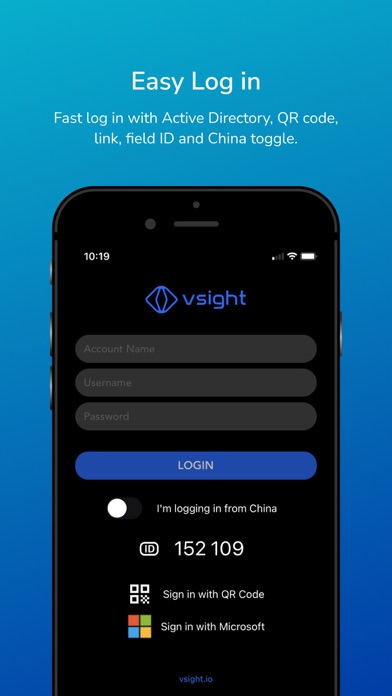


Description by VSIGHT UAB Written by the developer, not by AppBrain. Click to read.
VSight Remote is a complete collaboration and knowledge sharing tool that allows remote field technicians and experts to connect and collaborate via live video, audio, augmented reality content.
Benefits of using VSight Remote in your business:
• Connect instantly to the right expert and information.
• Scale your expertise
• Eliminate expert travel costs with ’See What I See’ remote functionality
• Improve communication with AR annotations on a live video stream.
• Maximize customer satisfaction
Features:
ANNOTATIONS:
Experts have the ability to draw, highlight and top of real-world objects in a shared video.
SCREEN SHARING:
PC or Mac applications or entire screen (web, .cad, .dwg, etc.) can be shared in the remote screen of the smartphone, tablet, or smart-glass.
DRAWING IN FREEZE MODE:
In the remote session, it is possible to take snapshots of the video frame and simultaneously draw directions, shapes, text, etc. on the image.
CHAT:
A WhatsApp-style chat to communicate with your technicians and your customers in real-time.
COLLABORATIONS:
Scroll, zoom, draw on same document (.pdf, .png, .jpeg, .obf, . fbx) in realtime. Remote user sees everything from expert’s knowledge.
DRAWING IN AR:
In the remote session, it is possible to draw and write notes on the live image in augmented reality in real-time.
ADAPTIVE VIDEO QUALITY:
Video quality is adjusted based on connection quality to adopt changes.
Please get in touch with our VSight Remote team to set up your accounts and benefit from VSight Remote: info@vsight.io