

Waddle Huddle
Waddle Huddle is made and published by Greenie Cheng. AppBrain is an independent app data site and isn't affiliated with Greenie Cheng. The app name, icon, screenshots and description belong to Greenie Cheng and are shown as published on the App Store.
AppBrain's verdict
- Last updated
- February 18, 2026
Rankings
App Store top chartsApp Store Rankings for Waddle Huddle
Releases
Updates seen on the App Store- Version
- 1.0.10
- Launched
- February 2026
No changelog data
User feedback
Ratings and reviews on the App StoreComments on Waddle Huddle for iOS
We don't have enough comments to show example comments. Please check back later.
Technology
Found in the app by AppBrain- Price
- Free
- App size
- 46.4 MB
- Content rating
- Everyone
Technologies used by Waddle Huddle
About the app and developer
About Waddle Huddle
Waddle Huddle is a health & fitness app developed by Greenie Cheng.
User Ratings
The app has no ratings yet.
App Information
Waddle Huddle is freely available from the App Store. The app size is 46.40 MB. The latest version available is 1.0.10. The last update was on February 18, 2026.
Technical Requirements
The app has a content rating of Everyone. The app has been available on the App Store since February 2026.
Developer information for Greenie Cheng
Address:
Frequently asked questions about Waddle Huddle
Is Waddle Huddle free?
Yes. Waddle Huddle is free on the App Store.
Is Waddle Huddle still available?
Yes. Waddle Huddle is on the App Store, and the last update we saw was on February 18, 2026.
How large is Waddle Huddle?
Waddle Huddle is 46.40 MB.
Is Waddle Huddle suitable for children?
App Store rates the content of Waddle Huddle as suitable for everyone.
Who made Waddle Huddle?
Waddle Huddle was developed by Greenie Cheng. It is listed in the health & fitness category on the App Store.
Store listing
By Greenie Cheng, from the App Store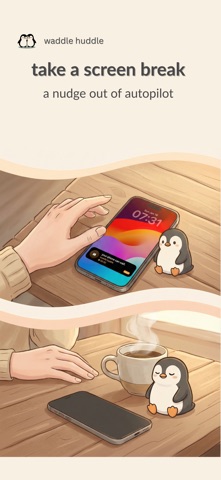


Description by Greenie Cheng Written by the developer, not by AppBrain. Click to read.
When we’re together — or even just sitting on our own — it’s easy to reach for our phones without thinking.
Waddle Huddle offers a small pause: a quiet nudge back to the moment.
It doesn’t block your phone.
It doesn’t tell you what to do.
It simply reminds you — and trusts you.
How it works
Your penguin
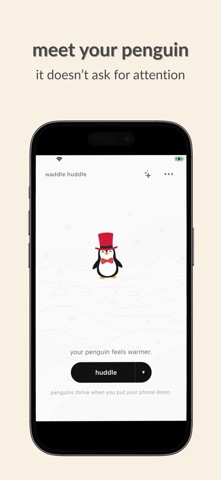
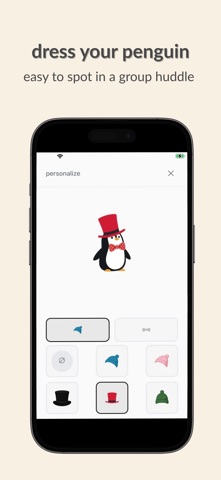
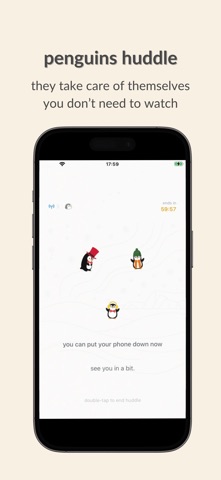
Each huddle has a penguin. You can dress yours up a little — just enough to recognize it when huddling with others.
Penguins don’t ask for attention.
They’re happy to settle in and wait.
Huddle solo or together
Your penguin can huddle on its own — a quiet cue to step away from your phone.
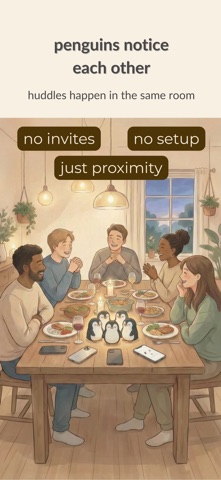
When other nearby phones open Waddle Huddle, penguins notice each other and gather into the same huddle.
A group huddle isn’t a chat room or an invite — it’s simply people sharing the same physical space.
Put your phone down
Once the penguins are settled, you don’t need to watch.
Lock your screen and stay with what’s around you.
A gentle reminder back
If you pick up your phone again, a small reminder appears — like noticing you’ve reached for your phone and choosing to pause.
A small memento
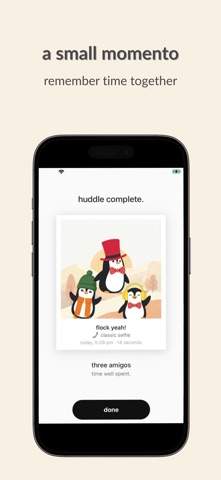
When the huddle ends, a simple memento appears — a quiet trace of the time you shared.
Terms of Use: https://www.apple.com/legal/internet-services/itunes/dev/stdeula/