AppBrain
AppBrain
  • Apps
  • Apps being viewed right now Trending apps today Most popular apps All-time most installed apps Top rated apps iPhone and iPad apps
  • Intelligence ▾
    Intelligence overview → Track any Android app or your whole market
    Track & analyze
    Keyword Tracker & OptimizerTrack & improve Play rankings App Performance ReportOne-off PDF for any app StatisticsFree Android & Play market stats
    Promote your app
    Featured Apps App Links
  • Intelligence
  • Pricing
  • Dashboard
  • Sign up
  • Log in
App Store Apps > Utilities > Wake Up Alarm - Move to Stop
Wake Up Alarm - Move to Stop icon

Wake Up Alarm - Move to Stop

3.0
Naoki Oguchi
2.25
4 reviews
Free

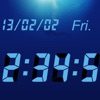
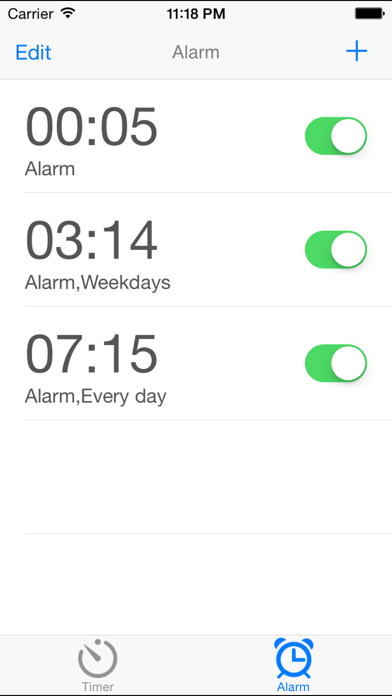
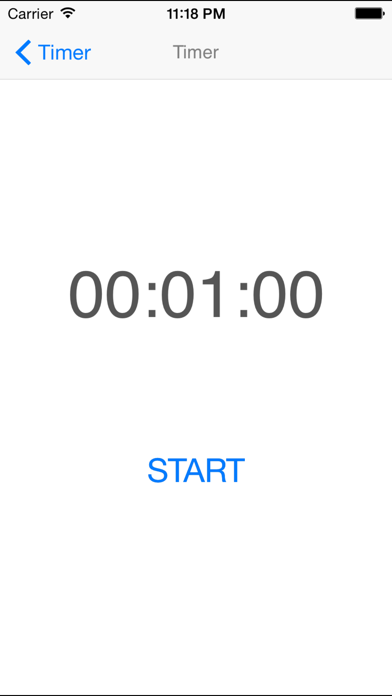
Wake Up Alarm - Move to Stop Screenshot 1 of 5
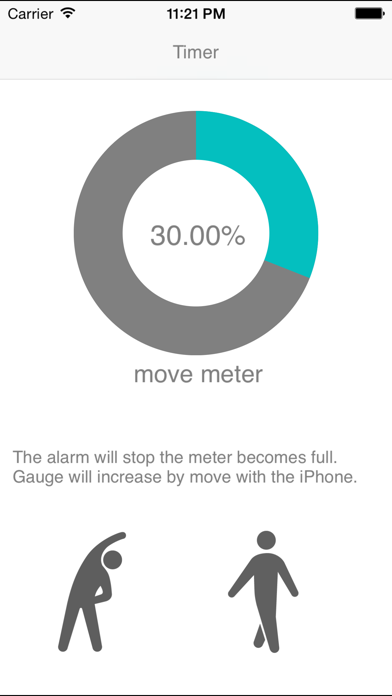
Wake Up Alarm - Move to Stop Screenshot 2 of 5
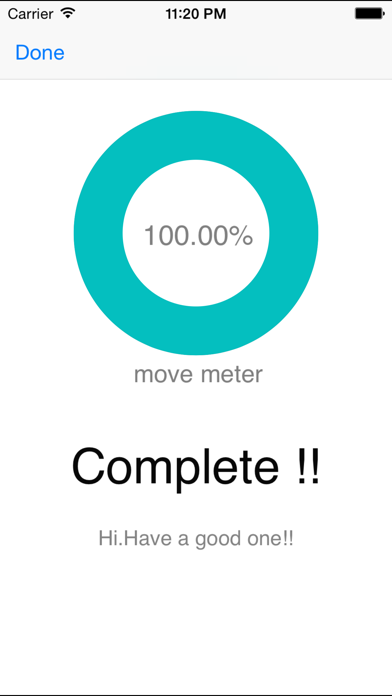
Wake Up Alarm - Move to Stop Screenshot 3 of 5
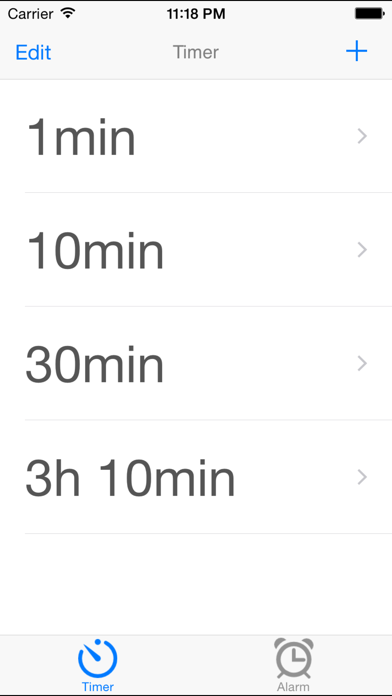
Wake Up Alarm - Move to Stop Screenshot 4 of 5
Wake Up Alarm - Move to Stop Screenshot 5 of 5
Screenshots by Naoki Oguchi, from the the App Store listing
View on the App Store

AppBrain's verdict

Established
Rating on App Store
2.25
4 ratings
Last updated
April 9, 2026
Size
24.8 MB

It doesn't have enough ratings yet to judge what users think.

Official page on the App Store

User feedback

Ratings and reviews on the App Store

Comments on Wake Up Alarm - Move to Stop for iOS

We don't have enough comments to show example comments. Please check back later.

Store listing

By Naoki Oguchi, from the App Store
Description by Naoki Oguchi Written by the developer, not by AppBrain. Click to read.
The ultimate alarm clock that physically forbids "just 5 more minutes!"
This app was developed for those who find themselves oversleeping or hitting snooze repeatedly. This is a "must-move-to-stop" alarm.

■ Strong Points
1. Exercise is Required to Stop
Once the alarm goes off, the loud sound will not stop until you perform a set amount of physical movement (shaking or moving the phone). Your brain and body will be forced to wake up while you move, breaking the cycle of oversleeping.

2. New Feature: Sleep Mode (Pseudo-Sleep)
Eliminate the risk of the alarm not going off due to missed notifications. By activating the dedicated Sleep Mode, the app stays in the foreground while keeping the screen dark until morning. It ensures the alarm wakes you up with maximum volume.

3. Two Modes for Different Situations
- Alarm Mode: For your daily morning wake-up.
- Timer Mode: To prevent oversleeping during power naps or short rests.

■ Critical Settings for Guaranteed Results
To ensure this app wakes you up every time, we strongly recommend the following:

- Allow Push Notifications
Be sure to select "Allow" when the popup appears during installation. If you declined, please turn it ON via Settings > [App Name] > Notifications.

- Turn Off Silent Mode and Set Volume to Max
Flip the physical silent switch to OFF and set your device volume to maximum before going to sleep.

- Use the "Sleep Mode" Button
Tap the "Sleep Mode" button within the app before bed. It supports "Time Sensitive" notifications to bypass Focus modes, ensuring the alarm sounds loud and clear in the morning without being disturbed by nightly notifications.

■ Recommended For
- People who struggle with repeated oversleeping.
- Heavy sleepers who cannot afford to be late for work or school.
- Those who nap during the day and end up sleeping too long.
- Anyone who cannot wake up with standard alarm sounds.

■ Warning
This app's alarm is extremely persistent and will continue to ring at a high volume.
It is not for those who want a "gentle" wake-up. Please install only if you are determined to wake up no matter what.

Install only if you are serious about waking up.

Safety and technology

Found in the app by AppBrain
Price
Free
App size
24.8 MB
Content rating
Everyone

Technologies used by Wake Up Alarm - Move to Stop

Releases

Updates seen on the App Store
Version
3.0
Launched
September 2014

No changelog data

Alternatives

Similar apps and more from Naoki Oguchi

Alternatives to Wake Up Alarm - Move to Stop

Alarm Clock-Smart Wake Me Up! icon Alarm Clock-Smart Wake Me Up!
ShengYi NetWork Technology CO., Ltd.
1.0
Free
2 ratings
Lockable Alarm Clock icon Lockable Alarm Clock
Jarig Duval
4.5
Free
50 ratings
Motion Alarm Clock icon Motion Alarm Clock
Jarig Duval
4.5
Free
1.3K ratings
DigitalTOKEI icon DigitalTOKEI
Dorapro
5.0
Free
4 ratings
ScheduledDay icon ScheduledDay
tadashi atoji
4.7
Free
178 ratings
Cat Alarm Clock :3 icon Cat Alarm Clock :3
HANBUNCO, INC.
4.7
Free
140 ratings
Shake to Wake: Alarm Clock icon Shake to Wake: Alarm Clock
Gianluca Di Maggio
4.7
Free
23 ratings
Mugen Clock icon Mugen Clock
Koichiro Kamada
4.5
Free
65 ratings

More from Naoki Oguchi

My Rules: Goal & Habit Tracker icon My Rules: Goal & Habit Tracker
Naoki Oguchi
3.8
Free
10 ratings
Your Rules Subscription icon Your Rules Subscription
Naoki Oguchi
5.0
Free
1 ratings
Reception App: iPad Check-in icon Reception App: iPad Check-in
Naoki Oguchi
0.0
Free
Flat Rate Kiosk Time Clock icon Flat Rate Kiosk Time Clock
Naoki Oguchi
0.0
Free
People Counter By AI icon People Counter By AI
Naoki Oguchi
0.0
Free

Rankings

App Store top charts

App Store Rankings for Wake Up Alarm - Move to Stop

This app is not ranked

About the app and developer

About Wake Up Alarm - Move to Stop

Wake Up Alarm - Move to Stop is an utilities app developed by Naoki Oguchi.

What is the rating of Wake Up Alarm - Move to Stop?

Wake Up Alarm - Move to Stop is rated 2.25 out of 5 stars, based on 4 ratings.

Is Wake Up Alarm - Move to Stop free?

Wake Up Alarm - Move to Stop is free. The app size is 24.80 MB. The latest version available is 3.0. The last update was on April 9, 2026.

What are the requirements for Wake Up Alarm - Move to Stop?

The app has a content rating of Everyone. The app has been available on the App Store since September 2014.

Wake Up Alarm - Move to Stop is made and published by Naoki Oguchi. AppBrain is an independent app data site and isn't affiliated with Naoki Oguchi. The app name, icon, screenshots and description belong to Naoki Oguchi and are shown as published on the App Store.

Developer information for Naoki Oguchi

Naoki Oguchi

Address:

Share Wake Up Alarm - Move to Stop

Apps other people are watching Today's trending apps Price drops on Google Play Popular Utilities Apps Top new apps
Alarm Clock-Smart Wake Me Up! icon Alarm Clock-Smart Wake Me Up!
Lockable Alarm Clock icon Lockable Alarm Clock
Motion Alarm Clock icon Motion Alarm Clock
DigitalTOKEI icon DigitalTOKEI
ScheduledDay icon ScheduledDay
Cat Alarm Clock :3 icon Cat Alarm Clock :3
Shake to Wake: Alarm Clock icon Shake to Wake: Alarm Clock
Mugen Clock icon Mugen Clock
Overview Alternatives Reviews Rankings Technology
AppBrain Intelligence premium content

Subscribe now to get full and unlimited access to AppBrain Intelligence. You'll have access to:

  • App Intelligence dashboard (performance timeline, competitor comparison, country rankings, insight cards)
  • Detailed ranking data per app
  • Full timeline per developer
  • Device market shares data per country
  • Unlimited keyword tracking
1 Month

$75/mo
(billed every month)

SAVE 0%
Subscribe
3 Months

$65/mo
($195 billed every 3 months)

SAVE 13%
Subscribe
1 Year

$57.50/mo
($690 billed every year)

SAVE 23%
Subscribe
Each subscription will automatically renew 3 days before the expiration date for the same time period. Subscriptions can be cancelled at any time before the renewal.

AppBrain is an app data site, we track rankings, ratings, installs for all apps and games on Google Play and the App Store. AppBrain doesn't host app files or APKs, all install links go directly to the official store. All trademarks are owned by their respective owners.

More apps

  • Top Android apps being viewed
  • TyreSense 4
  • View My Tesco
  • View BallBreach

App statistics

  • Android statistics
  • Google Play Developer stats
  • Trending Android Apps
  • Trending iOS apps
  • Top popular Apps
  • Buy the best Android phone
  • Buy & sell app businesses

About AppBrain

  • Contact
  • Privacy
  • Documentation
  • DMCA takedowns
  • Blog
  • Android Interstitial Ads: Best practices to optimize your app's earnings
© 2010-2026 - AppBrain