

Wansview FC is made and published by Kevin Siml. AppBrain is an independent app data site and isn't affiliated with Kevin Siml. The app name, icon, screenshots and description belong to Kevin Siml and are shown as published on the App Store.
AppBrain's verdict
Established- Rating on App Store
- 1.60
- 5 ratings
- Last updated
- August 7, 2017
It doesn't have enough ratings yet to judge what users think.
Rankings
App Store top chartsApp Store Rankings for Wansview FC
Competitors
Similar apps and more from Kevin SimlAlternatives to Wansview FC







More from Kevin Siml







 Speedo GPS Speed Tracker, Car Speedometer, Cycle Computer, Trip Computer, Route Tracking, HUD
Releases
Updates seen on the App Store- Version
- 1.02
- Launched
- May 2017
No changelog data
User feedback
Ratings and reviews on the App StoreComments on Wansview FC for iOS
We don't have enough comments to show example comments. Please check back later.
Technology
Found in the app by AppBrain- Price
- $0.99
- App size
- 46.3 MB
- Content rating
- Everyone
Technologies used by Wansview FC
About the app and developer
About Wansview FC
Wansview FC is an utilities app developed by Kevin Siml.
User Ratings
Wansview FC is rated 1.60 out of 5 stars. The rating is based on 5 ratings.
App Information
Wansview FC costs $0.99. The app size is 46.26 MB. The latest version available is 1.02. The last update was on August 7, 2017.
Technical Requirements
The app has a content rating of Everyone. The app has been available on the App Store since May 2017.
Developer information for Kevin Siml
Address:
Store listing
By Kevin Siml, from the App Store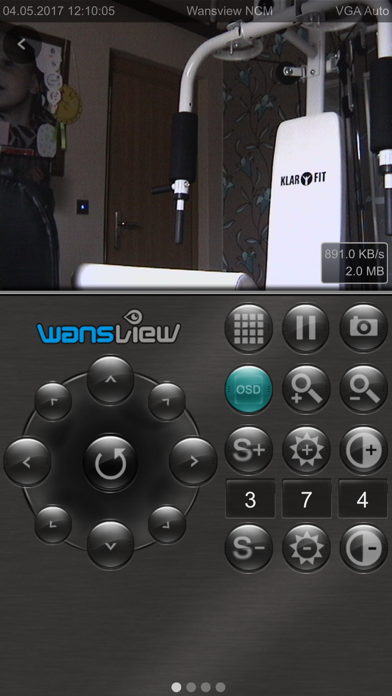
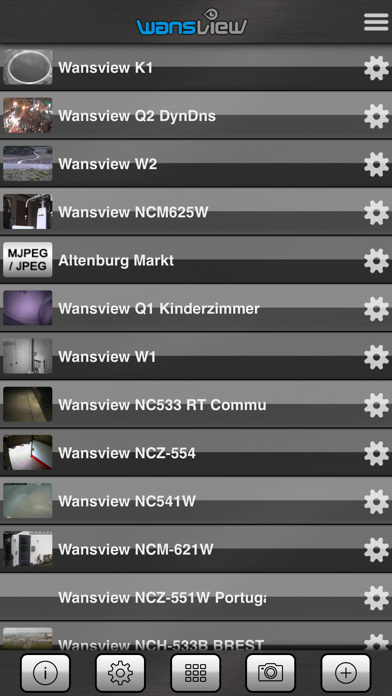
Description by Kevin Siml Written by the developer, not by AppBrain. Click to read.
Features (please note: not all functions are supported for each camera)
• iPad & iPhone version
• Real-time video stream
• Access over local network (LAN, WLAN) or over internet / DDNS (mobile data 3G, 4G)
• http or secure https connection to your camera (if supported by your camera)
• Control your cameras over 8 axes
• Presets, camera positions, load and save up to 16 presets
• Setting the speed for manual or automatic control (Pan-Tilt Speed)
• Auto patrol settings (horizontal, vertical, horizontal + vertival), setup the interval and rounds of each interval
• Manual patrol
• Pause, pausing the current video image
• Setup motion detection (internal, external): automatic email delivery, email management, setting the internal motion sensitivity, optical and acoustic alarm, activate FTP upload with setting the upload interval
• Option for automatic driving to a preset on alarm (only for standard MJPEG IP cameras)
• Option for automatic saving of images on alarm (only for standard MJPEG IP cameras)
• Schedule can be set (for standard MJPEG IP cameras)
• Optical zoom (only for compatible cameras), digital zoom (pinch to zoom) also for cameras without a optical zoom function
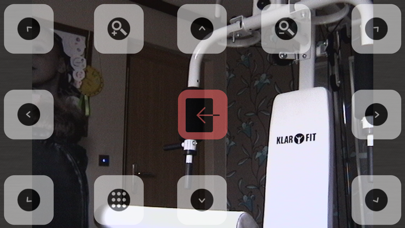
• Turn the iPhone for fullscreen mode, with fully control ability
• OSD menu turn on or off
• control also in fullscreen mode (landscape)
• Save, send and share snapshots
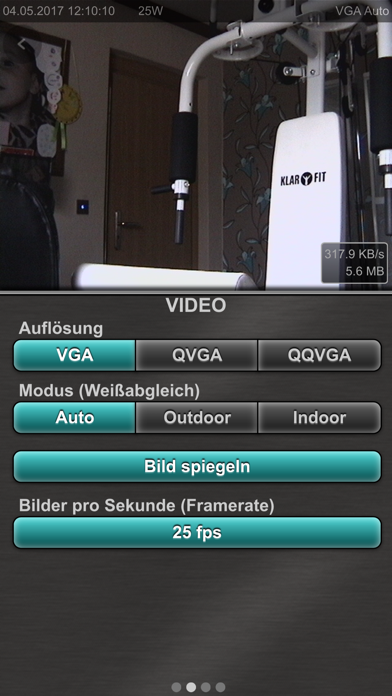
• Setup resolution, frames per second (fps), brightness and contrast
• Mirror videoimage horizontally or vertically, for cameras hang headover
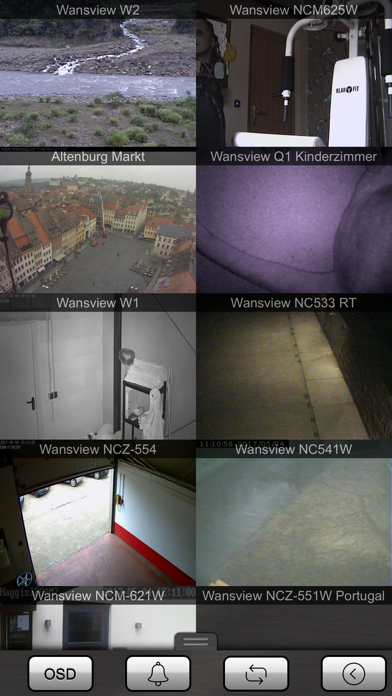
• MultiView, watch 4 or 8 cameras simultaneously (4 = landscape, 8 = portrait), by scrolling you can see up to 96 cameras, tab on the camera to switch to control mode
• Sort the camera list and multiview
• Enable / disable cameras in multiview
• Alarm on motion detection in MultiView
• Switch on and off the LEDs for network activity or IR LEDs (if supported)
• Access or system logs
• data usage for each camera, traffic overall and last session, display data rate per second
• PIN code (password)
• Import/Export, backup over iTunes File Sharing
• Multilanguage, currently english, spanish and german, further languages coming soon
Many ip camera models from the following manufacturers or brands are supported:
K1, NC530, NC533, NC533B, NC541W, NCB540W, NCB541W, NCB543W, NCB545W, NCB546W, NCB547W, NCH530W, NCH531MW, NCH532MJW, NCH532, NCH533, NCH535, NCH536, NCH537, NCL616W, NCM620W, NCM621, NCM622, NCM623, NCM624, NCM625, NCM626W, NCM627, NCM751GA, NCZ550, NCZ551, NCZ552, NCZ553, NCZ554, NCZ555, Q1, Q2, W1, W2
Please visit our homepage, to check if your camera model supported by the app.
http://www.appzer.de/ipcam_fc_en.html
If you have questions or trouble with the app, please write an email to our support: info@appzer.de