

Waveform Camera is made and published by Brian Barnett. AppBrain is an independent app data site and isn't affiliated with Brian Barnett. The app name, icon, screenshots and description belong to Brian Barnett and are shown as published on the App Store.
AppBrain's verdict
- Rating on App Store
- 5.00
- 1 ratings
- Last updated
- August 14, 2026
It doesn't have enough ratings yet to judge what users think.
Rankings
App Store top chartsApp Store Rankings for Waveform Camera
Competitors
Similar apps and more from Brian BarnettMore from Brian Barnett

Releases
Updates seen on the App Store- Version
- 1.1
- Launched
- October 2025
No changelog data
User feedback
Ratings and reviews on the App StoreComments on Waveform Camera for iOS
We don't have enough comments to show example comments. Please check back later.
Technology
Found in the app by AppBrain- Price
- $1.99
- App size
- 4.04 MB
- Content rating
- Everyone
Technologies used by Waveform Camera
About the app and developer
About Waveform Camera
Waveform Camera is a music app developed by Brian Barnett.
User Ratings
Waveform Camera is rated 5.00 out of 5 stars. The rating is based on one rating ratings.
App Information
Waveform Camera costs $1.99. The app size is 4.04 MB. The latest version available is 1.1. The last update was on August 14, 2026.
Technical Requirements
The app has a content rating of Everyone. The app has been available on the App Store since October 2025.
Developer information for Brian Barnett
Address:
Frequently asked questions about Waveform Camera
Is Waveform Camera free?
No. Waveform Camera costs $1.99 on the App Store.
Is Waveform Camera still available?
Yes. Waveform Camera is on the App Store, and the last update we saw was on August 14, 2026.
How large is Waveform Camera?
Waveform Camera is 4.04 MB.
Is Waveform Camera suitable for children?
App Store rates the content of Waveform Camera as suitable for everyone.
How do people rate Waveform Camera?
Waveform Camera has one rating of 5.00 stars on the App Store.
Who made Waveform Camera?
Waveform Camera was developed by Brian Barnett. It is listed in the music category on the App Store.
Store listing
By Brian Barnett, from the App Store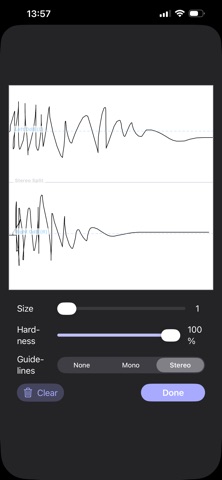
Description by Brian Barnett Written by the developer, not by AppBrain. Click to read.
CAPTURE & CROP
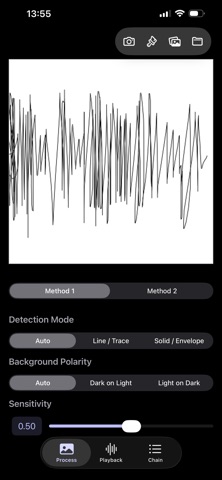
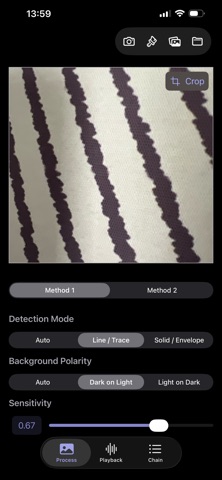
Instantly capture new waveforms using your camera.
Import any image directly from your photo library or files app.
Use the resizable cropping tool to isolate the exact waveform you want to process. You can re-crop then re-process at any time.
Finger paint a waveform in either mono or stereo.
PROCESS THE IMAGE
Process your image as a mono or stereo audio file.
Define the output length down to the exact sample (from 64 to 220,500 samples - or work in seconds, from to 0.001 to 5 seconds).
Our two advanced processing engines normalizes the audio and uses interpolation to render a distinctly low fidelity sound from waveform images (and any other image you want to throw at it!).
PLAY, PITCH, & EXPORT
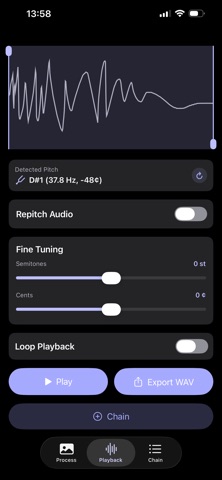
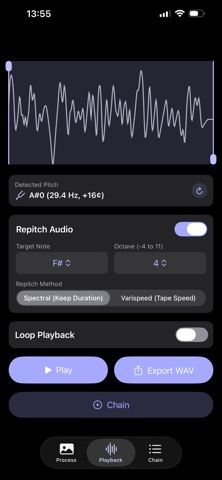
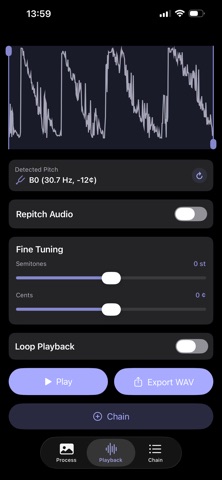
Your new sound appears on an interactive playback screen with a visual waveform.
Drag the start and end handles to select the perfect loop region.
Hear your changes in real-time with dynamic loop playback that updates as you move the handles.
Detect the pitch (and re-detect from the selected region), fine tune the pitch, or re-pitch to a chosen note and octave with either spectral resampling (maintains the original audio length) or varispeed to re-pitch by changing the length of the audio.
Export your final loop or the entire sound as a .wav file, ready to be dropped into any DAW or music project.
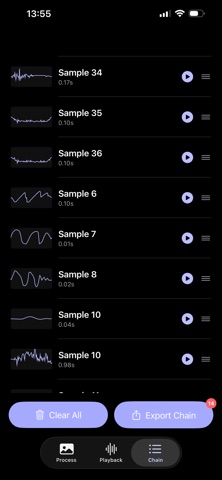
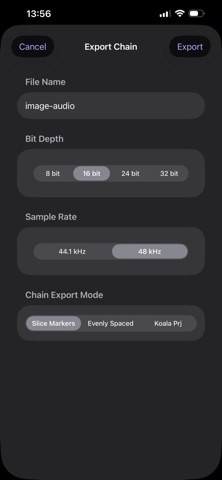
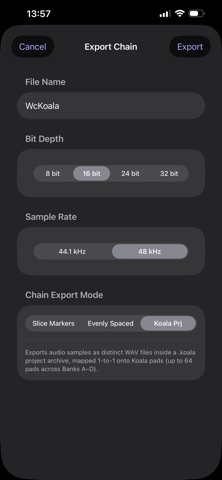
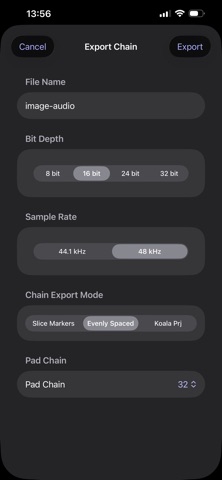
Add the audio to the chain list, build a chain then export as a single file with cue markers, or equally spaced audio with padding to a fixed value.
Export the chain list as a Koala project file (up-to 64 sounds per project) and continue with the samples directly in the Koala app.
Perfect for sound designers, electronic musicians, and audio hobbyists. Waveform Camera is the perfect tool for:
- Re-synthesizing single-cycle waveforms from your favorite synths.
- Turning a drawing of a filter sweep into a real audio effect.
- Discovering new sounds in the world around you.
Capture, crop, process, and play. A quirky new sound design tool is here to experiment with.