

WealthONE Bank
WealthONE Bank is made and published by Wealth One Bank of Canada. AppBrain is an independent app data site and isn't affiliated with Wealth One Bank of Canada. The app name, icon, screenshots and description belong to Wealth One Bank of Canada and are shown as published on the App Store.
AppBrain's verdict
Established- Rating on App Store
- 5.00
- 1 ratings
- Last updated
- September 3, 2026
It doesn't have enough ratings yet to judge what users think.
Rankings
App Store top chartsApp Store Rankings for WealthONE Bank
Competitors
Similar apps and more from Wealth One Bank of CanadaAlternatives to WealthONE Bank


Releases
Updates seen on the App Store- Version
- 18.1.1
- Launched
- July 2017
No changelog data
User feedback
Ratings and reviews on the App StoreComments on WealthONE Bank for iOS
We don't have enough comments to show example comments. Please check back later.
Technology
Found in the app by AppBrain- Price
- Free
- App size
- 73.0 MB
- Content rating
- Everyone
Technologies used by WealthONE Bank
About the app and developer
About WealthONE Bank
WealthONE Bank is a finance app developed by Wealth One Bank of Canada.
What is the rating of WealthONE Bank?
WealthONE Bank is rated 5.00 out of 5 stars, based on one rating ratings.
Is WealthONE Bank free?
WealthONE Bank is free. The app size is 72.99 MB. The latest version available is 18.1.1. The last update was on September 3, 2026.
What are the requirements for WealthONE Bank?
The app has a content rating of Everyone. The app has been available on the App Store since July 2017.
Developer information for Wealth One Bank of Canada
Address:
Frequently asked questions about WealthONE Bank
Is WealthONE Bank free?
Yes. WealthONE Bank is free on the App Store.
Is WealthONE Bank still available?
Yes. WealthONE Bank is on the App Store, and the last update we saw was on September 3, 2026.
How large is WealthONE Bank?
WealthONE Bank is 72.99 MB.
Is WealthONE Bank suitable for children?
App Store rates the content of WealthONE Bank as suitable for everyone.
How do people rate WealthONE Bank?
WealthONE Bank has one rating of 5.00 stars on the App Store.
Who made WealthONE Bank?
WealthONE Bank was developed by Wealth One Bank of Canada. It is listed in the finance category on the App Store.
What are the best alternatives to WealthONE Bank?
People looking at WealthONE Bank also look at these finance apps: Peoples Bank Mobile, Oaken Digital, Peoples Trust Company, MAXAFinancial Mobile App, motusbank mobile banking.
Store listing
By Wealth One Bank of Canada, from the App Store



Description by Wealth One Bank of Canada Written by the developer, not by AppBrain. Click to read.
Our new app gives you an improved look and feel, easy navigation, and additional security for your protection:
•Manage your WealthOne accounts
•View account activity, balances, and recent transactions
•With Quickview, you can view your account balances onscreen without having to log in, convenient for when you’re standing in the checkout line
•Login fast with secure access via biometric login
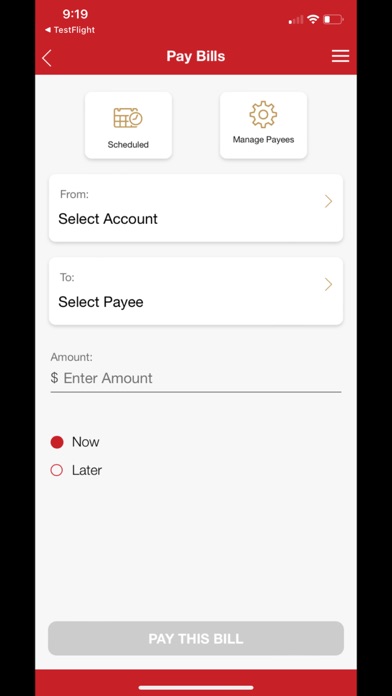
•Transfer funds or pay bills now or set them up for future dates
•View and edit upcoming bills and transfers
•Send, request, and receive money within Canada using Interac e-Transfer
•Get alerts about your accounts
•Compatible with iPhone and iPad
If you are not a WealthOne Bank member with online/mobile banking, you can still use the head office locator and contact information.
CONSENT:
By downloading the WealthONE Bank Mobile app, you consent to the installation of the app and any future updates or upgrades. You may withdraw your consent at any time by deleting or uninstalling the app from your device.
Permission:
When you install the app, it will ask for permission to access the following functions of your device:
Location services – allows the app to use your device's GPS to find the bank office
Camera – allows the app to use device camera to take picture of cheque
Contacts – allows you to create new INTERAC® e-Transfer recipients by selecting from your device contacts.
Using the app:
It couldn’t be simpler, sign on the same way you do for your online banking account. If you are not already signed up for online banking, contact Virtual Services at 1-866-392-1088 or visit our head office.