
Weather Widget Live +
Weather Widget Live + is made and published by Voros Innovation. AppBrain is an independent app data site and isn't affiliated with Voros Innovation. The app name, icon, screenshots and description belong to Voros Innovation and are shown as published on the App Store.
AppBrain's verdict
- Last updated
- September 23, 2024
Rankings
App Store top chartsApp Store Rankings for Weather Widget Live +
Competitors
Similar apps and more from Voros InnovationMore from Voros Innovation


Releases
Updates seen on the App Store- Version
- 5.3.0
- Launched
- February 2017
No changelog data
User feedback
Ratings and reviews on the App StoreComments on Weather Widget Live + for iOS
We don't have enough comments to show example comments. Please check back later.
Technology
Found in the app by AppBrain- Price
- $5.99
- App size
- 302.0 MB
- Content rating
- Everyone
Technologies used by Weather Widget Live +
About the app and developer
About Weather Widget Live +
Weather Widget Live + is a weather app developed by Voros Innovation.
User Ratings
The app has no ratings yet.
App Information
Weather Widget Live + costs $5.99. The app size is 301.99 MB. The latest version available is 5.3.0. The last update was on September 23, 2024.
Technical Requirements
The app has a content rating of Everyone. The app has been available on the App Store since February 2017.
Developer information for Voros Innovation
Address:
Store listing
By Voros Innovation, from the App Store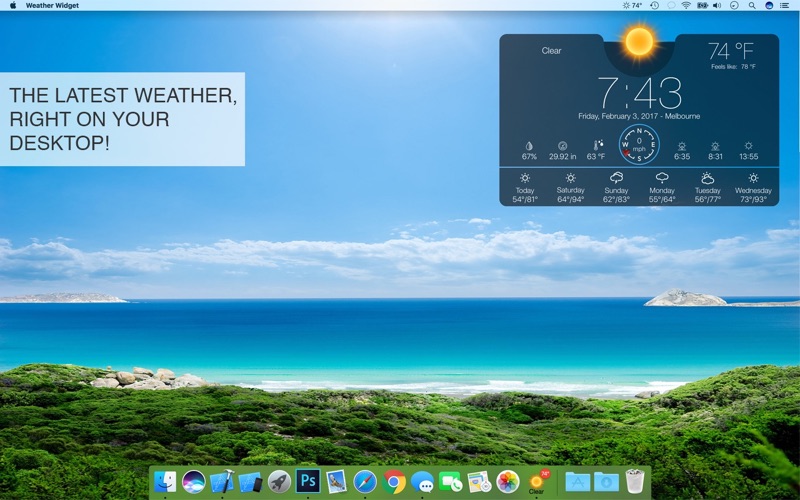
Description by Voros Innovation Written by the developer, not by AppBrain. Click to read.
Weather Forecast
- Forecast locations worldwide
- Multiple locations support
- Imperial or Metric units (F & mph or C & km/h)
- Start at login option
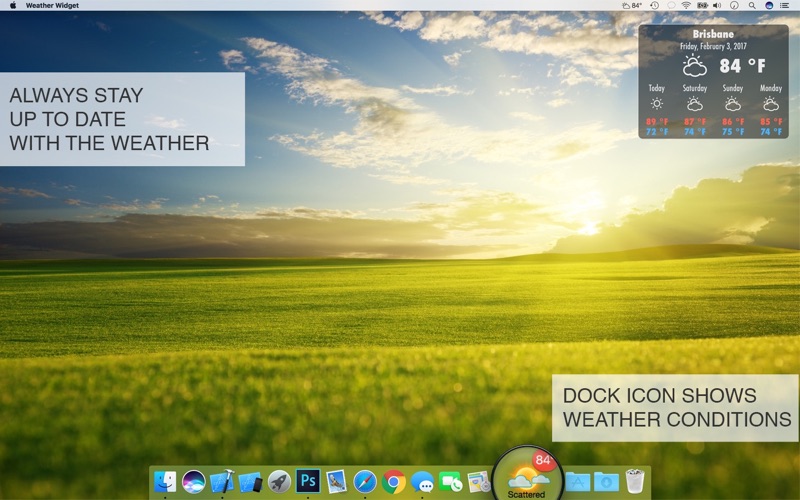
Widget
- Choose from a selection of widget design options
- Move your widget anywhere on your desktop with the Click & Drag feature in the app preferences
- Option to resize your widget
- Option to change opacity of your widget (make it see-through)
- Hot corner functionality: set a hot corner to instantly reveal desktop & widget by moving mouse to that corner
- “Show Desktop” functionality: moves all windows away to show desktop & widget after a set period of inactivity
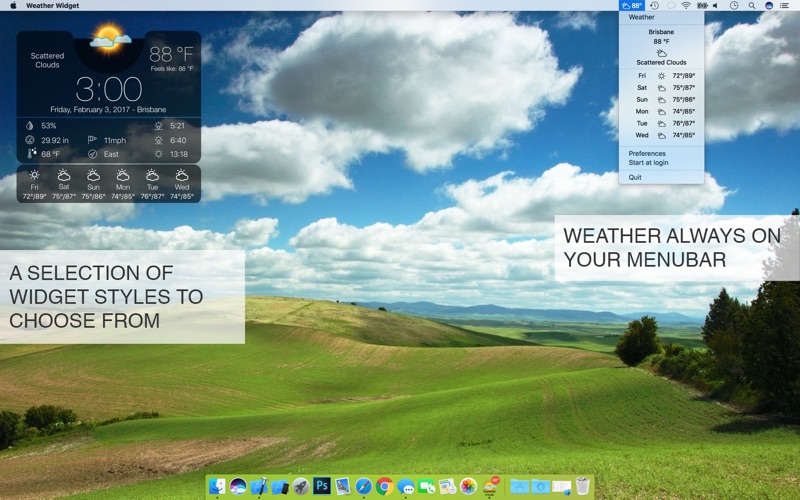
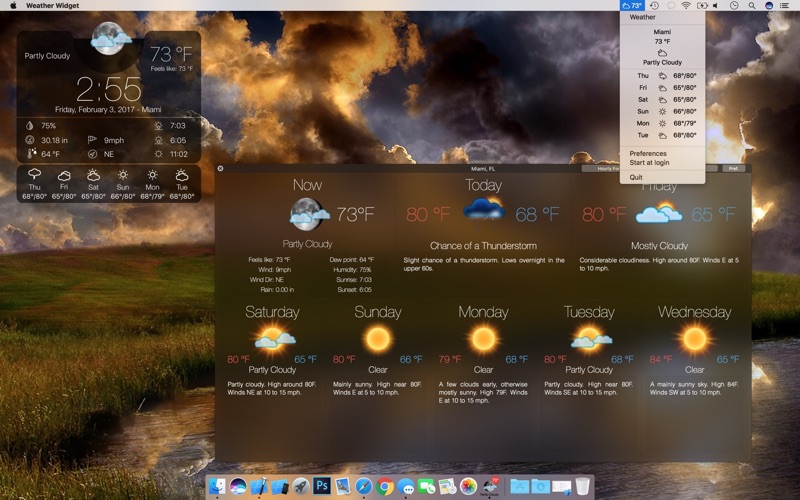
Menu bar Weather
- Menu bar can be set to show current temperature, forecast or wind
- One click on menu bar shows brief drop-down forecast
- Easy access to app menu to open detailed weather window and app settings
Dock Weather
- Dock icon appearance can be customized
- Dock icon can be set to show current temperature, forecast or wind
- Menu bar also shows the weather
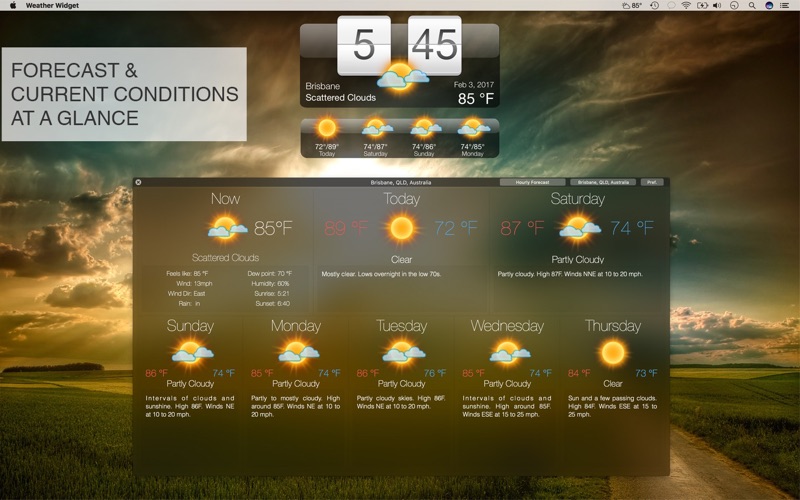
Detailed Weather
- Click the dock icon once to bring up the detailed weather window
- Provides a detailed hourly weather forecast
- Switch easily between your locations with the drop down locations menu
Stay on top of the weather with Weather Widget – a blend of style, convenience, and powerful features that keep you informed at a glance. Whether you need quick updates or detailed forecasts, Weather Widget has you covered. Download now and transform your desktop into a personal weather station!