

WeaveIt
WeaveIt is made and published by Canyon Art, LLC. AppBrain is an independent app data site and isn't affiliated with Canyon Art, LLC. The app name, icon, screenshots and description belong to Canyon Art, LLC. and are shown as published on the App Store.
AppBrain's verdict
- Last updated
- September 25, 2026
Rankings
App Store top chartsApp Store Rankings for WeaveIt
Competitors
Similar apps and more from Canyon Art, LLC.More from Canyon Art, LLC.

Releases
Updates seen on the App Store- Version
- 3.1.3
- Launched
- November 2016
No changelog data
User feedback
Ratings and reviews on the App StoreComments on WeaveIt for iOS
We don't have enough comments to show example comments. Please check back later.
Technology
Found in the app by AppBrain- Price
- $164.99
- App size
- 6.30 MB
- Content rating
- Everyone
Technologies used by WeaveIt
About the app and developer
About WeaveIt
WeaveIt is an education app developed by Canyon Art, LLC.
User Ratings
The app has no ratings yet.
App Information
WeaveIt costs $164.99. The app size is 6.30 MB. The latest version available is 3.1.3. The last update was on September 25, 2026.
Technical Requirements
The app has a content rating of Everyone. The app has been available on the App Store since November 2016.
Developer information for Canyon Art, LLC.
Address:
Store listing
By Canyon Art, LLC., from the App Store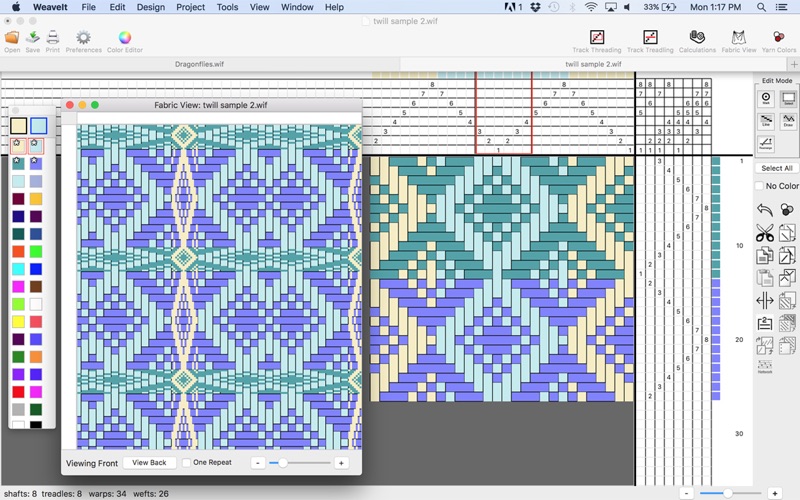
Description by Canyon Art, LLC. Written by the developer, not by AppBrain. Click to read.
is a full-featured weaving application for Mac operating system that designed for the weaver who wants to design drafts creatively.
General Features
• Easy to use user interface
• Extensive on-line help and glossary of weaving terms.
• Allows up to: 64 harnesses, unlimited treadles
• No limit on number of warp and weft threads
• Balanced, Warp faced, Weft faced, and Warp-rep Weave, Double Weave
• View multiple patterns open at same time
• Edit in one window, while display warp-faced, weft-faced, variable-width or double-weave in fabric window. Changes are immediately displayed in both windows.
• Cut and paste threading or treadling between patterns.
• Display threading at bottom of screen with treadling going up.
• WIF weaving independent file format allows you to exchange weaving drafts with other weaving programs.
• Edit and display draft as lift plan.
• Allows Multiple Treadles.
Editing
• Easy to create and edit threading and treadling and tie-up drafts.
• Edit actions include:
o Mark single cells, draw lines, draw curves
o Undo
o Cut, copy, paste
o Flip in both directions
o Wrap
o Repeat selection of threading or treadling
o Create advancing threading
o Create network draft
o Invert selection of tie-up
o Clear selection of the tie-up
o Create twill tie-up quickly by entering in first column.
• Re-arrange shafts or treadles for more convenient weaving.
Color Management
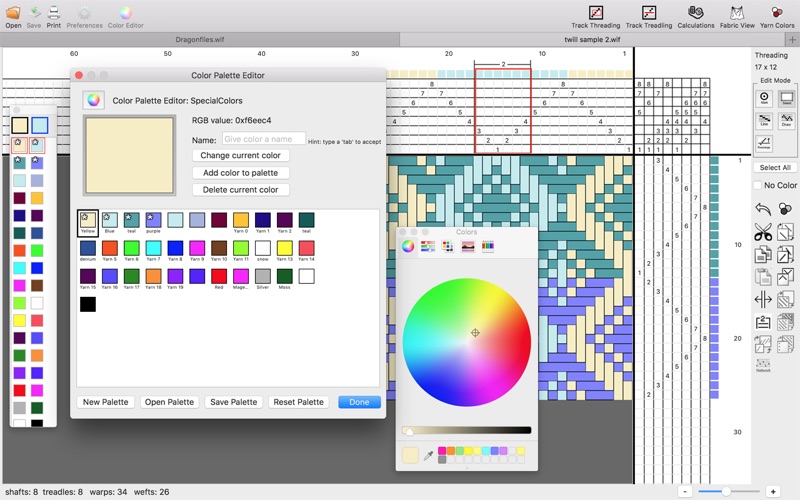
• Create custom color palettes with unlimited number of colors.
• Select and quickly change color when editing draft.
• Colors are linked to yarns so color can be changed for every occurrence of that color
• Variable width for a yarn color can be set to appear everywhere its used.
• Yarn colors can have names and types.
• Color n' weave effects can be created.
Project Management
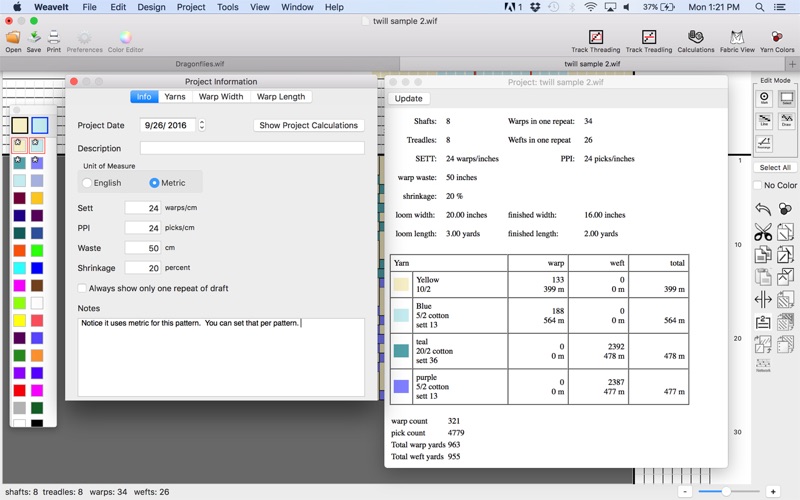
• Metric units available
• Computes number of warp ends.
• Computes yardage requirements for warp and weft, and for each yarn.
• Handles variable-width yarns.
• Given fabric loom dimensions will compute finished fabric dimensions.
• Calculates warps based on exact pattern.
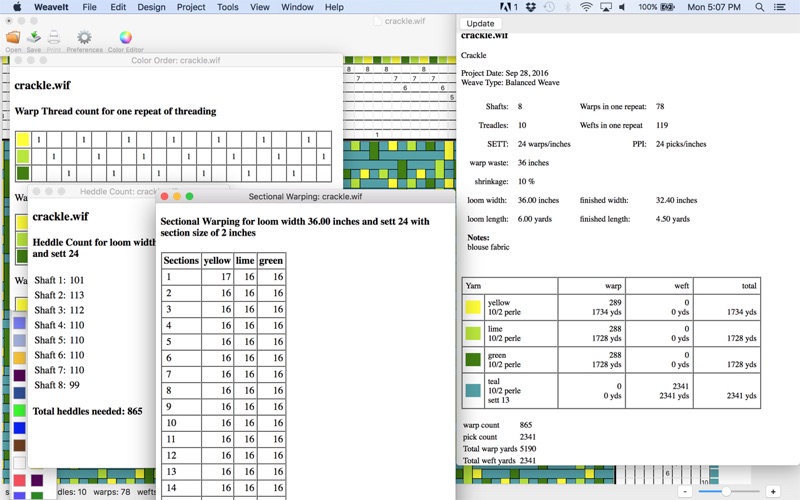
• Computes number of heddles required for each shaft
• Computes and displays the color order.
• Computes and displays sectional warping.
• Calculate sett.
Designing
• Treadle as drawn-in
• Color n' Weave
• Turn the draft
• Interleave drafts with custom ratios.
• Parallel threading for up to 4 lines.
• Find floats and edit as they are listed.
• Network drafting.
• Block Substitution
WeaveIt works well with BigSur and Monterey OS
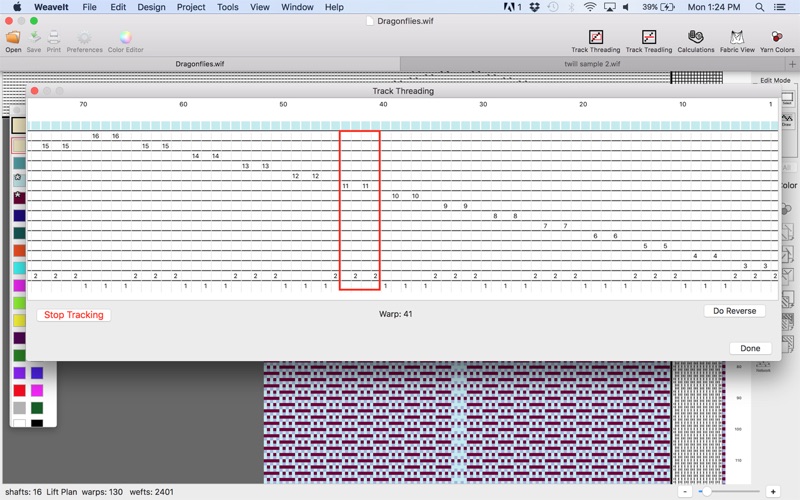
Manual Tracking for non-computerized looms
• Keeps track of threading using custom sized groups.
• Keep track of treadling either as treadles or lift plan.
• Both thread tracking and treadle tracking show yarn colors.
Both tracking types provides options for customizing how you track