

Week View Calendar Premium
Week View Calendar Premium is made and published by Apptown Studio AB. AppBrain is an independent app data site and isn't affiliated with Apptown Studio AB. The app name, icon, screenshots and description belong to Apptown Studio AB and are shown as published on the App Store.
AppBrain's verdict
Established- Rating on App Store
- 5.00
- 1 ratings
- Last updated
- August 12, 2026
It doesn't have enough ratings yet to judge what users think.
Rankings
App Store top chartsApp Store Rankings for Week View Calendar Premium
Competitors
Similar apps and more from Apptown Studio ABAlternatives to Week View Calendar Premium







More from Apptown Studio AB






Releases
Updates seen on the App Store- Version
- 3.2
- Launched
- December 2013
No changelog data
User feedback
Ratings and reviews on the App StoreComments on Week View Calendar Premium for iOS
We don't have enough comments to show example comments. Please check back later.
Technology
Found in the app by AppBrain- Price
- $1.99
- App size
- 1.25 MB
- Content rating
- Everyone
Technologies used by Week View Calendar Premium
About the app and developer
About Week View Calendar Premium
Week View Calendar Premium is a productivity app developed by Apptown Studio AB.
User Ratings
Week View Calendar Premium is rated 5.00 out of 5 stars. The rating is based on one rating ratings.
App Information
Week View Calendar Premium costs $1.99. The app size is 1.25 MB. The latest version available is 3.2. The last update was on August 12, 2026.
Technical Requirements
The app has a content rating of Everyone. The app has been available on the App Store since December 2013.
Developer information for Apptown Studio AB
Address:
Store listing
By Apptown Studio AB, from the App Store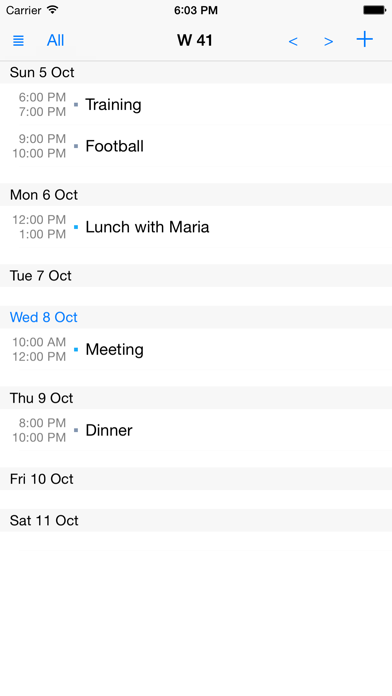
Description by Apptown Studio AB Written by the developer, not by AppBrain. Click to read.
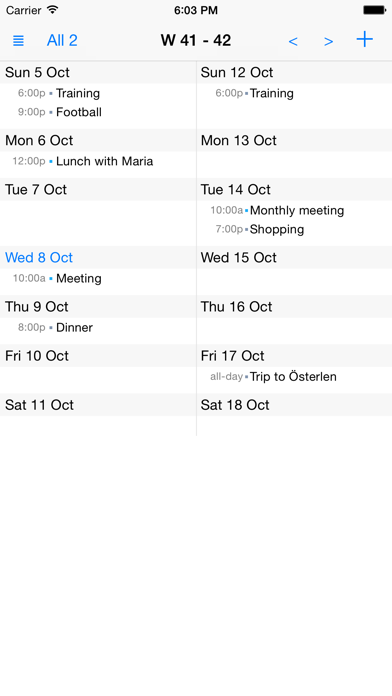
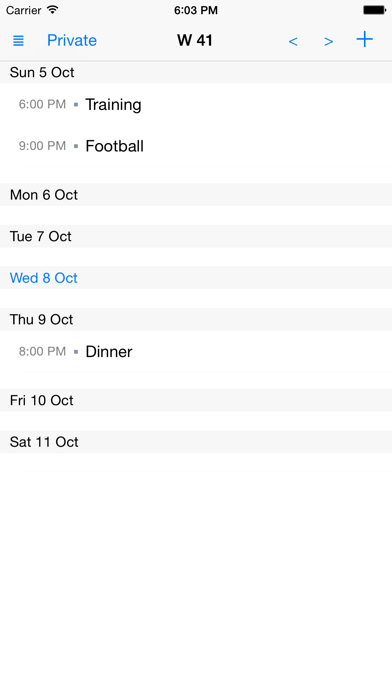
With Week View Calendar you can easily customize different views, such as work calendar view, family calendar view or a view that shows a combination of two or more calendars. And it is really easy to switch between the views!
Available settings in each view:
- Name
- Presentation style
- One or two weeks on the screen
- Calendars to show
- Calendar color
- End time (on or off)
- ...
You can have as many views as you like!
Week View Calendar uses and stores information in the iPhone/iPad Calendar. Everything you see there can be seen in Week View Calendar as well. What you add/change/delete in one of the calendars will be shown also in the other! When you start using Week View Calendar all your existing Calendar entries will be shown directly. No information is sent to us or stored in a new way.
Key Features
- Views
- Week based
- Focus on your content
- Uses your normal calendar storage
- Possible to show week number on app icon
Download now and you will get a week calendar with focus on your content!