

WEGscan
WEGscan is made and published by WEG Equipamentos Eletricos S/A. AppBrain is an independent app data site and isn't affiliated with WEG Equipamentos Eletricos S/A. The app name, icon, screenshots and description belong to WEG Equipamentos Eletricos S/A and are shown as published on the App Store.
AppBrain's verdict
Established- Rating on App Store
- 5.00
- 1 ratings
- Last updated
- July 9, 2026
It doesn't have enough ratings yet to judge what users think.
Rankings
App Store top chartsApp Store Rankings for WEGscan
Competitors
Similar apps and more from WEG Equipamentos Eletricos S/A






Releases
Updates seen on the App Store- Version
- 5.6.0
- Launched
- April 2018
No changelog data
User feedback
Ratings and reviews on the App StoreComments on WEGscan for iOS
We don't have enough comments to show example comments. Please check back later.
Technology
Found in the app by AppBrain- Price
- Free
- App size
- 43.1 MB
- Content rating
- Everyone
Technologies used by WEGscan
About the app and developer
About WEGscan
WEGscan is an utilities app developed by WEG Equipamentos Eletricos S/A.
User Ratings
WEGscan is rated 5.00 out of 5 stars. The rating is based on one rating ratings.
App Information
WEGscan is freely available from the App Store. The app size is 43.13 MB. The latest version available is 5.6.0. The last update was on July 9, 2026.
Technical Requirements
The app has a content rating of Everyone. The app has been available on the App Store since April 2018.
Developer information for WEG Equipamentos Eletricos S/A
WEG Equipamentos Eletricos S/A
Address:
Store listing
By WEG Equipamentos Eletricos S/A, from the App Store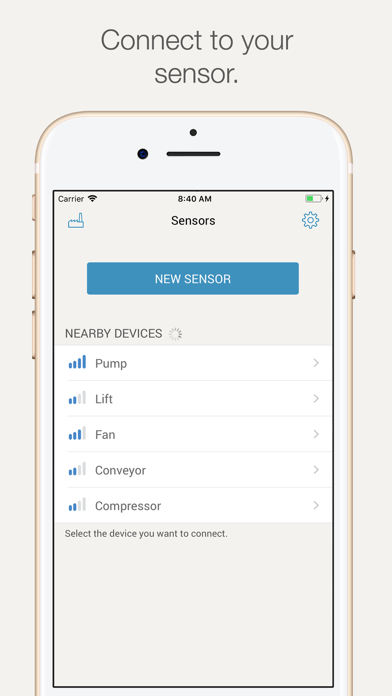


Description by WEG Equipamentos Eletricos S/A Written by the developer, not by AppBrain. Click to read.
The WEGscan application allows you to connect to the sensor and get up-to-date information about the motor, configure new sensors and view the current status of your plant. The app was designed especially for iPad, iPhone and iPod touch.
By integrating with the WEG Digital Solutions all the information is updated and available to your team through the web, iOS.
Sensor Configuration
• Activate your new sensor as soon as you remove it from its packaging
• Configure and teach your new sensor via guided startup
• Relate the serial number of your motor to the new sensor
• Create the advanced schedule of vibration measurements
Motor data
• Check the latest motor data and nameplate information
• Receive notifications about the health of your motor
Synchronization of sensor data
• Send updated measurements to the WEG digital solution
• Perform the maintenance route and download information of all sensors in your plant
Management of manufacturing plants
• See the operating conditions of your motor
• View events identified by the WEG smart diagnostics algorithm
• Get to know the exact timing of the upcoming maintenance of your motor
Some features may require Internet access; additional fees and terms may apply.