

WeNote - Notes, Notepad, To do
WeNote - Notes, Notepad, To do is made and published by Yan Cheng Cheok. AppBrain is an independent app data site and isn't affiliated with Yan Cheng Cheok. The app name, icon, screenshots and description belong to Yan Cheng Cheok and are shown as published on the App Store.
AppBrain's verdict
Loved by users- Rating on App Store
- 4.83
- 1,029 ratings
- Last updated
- August 6, 2026
Users love it: 4.8 stars from 1,029 ratings.
Rankings
App Store top chartsApp Store Rankings for WeNote - Notes, Notepad, To do
Competitors
Similar apps and more from Yan Cheng CheokAlternatives to WeNote - Notes, Notepad, To do



More from Yan Cheng Cheok


Also available on Google Play

Releases
Updates seen on the App Store- Version
- 1.78
- Launched
- August 2022
No changelog data
User feedback
Ratings and reviews on the App StoreComments on WeNote - Notes, Notepad, To do for iOS
We don't have enough comments to show example comments. Please check back later.
Technology
Found in the app by AppBrain- Price
- Free
- App size
- 34.3 MB
- Content rating
- Everyone
Technologies used by WeNote - Notes, Notepad, To do
About the app and developer
About WeNote - Notes, Notepad, To do
WeNote - Notes, Notepad, To do is a productivity app developed by Yan Cheng Cheok.
What is the rating of WeNote - Notes, Notepad, To do?
WeNote - Notes, Notepad, To do is rated 4.83 out of 5 stars, based on 1 thousand ratings.
Is WeNote - Notes, Notepad, To do free?
WeNote - Notes, Notepad, To do is free. The app size is 34.29 MB. The latest version available is 1.78. The last update was on August 6, 2026.
What are the requirements for WeNote - Notes, Notepad, To do?
The app has a content rating of Everyone. The app has been available on the App Store since August 2022.
Developer information for Yan Cheng Cheok
Address:
Frequently asked questions about WeNote - Notes, Notepad, To do
Is WeNote - Notes, Notepad, To do free?
Yes. WeNote - Notes, Notepad, To do is free on the App Store.
Is WeNote - Notes, Notepad, To do still available?
Yes. WeNote - Notes, Notepad, To do is on the App Store, and the last update we saw was on August 6, 2026.
How large is WeNote - Notes, Notepad, To do?
WeNote - Notes, Notepad, To do is 34.29 MB.
Is WeNote - Notes, Notepad, To do suitable for children?
App Store rates the content of WeNote - Notes, Notepad, To do as suitable for everyone.
How do people rate WeNote - Notes, Notepad, To do?
WeNote - Notes, Notepad, To do scores 4.83 out of 5 stars, from 1,029 ratings on the App Store.
Who made WeNote - Notes, Notepad, To do?
WeNote - Notes, Notepad, To do was developed by Yan Cheng Cheok. It is listed in the productivity category on the App Store.
What are the best alternatives to WeNote - Notes, Notepad, To do?
People looking at WeNote - Notes, Notepad, To do also look at these productivity apps: Color Notes With Lock & To Do, Paper Planner, Diary, Calendar, Weekly Planner: Agenda Journal, iNote - Sticky Note by Color, Notes: Notebook & Reminders.
Store listing
By Yan Cheng Cheok, from the App Store




Description by Yan Cheng Cheok Written by the developer, not by AppBrain. Click to read.
WeNote - Notes,To-do,Calendar is a simple and awesome note taking app. You can create color notes, to do lists, shopping lists, reminders, and calendars quickly.
Users love WeNote® as their life organizer, work planner, or study note app. Note taking with WeNote® is easier than any other notepad, memo app.
When you write down memos, emails, phone numbers, messages, cooking recipes, diary, journal, shopping lists, and to do list, you will realize this is a good notes taking app.
WeNote® is a privacy-focused notepad. WeNote® can work offline perfectly, even without an Internet connection. No login is required.
Lock notes and to do list via PIN, pattern, password, or fingerprint, to protect confidential information.
# How to Take a Note?
WeNote® can act as a simple word processing app. You can type unlimited characters. After saving the note, you can pin it to the top screen, check off, password lock, share or delete through the menu.
# How to Make Todo List or Shopping List?
In to-do list mode, you can add an unlimited checklist. Arrange their order with a simple tap and move. When finishing with an item, you can perform a simple tap to strikethrough it.
# Features
• Create color notes and todo list
• Organize memo using label & color
• Labels designed as tabs, to let you swipe between notes at blazing fast speed
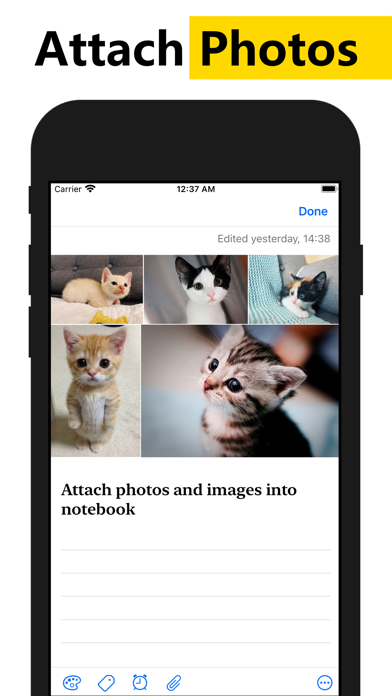
• Attach photos and images into notebook
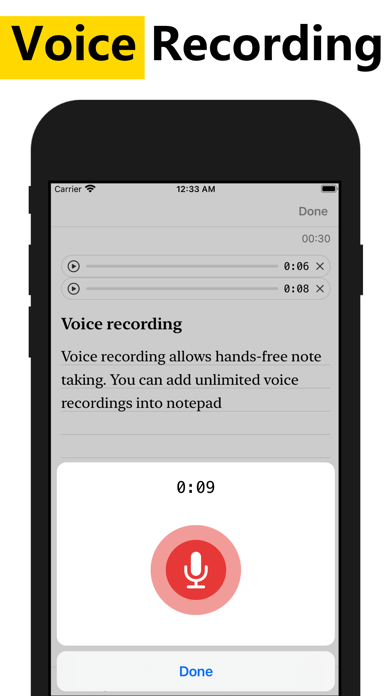
• Voice recording allows hands-free note taking. You can add unlimited voice recordings into notepad
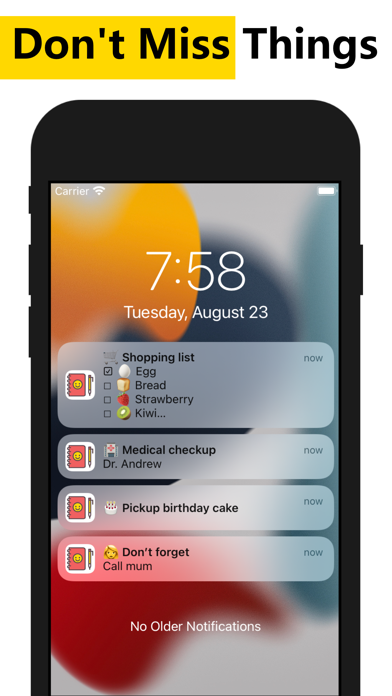
• Pin important notes to the top. You will not miss out on any important thing
• Place a sticky note widget on your Home Screen. View and access your note directly from Home Screen
• Secure lock notes and keep them private
• The completed to-do list will move to the bottom of the checklist
• Customize notes via various fonts, viewing modes, sorting modes
• 13 different app color themes to make notebook looks great
• Unlimited notes color choices
• Reminders memo and calendar
• Powerful notes reminder. Notepad able to repeat daily, weekly, monthly, yearly, and highly customizable. Never miss anything from the notebook
• Show holidays on the calendar notes, which supports up to 250 countries, 3,680 states & provinces
• Secure sync to iCloud. Never lose any notes
• Local backup and restore to keep notes safe
• Share notes to email, SMS, social networking & messaging apps
• Undo/ redo enables mistake correction during note typing
• Convert URL and phone number to clickable links
• Export notes to PDF
• Search notes and todo list, instantly
# Color Notes
This notebook can categorize notes into different colors. Manage notes with 12 pre-defined beautiful colors. WeNote® also provides an unlimited favorite color.
# Notes Category
WeNote® allows you to categorize notes by creating labels. Labels can display as Tabs.
# Calendar Memo
This notepad has a calendar. You can write a memo and create a reminder in the calendar.
Due to its remarkable easy-to-use built-in calendar, you can use WeNote® as agenda planner and family organizer. Either plan next trip itinerary or schedule business meetings.
# Secure Lock to Keep Notebook Private
This notepad can secure lock and keep notes private. Either lock a note or lock the entire app to keep the notebook safe.
Terms of Use: https://www.apple.com/legal/internet-services/itunes/dev/stdeula/