

Westminster Chimes Full
Westminster Chimes Full is made and published by LutherSoft. AppBrain is an independent app data site and isn't affiliated with LutherSoft. The app name, icon, screenshots and description belong to LutherSoft and are shown as published on the App Store.
AppBrain's verdict
EstablishedWell rated- Rating on App Store
- 4.17
- 277 ratings
- Last updated
- November 22, 2023
Users rate it well: 4.2 stars from 277 ratings.
Rankings
App Store top chartsApp Store Rankings for Westminster Chimes Full
Competitors
Similar apps and more from LutherSoftAlternatives to Westminster Chimes Full







More from LutherSoft


Releases
Updates seen on the App Store- Version
- 2.6.0
- Launched
- August 2011
No changelog data
User feedback
Ratings and reviews on the App StoreComments on Westminster Chimes Full for iOS
We don't have enough comments to show example comments. Please check back later.
Technology
Found in the app by AppBrain- Price
- $1.99
- App size
- 32.7 MB
- Content rating
- Everyone
Technologies used by Westminster Chimes Full
About the app and developer
About Westminster Chimes Full
Westminster Chimes Full is an utilities app developed by LutherSoft.
What is the rating of Westminster Chimes Full?
Westminster Chimes Full is rated 4.17 out of 5 stars, based on 280 ratings.
Is Westminster Chimes Full free?
Westminster Chimes Full costs $1.99. The app size is 32.75 MB. The latest version available is 2.6.0. The last update was on November 22, 2023.
What are the requirements for Westminster Chimes Full?
The app has a content rating of Everyone. The app has been available on the App Store since August 2011.
Developer information for LutherSoft
Address:
Store listing
By LutherSoft, from the App Store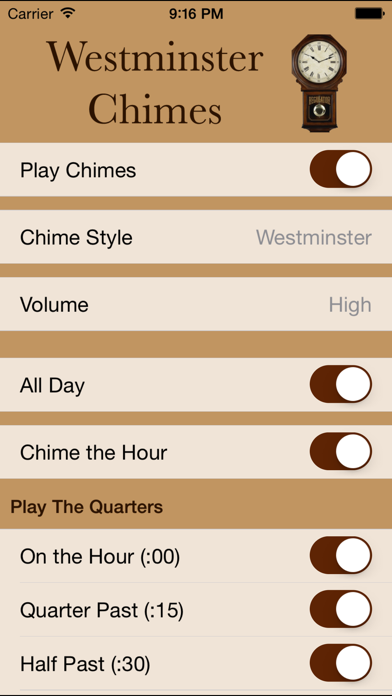

Description by LutherSoft Written by the developer, not by AppBrain. Click to read.
Check our our video at http://youtu.be/nT-aHbWiT0U
Using the iOS notifications feature, Westminster Chimes converts your phone into an old fashioned hourly chiming clock, playing one of five traditional melodies:
• Westminster
• Whittington
• St. Michael's
• Canterbury
• Winchester
The chimes will play, even when the app isn't running.
Simple settings allow for complete customization:
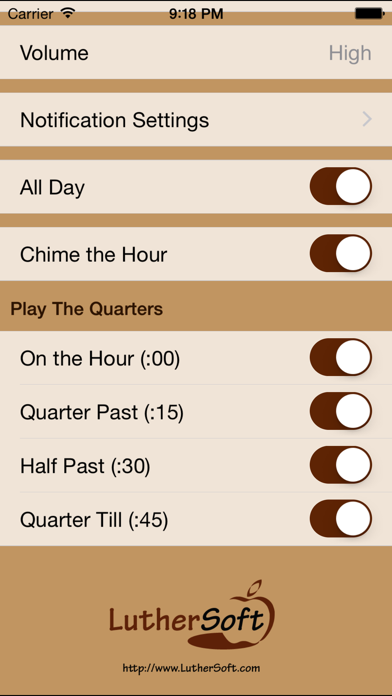
• Separately set the chimes to play on each quarter hour
• Chime the hour number on the hour
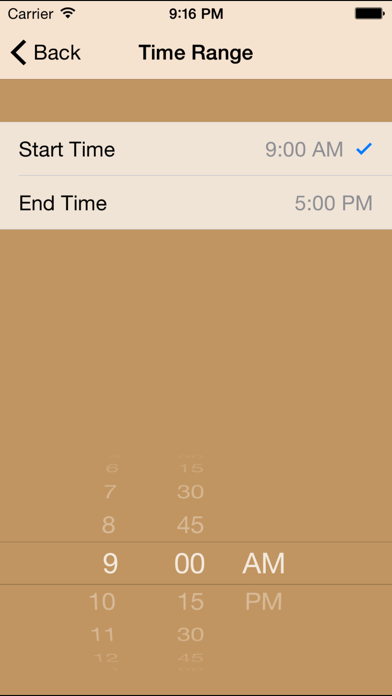
• Play the chimes all day, or only during a specific time window.
You can adjust how notifications are displayed in the Notifications section of the Settings app. We recommend the following settings:
Notification Center: OFF
Alert Style : NONE
Badge App Icon : OFF
Sounds : ON
View in Lock Screen : OFF
Banners: OFF
Completely accessible for the visually impaired.