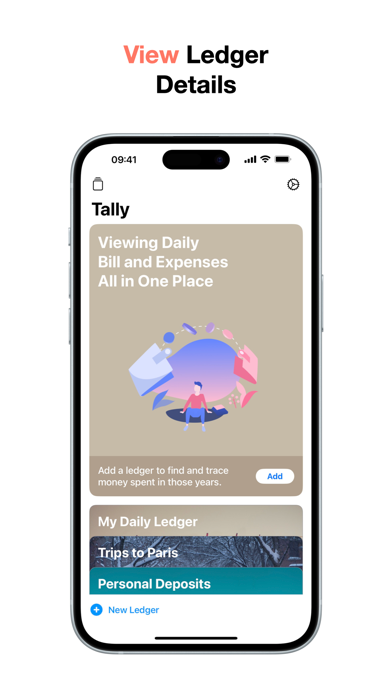
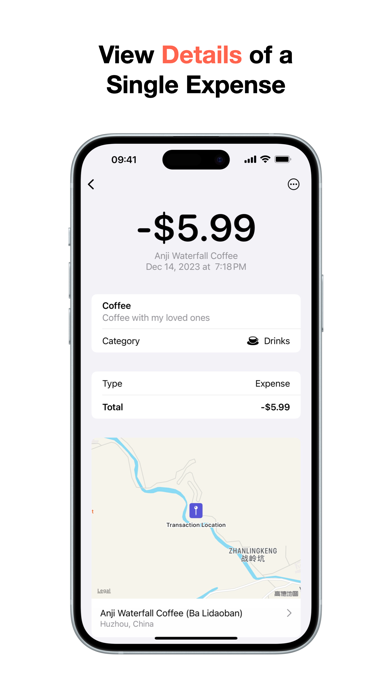
WeTally: Expense Tracker is an overall app developed by 润华 黄.
How many times has WeTally: Expense Tracker been downloaded?
What is the rating of WeTally: Expense Tracker?
WeTally: Expense Tracker is rated 5.00 out of 5 stars, based on 7 ratings.
Is WeTally: Expense Tracker free?
WeTally: Expense Tracker is free to download. The APK download size is 28.01 MB. The latest version available is 5.10. The last update was on June 5, 2026.
What are the requirements for WeTally: Expense Tracker?
The app has a content rating of Everyone. The app has been available on Google Play November 2023.
Description
Did you know? The moment you open your ledger, You are actually having a conversation with your past self.
Every cup of coffee, Every journey, Every investment, Every little reward... They are the traces of your life, and commitments to yourself.
Tracking expenses isn't just about recording numbers; It's about recording life.
With WeTally, all of this becomes effortless and natural. Log expenses instantly, update budgets in real-time, Daily reminders keep your streak going, And iCloud sync gives you a complete financial picture anytime, anywhere.
Every swipe, every tap, Feels like a gentle conversation with your daily life, Letting you easily master every expense while organizing your daily memories.
【Features】
* Minimalist & Elegant Design: Built with user experience at its core, our beautiful minimal style makes tracking enjoyable. * Quick Logging: Easily and efficiently record your income and expenses without complex steps. * Custom Category Images: Add personal images to custom categories, making categories easier to recognize and closer to your life. * Chapters: Create themed records for trips, gatherings, renovations, holidays, and more, then review related totals and transactions in one place. * Cross-Ledger Chapter Transactions: Same-currency transactions from different ledgers can belong to one chapter for unified review without moving the original transactions. * Chapter Review Notes: Write fuller reflections inside a chapter and add up to 9 photos, so ledgers can also hold life stories. * Multiple Receipt Photos: Save up to 9 photos for one transaction, keeping receipts, invoices, screenshots, and product photos together. * Expanded Ledger Activity: Customize daily, weekly, and monthly data on expanded ledgers. * Multiple Ledgers: Create independent books to separate your personal and work finances. * Reimbursement Management: Log reimbursable transactions, track their status, and clearly view pending versus settled amounts. * Financial Analysis: Multi-dimensional charts and reports (daily, weekly, monthly, yearly) make your financial status clear at a glance. * Balance Trends: Visualize your balance changes to uncover your asset fluctuations. * Category Trends: Deep dive into category trends to master your spending habits. * Monthly Budgets: Set budgets, track remaining limits in real-time, and plan your spending reasonably. * iCloud Sync: Secure data storage with seamless synchronization across all your devices. * Widgets: Various home screen widgets for a quick glance at expenses, with optional tap behavior to only open the app or jump to a related screen. * Shortcuts: Use Apple Shortcuts to quickly log transactions, even when you're busy. * Data Import: Import transaction data for worry-free month-end reconciliation. * Data Export: One-click export with balance summaries, reimbursement details, and transaction rows for backup, reconciliation, or sharing. * Privacy: Hide sensitive totals with Face ID / Touch ID where supported. * Multi-Language Support: Available in 10 languages including English, Chinese, Japanese, and more.
【Subscription Terms】
* A paid subscription is required to unlock all premium features. * Subscription periods: 1 Month, 3 Months, and 1 Year. * Pricing: $0.99/month; $2.99/quarter; $9.99/year. * Payment will be charged to your iTunes Account at confirmation of purchase. All subscriptions come with a 1-month free trial and will automatically renew. * Subscriptions automatically renew unless auto-renew is turned off at least 24 hours before the end of the current period. * Your Apple ID account will be charged for renewal within 24 hours prior to the end of the current period. * You can manage or cancel your subscriptions by going to "Settings → Apple ID → Subscriptions".
Each subscription will automatically renew 3 days before the expiration date for
the same time period. Subscriptions can be cancelled at any time before the renewal.