

Whale Turbo VPN is made and published by 沈阳宝石金卡科技有限公司. AppBrain is an independent app data site and isn't affiliated with 沈阳宝石金卡科技有限公司. The app name, icon, screenshots and description belong to 沈阳宝石金卡科技有限公司 and are shown as published on the App Store.
AppBrain's verdict
- Best rank
- #49
- Top Free, Russia
- Rating on App Store
- 2.71
- 7 ratings
- Last updated
- July 31, 2026
It doesn't have enough ratings yet to judge what users think. Its best ranking is #49 in Top Free, Utilities in Russia.
Rankings
App Store top charts- Highest rank
- #49
- Chart
- Top Free
- Utilities
- Country
- Russia
App Store Rankings for Whale Turbo VPN
Top rankings
| Rank | Country | Category | List |
|---|---|---|---|
| 49 | Russia | Utilities | Top Free |
Ranking history in Russia
Competitors
Similar apps and more from 沈阳宝石金卡科技有限公司Alternatives to Whale Turbo VPN


More from 沈阳宝石金卡科技有限公司

Releases
Updates seen on the App Store- Version
- 1.0.5
- Launched
- July 2026
No changelog data
User feedback
Ratings and reviews on the App StoreComments on Whale Turbo VPN for iOS
We don't have enough comments to show example comments. Please check back later.
Technology
Found in the app by AppBrain- Price
- Free
- App size
- 49.2 MB
- Content rating
- Everyone
Technologies used by Whale Turbo VPN
About the app and developer
About Whale Turbo VPN
Whale Turbo VPN is an utilities app developed by 沈阳宝石金卡科技有限公司.
What is the rating of Whale Turbo VPN?
Whale Turbo VPN is rated 2.71 out of 5 stars, based on 7 ratings.
Is Whale Turbo VPN free?
Whale Turbo VPN is free. The app size is 49.21 MB. The latest version available is 1.0.5. The last update was on July 31, 2026.
What are the requirements for Whale Turbo VPN?
The app has a content rating of Everyone. The app has been available on the App Store since July 2026.
Developer information for 沈阳宝石金卡科技有限公司
Address:
Store listing
By 沈阳宝石金卡科技有限公司, from the App Store


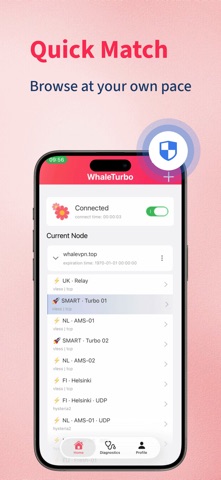

Description by 沈阳宝石金卡科技有限公司 Written by the developer, not by AppBrain. Click to read.
This app provides client functionality only. It does not include VPN servers, VPN accounts, VPN subscriptions, or proxy services. To use the app, import a configuration obtained from your own infrastructure, your organization, or a VPN service provider you are authorized to use.
Features:
• Import and manage your own VPN configurations
• Quick setup and connection
• Save and organize multiple server profiles
• Simple and intuitive interface
• Fast connection management
• Local configuration management
• Privacy-focused design
Use Cases:
• Remote access to private networks
• Enterprise and business environments
• Secure connections on public Wi-Fi
• Personal VPN configuration management
• Development and testing
How to Use:
1. Obtain a valid VPN configuration from your own infrastructure, your organization, or an authorized VPN service provider.
2. Import the configuration into the app.
3. Select a profile and connect.
Important:
• This app is a VPN client only.
• No VPN servers, nodes, accounts, or subscriptions are provided.
• Users are responsible for obtaining and using VPN configurations in compliance with applicable laws and regulations.