

WiFi Scanner
WiFi Scanner is made and published by AccessAgility. AppBrain is an independent app data site and isn't affiliated with AccessAgility. The app name, icon, screenshots and description belong to AccessAgility and are shown as published on the App Store.
AppBrain's verdict
- Last updated
- October 3, 2026
Rankings
App Store top chartsApp Store Rankings for WiFi Scanner
Competitors
Similar apps and more from AccessAgilityMore from AccessAgility

Releases
Updates seen on the App Store- Version
- 2026.2.35088
- Launched
- January 2011
No changelog data
User feedback
Ratings and reviews on the App StoreComments on WiFi Scanner for iOS
We don't have enough comments to show example comments. Please check back later.
Technology
Found in the app by AppBrain- Price
- $94.99
- App size
- 10.8 MB
- Content rating
- Everyone
Technologies used by WiFi Scanner
About the app and developer
About WiFi Scanner
WiFi Scanner is an utilities app developed by AccessAgility.
User Ratings
The app has no ratings yet.
App Information
WiFi Scanner costs $94.99. The app size is 10.84 MB. The latest version available is 2026.2.35088. The last update was on October 3, 2026.
Technical Requirements
The app has a content rating of Everyone. The app has been available on the App Store since January 2011.
Developer information for AccessAgility
Address:
Frequently asked questions about WiFi Scanner
Is WiFi Scanner free?
No. WiFi Scanner costs $94.99 on the App Store.
Is WiFi Scanner still available?
Yes. WiFi Scanner is on the App Store, and the last update we saw was on October 3, 2026.
How large is WiFi Scanner?
WiFi Scanner is 10.84 MB.
Is WiFi Scanner suitable for children?
App Store rates the content of WiFi Scanner as suitable for everyone.
Who made WiFi Scanner?
WiFi Scanner was developed by AccessAgility. It is listed in the utilities category on the App Store.
Store listing
By AccessAgility, from the App Store
Description by AccessAgility Written by the developer, not by AppBrain. Click to read.
Whether you are a professional looking for advanced technical information, a homeowner with a new WiFi setup or a student gathering information for a school project, WiFi Scanner is great to have handy. With WiFi Scanner you can scan and monitor signals in the air and see what wireless networks are around. Then run speed tests on any wireless network and view detailed information about its signal levels, channel width, encryption type, noise level and much more!
WiFi Scanner is fast, lightweight and easy to set up. See the review below from MacWorld.
"...your wireless router is fighting for spectrum with its neighbors, potentially slowing you down and making your Internet experience less pleasurable. ...WiFi Scanner helps you solve this problem by showing you all the access point(s) nearby, and suggesting the best configuration settings to get the most out of your router." -- MacWorld
WiFi Scanner is great for determining the best position for an access point at home or in the office. Once placed, the optimal channel can be found by picking the least used one, resulting in improved WiFi speeds.
Key Features
- Simple, fast wireless network discovery of 802.11 a/b/g/n/ac/ax/be access points
- Full support for 2.4, 5 and 6 GHz networks
- Support for all channel bandwidths (20, 40, 80, 160 and 320 MHz)
- See which channels actually overlap, counting every channel a radio covers rather than only the one it advertises
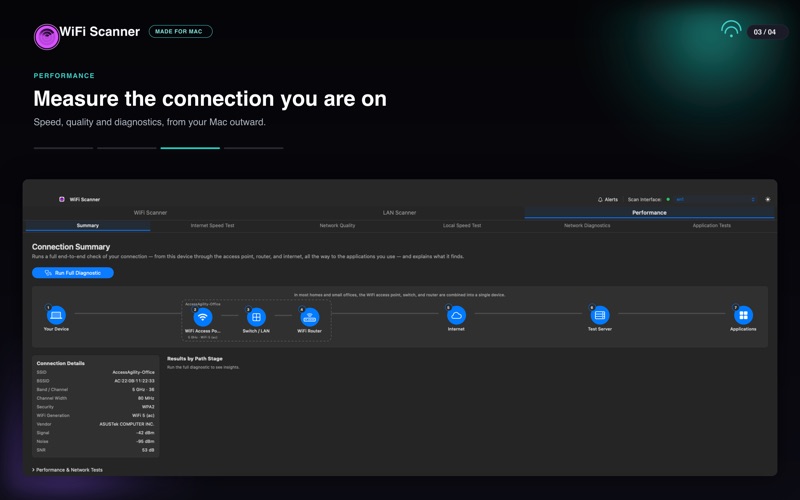
- Display detailed wireless network parameters: network name (SSID), signal level (RSSI), MAC address (BSSID), signal quality, channel, maximum data rate, encryption, WiFi generation and more
- Display changes in signal level over time in graphical form
- Filter detected networks by typing an expression, such as rssi >= -70 AND band == 5
- Group networks by access point, AP name, SSID, band, vendor, channel width, security or signal
- Give each access point a custom label
- Alerts that tell you when a network appears, a signal drops or a new BSSID joins your SSID
- Export results to comma separated value (CSV) files
WiFi Speed Testing
- Upload and download WiFi speed testing
- Test against public servers or against another Mac on your own network
- Auto run speed test when client roams to different access point
- Auto repeat speed test with wait time between tests
"Who's On My Network" (LAN Scanner)
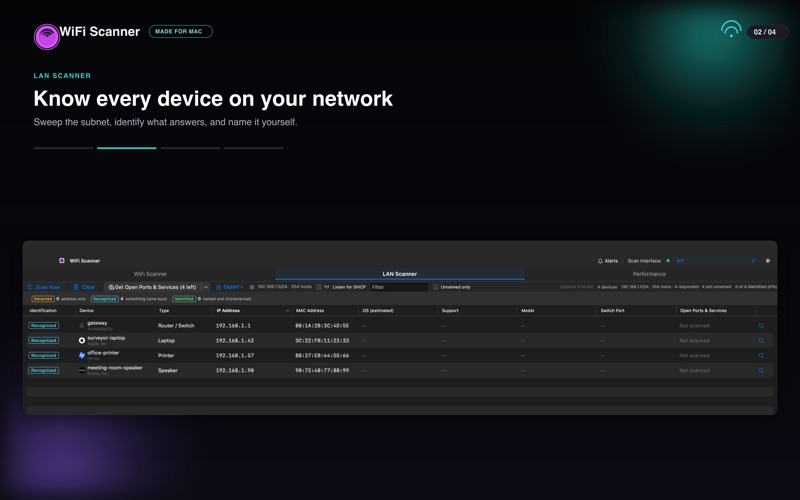
- Fast IP scanner that detects unknown devices connected to your WiFi network
- Detects hostnames, determines the MAC address, and in many cases auto-detects device type (phone, laptop, router, etc.)
- Name any device yourself, and that name is what it is called from then on, surviving rescans and restarts
- Probe for open ports and services to identify the devices that stay quiet
- Scanning results can be saved to CSV or PDF via the export menu
- Great for finding WiFi "Piggybackers"
Advanced Features (supported by some access points)
- Display access point name if configured by network administrator
- Display number of devices connected to each access point
- Display channel utilization
- Display if 802.11r is enabled and type
- Display if WiFi protection mechanisms are enabled
- Full decode of the information elements a beacon carries, including vendor-specific ones
Help and Support
- Email: support@accessagility.com
- Twitter: @accessagility
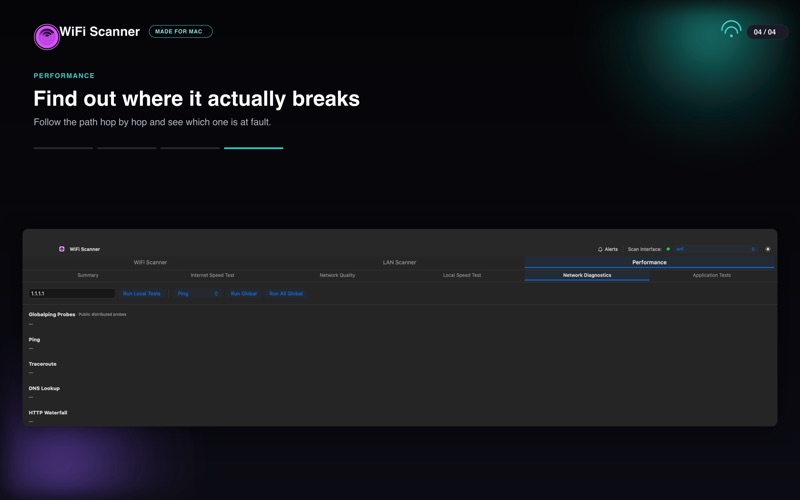
WiFi Scanner is a great tool for personal use and for IT professionals. Requires macOS 13 Ventura or later, and is fully supported on macOS 26 Tahoe. Use WiFi Scanner to find WiFi dead zones and select the best configuration for your WiFi access point / router to prevent video buffering.
For questions, feature requests, or support please email support@accessagility.com or contact us via Twitter @accessagility.