

WiFiCameraSum
WiFiCameraSum is made and published by Shenzhen Qiyue Intelligent Technology Co., Ltd. AppBrain is an independent app data site and isn't affiliated with Shenzhen Qiyue Intelligent Technology Co., Ltd. The app name, icon, screenshots and description belong to Shenzhen Qiyue Intelligent Technology Co., Ltd and are shown as published on the App Store.
AppBrain's verdict
Established- Rating on App Store
- 1.78
- 58 ratings
- Last updated
- November 22, 2023
It doesn't have enough ratings yet to judge what users think.
Rankings
App Store top chartsApp Store Rankings for WiFiCameraSum
Competitors
Similar apps and more from Shenzhen Qiyue Intelligent Technology Co., LtdAlternatives to WiFiCameraSum











Releases
Updates seen on the App Store- Version
- 3.1.1
- Launched
- October 2019
No changelog data
User feedback
Ratings and reviews on the App StoreComments on WiFiCameraSum for iOS
We don't have enough comments to show example comments. Please check back later.
Technology
Found in the app by AppBrain- Price
- Free
- App size
- 24.8 MB
- Content rating
- Everyone
Technologies used by WiFiCameraSum
About the app and developer
About WiFiCameraSum
WiFiCameraSum is an utilities app developed by Shenzhen Qiyue Intelligent Technology Co., Ltd.
User Ratings
WiFiCameraSum is rated 1.78 out of 5 stars. The rating is based on 58 ratings.
App Information
WiFiCameraSum is freely available from the App Store. The app size is 24.77 MB. The latest version available is 3.1.1. The last update was on November 22, 2023.
Technical Requirements
The app has a content rating of Everyone. The app has been available on the App Store since October 2019.
Developer information for Shenzhen Qiyue Intelligent Technology Co., Ltd
Store listing
By Shenzhen Qiyue Intelligent Technology Co., Ltd, from the App Store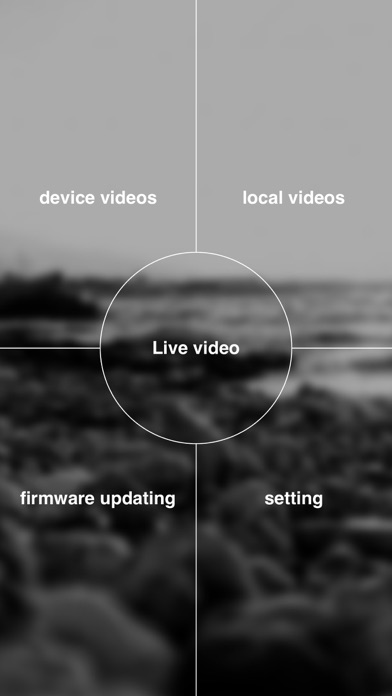
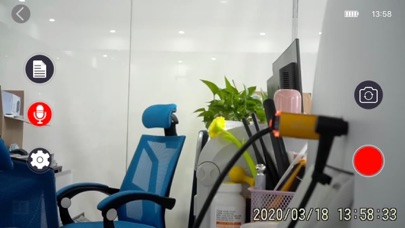

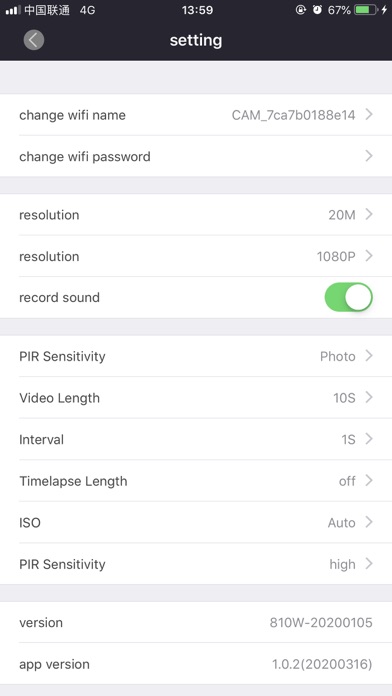

Description by Shenzhen Qiyue Intelligent Technology Co., Ltd Written by the developer, not by AppBrain. Click to read.
In this App, you can:
1). check the camera status such as signal, battery level, SD card capacity
2).camera model number, Firmware version, Temperature
3).browse the pictures and videos captured by Camera and download them to your mobile phone.
4).change the camera setting, such as mode, resolution, photo size, sensitivity, camera name etc.3