

Wine Cellar Import Pro
Wine Cellar Import Pro is made and published by Simon Guertin. AppBrain is an independent app data site and isn't affiliated with Simon Guertin. The app name, icon, screenshots and description belong to Simon Guertin and are shown as published on the App Store.
AppBrain's verdict
- Last updated
- March 21, 2025
- Size
- 10.5 MB
User feedback
Ratings and reviews on the App StoreComments on Wine Cellar Import Pro for iOS
We don't have enough comments to show example comments. Please check back later.
Store listing
By Simon Guertin, from the App Store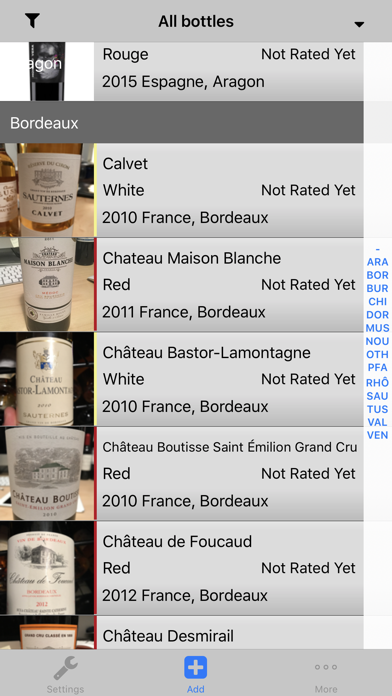
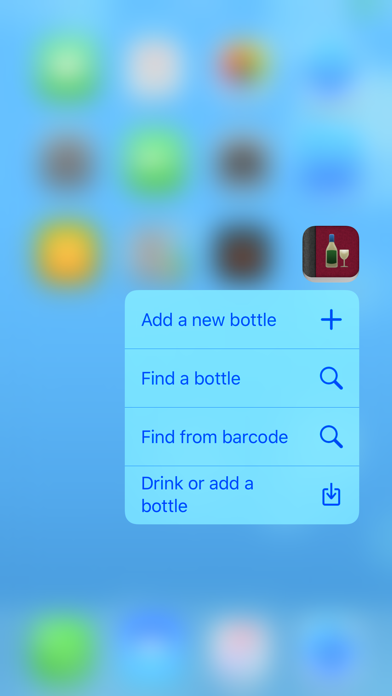
Description by Simon Guertin Written by the developer, not by AppBrain. Click to read.
Wine Cellar HD for iPad is available on the App Store.
Also available for free, Wine Cellar Companion to fully sync, view and edit your cellar on your Mac
http://sg-iphone.com/winecellar/companion.html
PRO Features:
Wine Cellar PRO offers everything from Wine Cellar with the added feature of importing your cellar from your computer into the iPhone.
The limit of 500 is increased to 3000 bottles.
With Wine Cellar Pro, you can fully manage your cellar using the import/export function. You can do all the editing on your PC and import it to your iPhone so there is no need to type your 400+ bottles on your iPhone.
The file format used is csv (OpenOffice is an excellent tool to edit the file) or use the more simple Companion to view and edit your cellar (Mac OS X only).
The file format is very convenient if you already have your cellar in a database or in an excel spreadsheet. The conversion to the Wine Cellar format is very simple.
3 ways are offered to import your cellar (WiFi required):
-Using Wine Cellar Companion 2.1 (Mac OS X)
-Using the embedded website hosted on the iphone. (Same as Exporting your cellar to your computer)
-By hosting your cellar file on a web site and accessing it with your iPhone (Wi-Fi or 3G required)
More on Wine Cellar features:
Easy to use, easy to learn
Wine Cellar is designed to be easy to use and learn. The interface is designed with Apple's user interface guidelines for simplicity and ease of use. It is intuitive and simple.
Sync all your devices using iCloud. It is suggested to backup the cellar using one of the export techniques when using iCloud.
Share bottles with other users via email, SMS or turn the phone sideways
Scan bottle bar codes and retrieve info automatically (information is from the SAQ and LCBO in Quebec/Ontario/Canada)
Thanks to all the feedback from users, of whom reported bugs or gave recommendations, Wine Cellar has been improving for over a year now and Wine Cellar will continue to improve with new features.
Quick
The interface presents the wine cellar in an efficient manner. It is easy and fast to locate a bottle, search for keywords, or simply browse bottles by the grouping defined by the user.
Favorite list
A favorite list of bottles provides an even quicker method to locate a bottle.
Export your cellar to your computer using 2 ways (WiFi required):
-Using the free Companion Tool (Mac OS X)
-Using the integrated web server.
Use Companion or OpenOffice to edit and view your cellar on your computer.
The main view can be sorted on most of the wine's characteristics (by region, country, vontage just to name a few)
Improved main screen
The main screen shows pictures and more details about each bottle. A more compact display of the main list is also available for a more streamlined look.
Preview
The preview area provides a quick overview showing more details about the selected bottle.
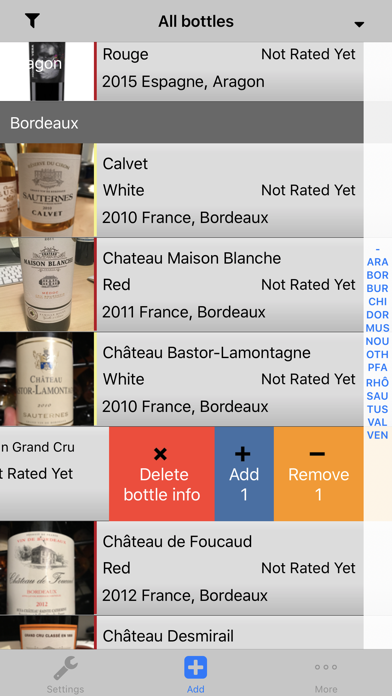
Add/remove a bottle in stock directly from the main screen with the simple sliding gesture across the area.
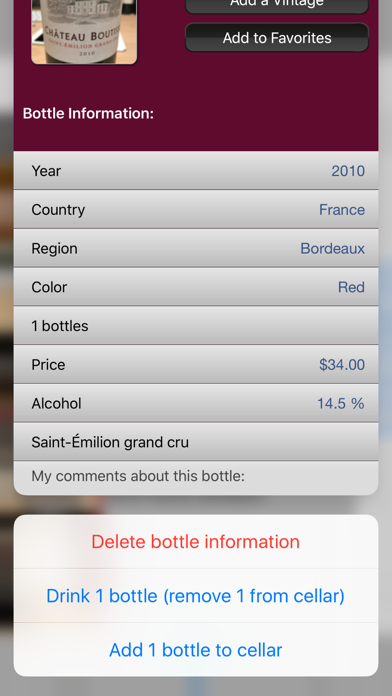
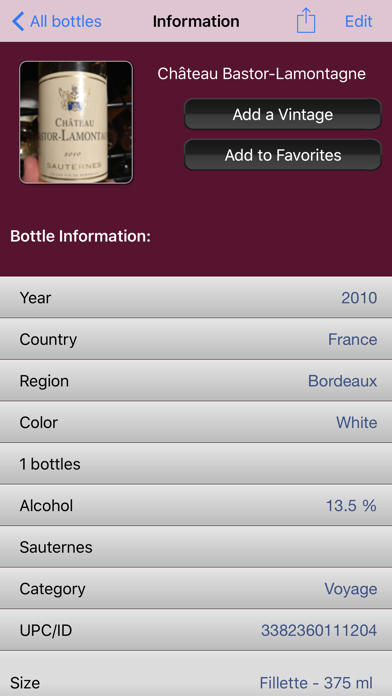
Wine Cellar provides you all the detailed information that you want
For each bottle, you can add, remove or edit all characteristics. You can quickly add a new vintage from an existing bottle using the shortcut.
Many useful characteristics can be displayed
- Region, Country, Vintage Rating (on a 5 star ranking system) and much more.
- Full screen picture of the label
Wine Cellar is user friendly and adapts to the user's needs
You can fully configure what you want to be asked for when adding a bottle. Unneeded characteristics can simply be skipped, or removed from the wizard to allow a quick interaction with the software.
Wine Cellar is not affiliated with the SAQ or LCBO
Safety and technology
Found in the app by AppBrain- Price
- $0.99
- App size
- 10.5 MB
- Content rating
- High
Technologies used by Wine Cellar Import Pro
Releases
Updates seen on the App Store- Version
- 3.1.16
- Launched
- before 2010
No changelog data
Alternatives
Similar apps and more from Simon GuertinAlternatives to Wine Cellar Import Pro





More from Simon Guertin


Rankings
App Store top charts- Highest rank
- #14
- Chart
- Top Paid
- Food & Drink
- Country
- France
App Store Rankings for Wine Cellar Import Pro
Top rankings
| Rank | Country | Category | List |
|---|---|---|---|
| 14 | France | Food & Drink | Top Paid |
| 27 | Belgium | Food & Drink | Top Paid |
| 60 | Canada | Food & Drink | Top Paid |
| 40 | Switzerland | Food & Drink | Top Paid |
| 98 | Japan | Food & Drink | Top Paid |
| 54 | Brazil | Food & Drink | Top Paid |
| 60 | Denmark | Food & Drink | Top Paid |
| 73 | Norway | Food & Drink | Top Paid |
| 76 | Finland | Food & Drink | Top Paid |
| 78 | Netherlands | Food & Drink | Top Paid |
Ranking history in France
About the app and developer
About Wine Cellar Import Pro
Wine Cellar Import Pro is a food & drink app developed by Simon Guertin.
User Ratings
The app has no ratings yet.
App Information
Wine Cellar Import Pro costs $0.99. The app size is 10.49 MB. The latest version available is 3.1.16. The last update was on March 21, 2025.
Technical Requirements
The app has a content rating of High Maturity. The app has been available on the App Store since before 2010.
Developer information for Simon Guertin
Address: