It doesn't have enough ratings yet to judge what users think.
WineGPS is made and published by
Al Dynak.
AppBrain is an independent app data site and isn't affiliated with Al Dynak.
The app name, icon, screenshots and description belong to Al Dynak and are shown as
published on the App Store.
About WineGPS
WineGPS is a food & drink app developed by Al Dynak.
User Ratings
WineGPS is rated 5.00 out of 5 stars. The rating is based on 3 ratings.
App Information
WineGPS costs $3.99. The app size is 8.74 MB. The latest version available is 4.0.3. The last update was on August 25, 2026.
Technical Requirements
The app has a content rating of High Maturity. The app has been available on the App Store since June 2021.
Description by Al Dynak(from the App Store)
You liked it, bought it and brought it home. What happened to it after that? Of course you added it to a Cellar Tracker® location and bin, right? WineGPS quickly searches for your bottle and lets you know where it is.
NO-FRILLS SEARCHING
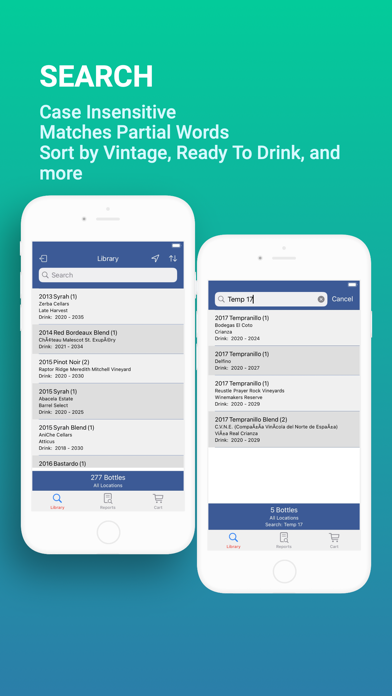
Searches are case insensitive and understand partial words. Search for wines by producer, vintage, varietal, vineyard, AVA, designation or country. You can search in more than one Location: Cellar, Under The Stairs, Wine Storage Locker, the choice is yours. Sort search results by Available, Vintage, Purchase Date and more.
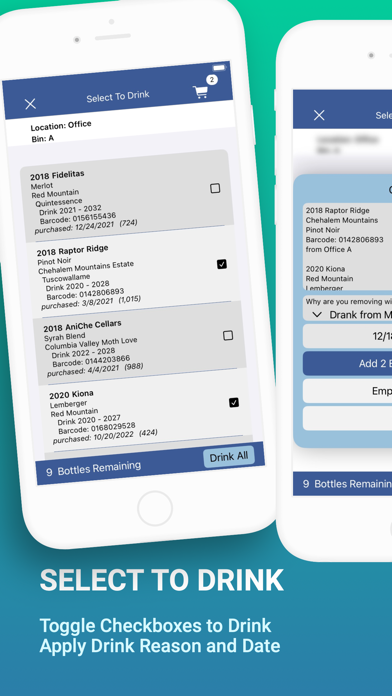
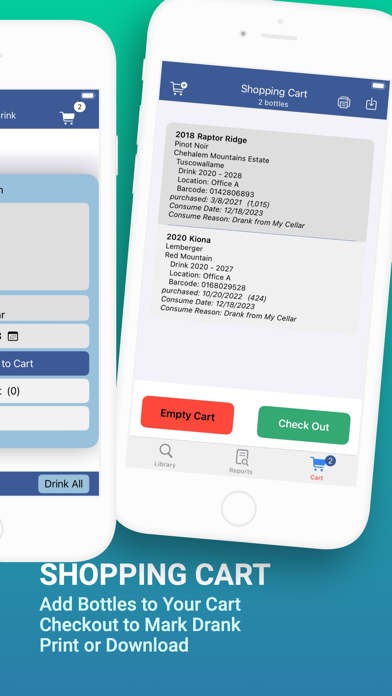
SHOPPING CART Build a cart full of the wines you want to drink. Print the cart or import it into a spreadsheet application.
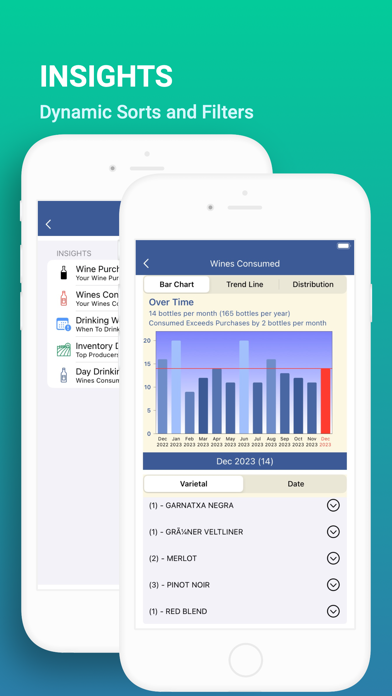
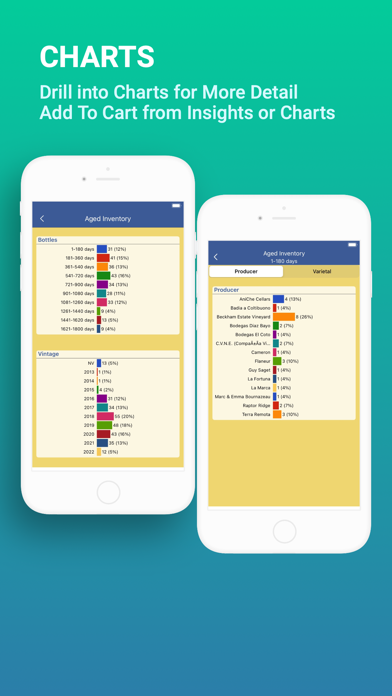
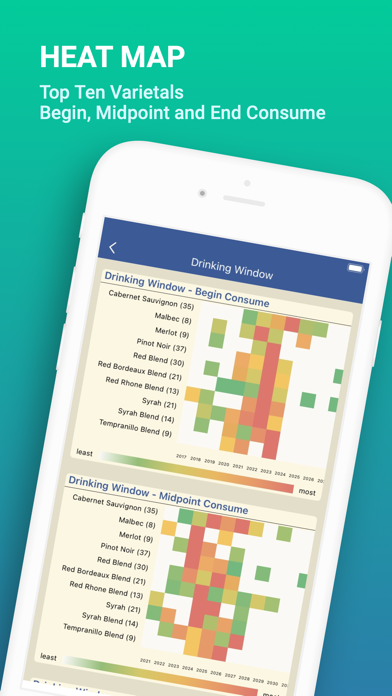
CHARTS Charts for Purchases, Consumed, Aged by Purchase Date. Heat Map to visualize what wines you have and when they are ready to drink.
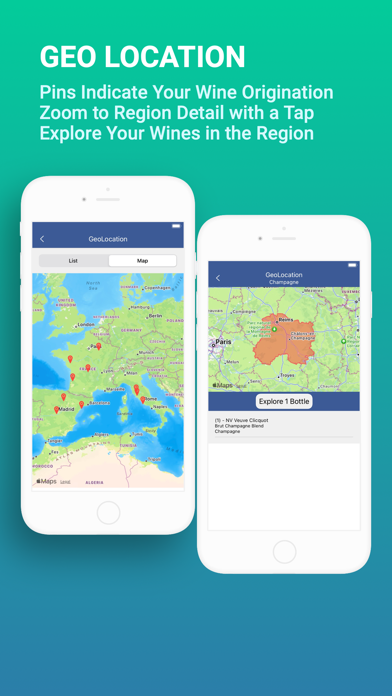
GEO LOCATION World map with pins marking where your wines are from. Tapping a pin displays a map of the appellation and its wines.
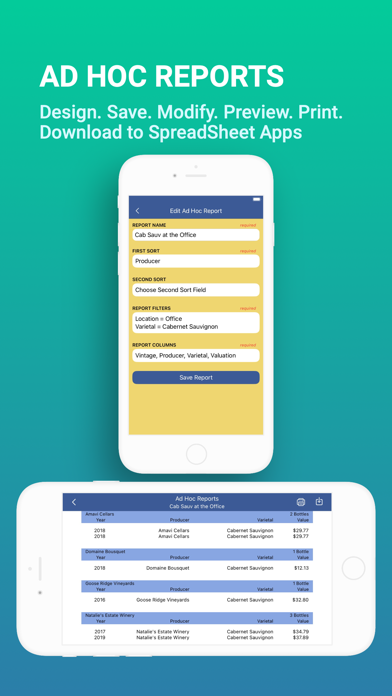
AD HOC REPORTS Design and run custom reports of your cellar. Save and edit reports to get them just right. View the report on your device. Print or import reports using the cloud.
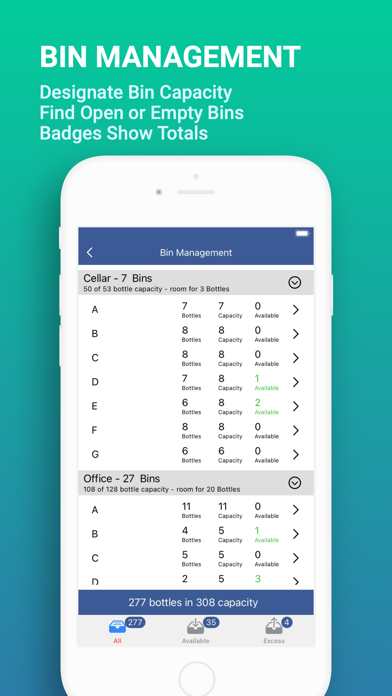
BIN MANAGEMENT Set the capacity of your bins. This feature compares the capacity and the contents of your bins. Quickly discover where you can add more bottles. Capacity syncs across all your Apple devices using your iCloud account.
TUTORIAL and SETTINGS
Tutorial is always with you as a menu item. Change the language of WineGPS to English, French or Spanish. Bottle identifiers or barcodes are optional. If you don’t use them, you can turn them off. Enable offline mode to use WineGPS when there is no network coverage available.
REQUIREMENTS
You must have a Cellar Tracker® account before you use WineGPS. WineGPS cannot be used to add new wine or relocate wine in your Cellar Tracker® account. WineGPS does remove bottles from your Cellar Tracker® account when you mark them as consumed.
SUPPORT Please contact us at WineGPSHelp@gmail.com with suggestions and questions.
Each subscription will automatically renew 3 days before the expiration date for
the same time period. Subscriptions can be cancelled at any time before the renewal.