

WoodMaster
WoodMaster is made and published by John Lullie. AppBrain is an independent app data site and isn't affiliated with John Lullie. The app name, icon, screenshots and description belong to John Lullie and are shown as published on the App Store.
AppBrain's verdict
- Last updated
- August 11, 2026
- Size
- 5.70 MB
User feedback
Ratings and reviews on the App StoreComments on WoodMaster for iOS
We don't have enough comments to show example comments. Please check back later.
Store listing
By John Lullie, from the App Store




Description by John Lullie Written by the developer, not by AppBrain. Click to read.
Both beginners and advanced Woodworkers will find WoodMaster packed with many time-saving features! Check the features list below and you will find a long list useful tools that only WoodMaster includes in a singe app! WoodMaster will continue to grow with more tools being added to each new version release.
Features List:
Board Foot Calculator:
A board foot calculator that includes a Tally count and Tally cost. Using the Tally feature, you could enter varying sizes of wood stock in groups. For example, enter all 2x4's, add it to the Tally, then 2x6's, add it to the Tally, etc. You can basically use the Tally feature to estimate the cost of an entire woodworking project.
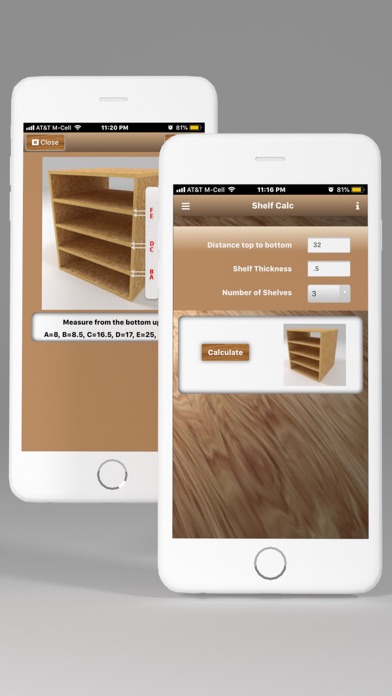
Shelf Calculator
Woodworking Shelf Calculator:
Installing shelves for a cabinet, bookcase shelves, etc.? This will calculate spacing between the shelves evenly. Supports inches or millimeters and gives you the exact position of every shelf.
Decking Calculator (NEW!)
Calculates the number of deck boards required for a given deck section. Up to 3 deck sections supported. Based on standard 5.5 inch deck boards.
Fraction Calculator (Sliderule version):
Very cool method of adding and subtracting fractions without entering any numbers.
Fraction Calculator (Numeric):
Add fractions including whole numbers.
Fraction to Decimal & Millimeter Converter
Length Conversions:
Most common conversions for Woodworking
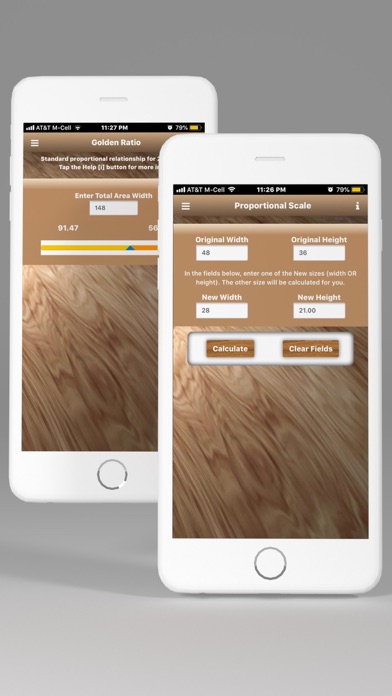
Proportional Calculator:
Turn big woodworking projects into little woodworking projects or little woodworking projects into big woodworking projects while maintaining exact proportions. Very handy for enlarging or reducing woodworking dimensions proportionally.
Golden Ratio:
Calculates the Golden Ratio for any given size to find the most pleasing proportion for your Woodworking projects!
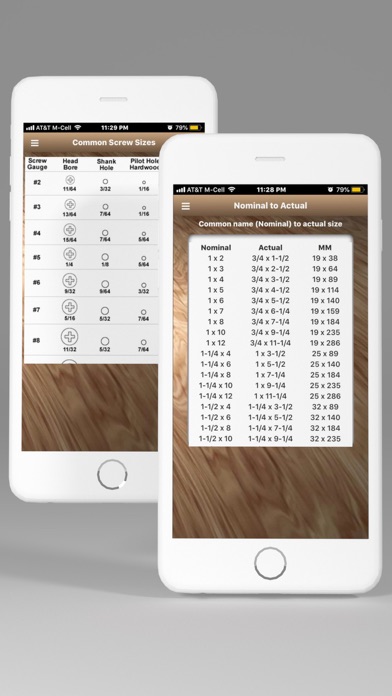
Nominal to Actual Size:
Shows the exact measurements of wood based on it's nominal size. Also includes millimeter size.
Screw Size Chart:
Handy reference chart that includes Gauge, Head-Bore, Shank and Pilot hole sizes for hardwood and software.
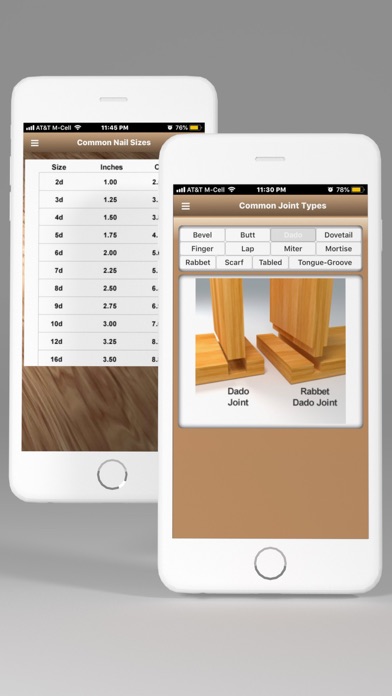
Nail Size Chart
Handy reference chart for typical nail sizes.
Joint Types:
Very handy visual reference for the most common types of joints used in woodworking.
Wood Types:
Very hand visual reference for different types of wood. If you have a sample, send it to us and we'll add it to the list.
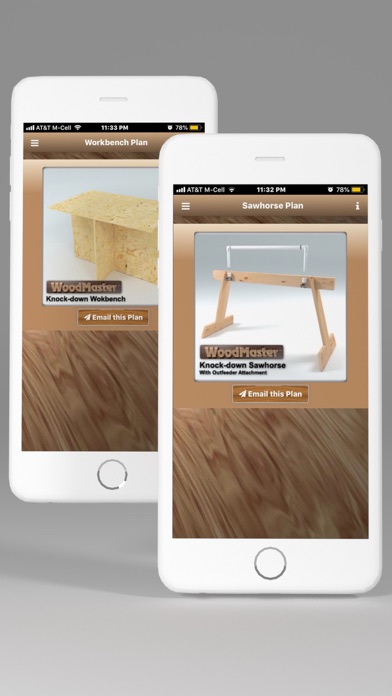
Knock-down Sawhorse:
Plans for building a quick knock-down Sawhorse from a 2x4 and a 1x4. Includes an Outfeeder Attachment plan as well. You can have the WoodMaster app send these plans to your Email address in PDF format.
Knockdown Workbench:
Plans for building a quick knock-down Workbench from a single 4x8 sheet of plywood. You can have the WoodMaster app send these plans to your Email address in PDF format.
Woodworking Project Planner PDF file:
A very handy blank Woodworking Project Planner Form. WoodMaster can Email you a Project Planner form that you can print out and use for your next project. The Project Planner form is set up with the most typical information for creating a woodworking project. If you have other planner form ideas, send them to us and we'll include them in a future version. You can have the WoodMaster app send this Project Planner to your Email address in PDF format.
(Please note that this is not an interactive form (like a database) but a simple form that you can print out and fill in for your projects. We do plan to build an interactive Project Planner that you can fill out right in the app and then send it to your Email address. Stay tuned!)
We hope that you find WoodMaster as valuable and time-saving as we have!
Safety and technology
Found in the app by AppBrain- Price
- $7.99
- App size
- 5.70 MB
- Content rating
- Everyone
Technologies used by WoodMaster
Releases
Updates seen on the App Store- Version
- 1.85.4
- Launched
- September 2012
No changelog data
Alternatives
Similar apps and more from John Lullie












Rankings
App Store top chartsApp Store Rankings for WoodMaster
About the app and developer
About WoodMaster
WoodMaster is a productivity app developed by John Lullie.
What is the rating of WoodMaster?
WoodMaster has no ratings yet.
Is WoodMaster free?
WoodMaster costs $7.99. The app size is 5.70 MB. The latest version available is 1.85.4. The last update was on August 11, 2026.
What are the requirements for WoodMaster?
The app has a content rating of Everyone. The app has been available on the App Store since September 2012.
Developer information for John Lullie
Address:
Frequently asked questions about WoodMaster
Is WoodMaster free?
No. WoodMaster costs $7.99 on the App Store.
Is WoodMaster still available?
Yes. WoodMaster is on the App Store, and the last update we saw was on August 11, 2026.
How large is WoodMaster?
WoodMaster is 5.70 MB.
Is WoodMaster suitable for children?
App Store rates the content of WoodMaster as suitable for everyone.
Who made WoodMaster?
WoodMaster was developed by John Lullie. It is listed in the productivity category on the App Store.
What are the best alternatives to WoodMaster?
People looking at WoodMaster also look at these productivity apps: KerfMaker Woodworking Planner, Woodworking Master Class, Miter Angle Calculator, WoodPicker, Protractor & Bubble Level PRO.