

Word To PDF App
Word To PDF App is made and published by Yogesh Rathod. AppBrain is an independent app data site and isn't affiliated with Yogesh Rathod. The app name, icon, screenshots and description belong to Yogesh Rathod and are shown as published on the App Store.
AppBrain's verdict
- Last updated
- July 23, 2026
Rankings
App Store top chartsApp Store Rankings for Word To PDF App
Competitors
Similar apps and more from Yogesh RathodAlternatives to Word To PDF App






More from Yogesh Rathod



Releases
Updates seen on the App Store- Version
- 1.6
- Launched
- September 2022
No changelog data
User feedback
Ratings and reviews on the App StoreComments on Word To PDF App for iOS
We don't have enough comments to show example comments. Please check back later.
Technology
Found in the app by AppBrain- Price
- Free
- App size
- 6.04 MB
- Content rating
- Everyone
Technologies used by Word To PDF App
About the app and developer
About Word To PDF App
Word To PDF App is a productivity app developed by Yogesh Rathod.
What is the rating of Word To PDF App?
Word To PDF App has no ratings yet.
Is Word To PDF App free?
Word To PDF App is free. The app size is 6.04 MB. The latest version available is 1.6. The last update was on July 23, 2026.
What are the requirements for Word To PDF App?
The app has a content rating of Everyone. The app has been available on the App Store since September 2022.
Developer information for Yogesh Rathod
Address:
Store listing
By Yogesh Rathod, from the App Store



Description by Yogesh Rathod Written by the developer, not by AppBrain. Click to read.
Convert Microsoft Word Document to the Popular and Practical PDF Format.
This Word to PDF App Converts Word to PDF quickly and safely.
How to use Word to PDF Convertor:
1) Click "Upload File" and choose your word file(Doc or Docx) need to convert.
2) Click "Convert" and wait a little for converting.
3) Click "Download" and wait a little for downloading a file.
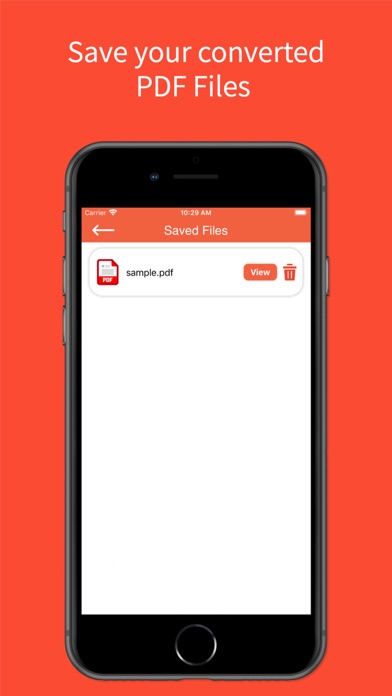
All PDF files are saved on apps download directory.
1)Word to PDF Conversion.
2)View Converted PDF Document.
3)Easy view and share link of converted PDF Document.