

Workiva EMEA is made and published by Workiva Inc. AppBrain is an independent app data site and isn't affiliated with Workiva Inc. The app name, icon, screenshots and description belong to Workiva Inc. and are shown as published on the App Store.
AppBrain's verdict
- Last updated
- September 2, 2026
Rankings
App Store top chartsApp Store Rankings for Workiva EMEA
Competitors
Similar apps and more from Workiva Inc.





Releases
Updates seen on the App Store- Version
- 1.2.8
- Launched
- July 2024
No changelog data
User feedback
Ratings and reviews on the App StoreComments on Workiva EMEA for iOS
We don't have enough comments to show example comments. Please check back later.
Technology
Found in the app by AppBrain- Price
- Free
- App size
- 40.6 MB
- Content rating
- Everyone
Technologies used by Workiva EMEA
About the app and developer
About Workiva EMEA
Workiva EMEA is a business app developed by Workiva Inc.
User Ratings
The app has no ratings yet.
App Information
Workiva EMEA is freely available from the App Store. The app size is 40.61 MB. The latest version available is 1.2.8. The last update was on September 2, 2026.
Technical Requirements
The app has a content rating of Everyone. The app has been available on the App Store since July 2024.
Developer information for Workiva Inc.
Address:
Store listing
By Workiva Inc., from the App Store


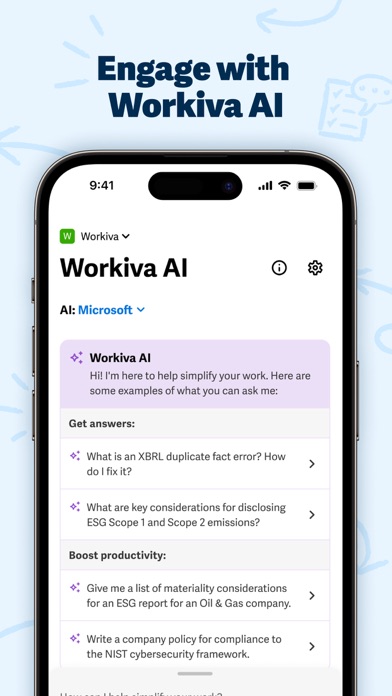


Description by Workiva Inc. Written by the developer, not by AppBrain. Click to read.
Major benefits:
• Collaborate on the go — continue working when away from your desktop
• Work on your terms — choose your language and device
• Reduce your risk — keep your data secure in the Workiva platform
What you can do with the app:
Control Access
• Edit permissions to files
• Share file links
Find and Review Your Documents
• Search within a workspace for files (documents, presentations, spreadsheets)
• View files in app
• Check what reviews you’ve been assigned and handle them via mobile or tablet
Respond To or Add New Comments
• Respond to comments you are tagged in
• Review comment threads and navigate to the original file
• Add new comments as needed
Work on Your Terms
• Download PDFs to work offline (flying somewhere?) and then upload your marked up PDF when you have online access
• Select from multiple in-app language translations
NOTE: This app requires a Workiva platform account.