

Worxly: Work Hours Tracker
Worxly: Work Hours Tracker is made and published by Lukas Fotr. AppBrain is an independent app data site and isn't affiliated with Lukas Fotr. The app name, icon, screenshots and description belong to Lukas Fotr and are shown as published on the App Store.
AppBrain's verdict
- Last updated
- July 22, 2026
- Size
- 11.9 MB
User feedback
Ratings and reviews on the App StoreComments on Worxly: Work Hours Tracker for iOS
We don't have enough comments to show example comments. Please check back later.
Store listing
By Lukas Fotr, from the App Store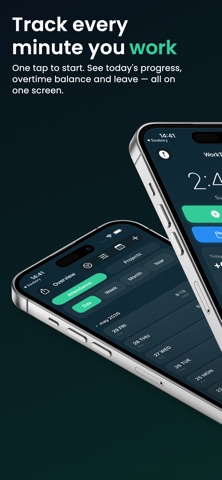


Description by Lukas Fotr Written by the developer, not by AppBrain. Click to read.
TRACK YOUR WORK
Start and stop a work session with one tap, or enter shifts manually. Review your work history, breaks and daily totals in one place.
AUTOMATIC TRACKING BY LOCATION
Optionally save a workplace and let Worxly detect arrivals and departures using on-device geofencing. Your location is processed on your device and is not sent to the developer.
PROJECTS AND CUSTOMERS
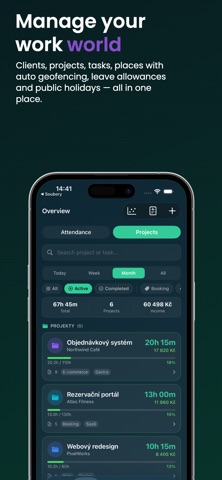
Organize work by project, customer or activity. Keep your time records and project history clearly separated.
OVERTIME AND LEAVE
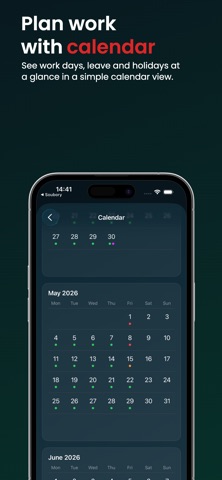
Track overtime balances, working schedules, holidays, vacation, sick leave and other special days.
EARNINGS AND WAGE OVERVIEW
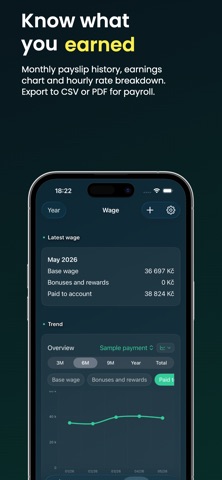
Set hourly rates and review estimated earnings for shifts, projects and selected periods.
INVOICES AND EXPORTS
Create invoice documents and export selected data to supported formats or your calendar.
WIDGETS AND LIVE INFORMATION
View useful work information from Home Screen widgets and supported system experiences.
PRIVATE BY DESIGN
No account is required. Your work data is stored locally on your device. Worxly does not use advertising or third-party tracking SDKs.
WORXLY PRO
The free version includes essential time tracking. Optional Worxly Pro unlocks additional features through a monthly or yearly auto-renewable subscription, or a one-time lifetime purchase.
Subscriptions renew automatically unless cancelled at least 24 hours before the end of the current billing period. You can manage or cancel subscriptions in your Apple Account settings.
Terms of Use:
https://fotrluk.github.io/Worxly/terms.html
Privacy Policy:
https://fotrluk.github.io/Worxly/privacy.html
Safety and technology
Found in the app by AppBrain- Price
- Free
- App size
- 11.9 MB
- Content rating
- Everyone
Technologies used by Worxly: Work Hours Tracker
Releases
Updates seen on the App Store- Version
- 1.0
- Launched
- July 2026
No changelog data
Alternatives
Similar apps and more from Lukas FotrAlternatives to Worxly: Work Hours Tracker


Rankings
App Store top chartsApp Store Rankings for Worxly: Work Hours Tracker
About the app and developer
About Worxly: Work Hours Tracker
Worxly: Work Hours Tracker is a productivity app developed by Lukas Fotr.
What is the rating of Worxly: Work Hours Tracker?
Worxly: Work Hours Tracker has no ratings yet.
Is Worxly: Work Hours Tracker free?
Worxly: Work Hours Tracker is free. The app size is 11.94 MB. The latest version available is 1.0. The last update was on July 22, 2026.
What are the requirements for Worxly: Work Hours Tracker?
The app has a content rating of Everyone. The app has been available on the App Store since July 2026.
Developer information for Lukas Fotr
Address:
Frequently asked questions about Worxly: Work Hours Tracker
Is Worxly: Work Hours Tracker free?
Yes. Worxly: Work Hours Tracker is free on the App Store.
Is Worxly: Work Hours Tracker still available?
Yes. Worxly: Work Hours Tracker is on the App Store, and the last update we saw was on July 22, 2026.
How large is Worxly: Work Hours Tracker?
Worxly: Work Hours Tracker is 11.94 MB.
Is Worxly: Work Hours Tracker suitable for children?
App Store rates the content of Worxly: Work Hours Tracker as suitable for everyone.
Who made Worxly: Work Hours Tracker?
Worxly: Work Hours Tracker was developed by Lukas Fotr. It is listed in the productivity category on the App Store.
What are the best alternatives to Worxly: Work Hours Tracker?
People looking at Worxly: Work Hours Tracker also look at these productivity apps: Zyve: Plan, Sync, Live, Work Time Track, WorkTracker: Work Hours, Orgazized3 - daily planner, Task Manager - Todoit.