WristRec is an utilities app developed by Mengsheng Tech.
User Ratings
The app has no ratings yet.
App Information
WristRec is freely available from the App Store. The app size is 57.24 MB. The latest version available is 1.0.12. The last update was on November 11, 2026.
Technical Requirements
The app has a content rating of Everyone. The app has been available on the App Store since September 2026.
WristRec is made and published by
Mengsheng Tech.
AppBrain is an independent app data site and isn't affiliated with Mengsheng Tech.
The app name, icon, screenshots and description belong to Mengsheng Tech and are shown as published on the App Store.
Description by Mengsheng Tech(from the App Store)
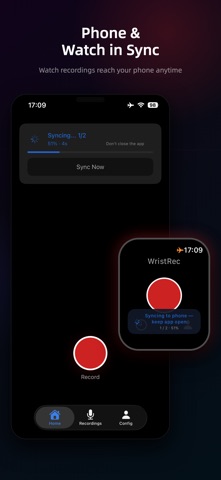
WristRec is a private voice recorder for your smartwatch and phone. Tap once on your watch and you're recording — no cloud, no account, and your audio never leaves your device.
Built for fast, private capture: meetings, interviews, lectures, and quick memos.
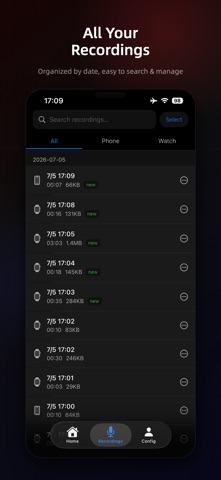
Why WristRec • Private by design — recordings live only on your device and sync directly to your own phone. No cloud servers, no account, nothing uploaded. • Record from your wrist — start recording on your watch without reaching for your phone. • Phone recording — mono or stereo, choose the quality, or use your headset mic. • Background Audio Recording — Seamlessly continue recording audio even when using other apps or when the screen is locked. • Sync to your phone — transfer watch recordings over a direct device-to-device connection, on demand or when you open the app. • Waveform playback — scrub the full waveform, change speed (up to 3×), skip silence, jump ±10s. • Playback effects — on-device noise reduction, volume boost, and voice change. • Biometric lock — protect recordings with Touch ID, Face ID, or Passcode. • Share anywhere — export a single file or batch-zip up to 30 recordings via the system share sheet. • 21 languages, right-to-left supported.
Free, with an optional upgrade WristRec is free and supported by ads. Recording, playback, and managing your files are always free and never limited. Unlimited sync is free for the first 24 hours, starting from your first sync; after that, watch a short video to extend it, or make a one-time purchase to unlock unlimited sync forever. (The purchase unlocks unlimited sync only.)
Your privacy No cloud backend. No account. Recordings stay in your device's storage and sync directly to your own phone — we never see them. The app makes no network requests for your audio.
Data Synchronization & Storage: This app uses a "local secure archive" architecture. Recordings sync one way only, from the watch to the phone (the phone does not sync them back to the watch). According to the app settings, after audio sync completes, some older files that have already been synced are cleaned up automatically, freeing space on the watch. Deleting an already-synced recording on the watch only clears local watch storage; the phone keeps that copy, so important data is not lost by mistake.
Device Compatibility: Apple Watch syncs with iPhone. HUAWEI full smartwatches (such as WATCH 5/6 and WATCH Ultimate 2, not GT, FIT, or bands) can also sync with iPhone — choose HUAWEI Watch under Settings → Watch Type.
Note: On Apple Watch Ultra, bind the Action button to start recording with a single press. On other Apple Watch models, add the WristRec complication to your watch face and tap it to jump straight into recording. Due to watchOS limits, recording may not move to the background automatically — start with one tap and keep the app open, or send it to the background yourself.
Each subscription will automatically renew 3 days before the expiration date for
the same time period. Subscriptions can be cancelled at any time before the renewal.