

WritePDF for iPhone
WritePDF for iPhone is made and published by EuroSmartz Ltd. AppBrain is an independent app data site and isn't affiliated with EuroSmartz Ltd. The app name, icon, screenshots and description belong to EuroSmartz Ltd and are shown as published on the App Store.
AppBrain's verdict
EstablishedTop 10- Best rank
- #6
- Top Paid, Sweden
- Rating on App Store
- 4.59
- 46 ratings
- Last updated
- April 9, 2026
It doesn't have enough ratings yet to judge what users think. Its best ranking is #6 in Top Paid, Business in Sweden.
Rankings
App Store top charts- Highest rank
- #6
- Chart
- Top Paid
- Business
- Country
- Sweden
Competitors
Similar apps and more from EuroSmartz LtdAlternatives to WritePDF for iPhone






More from EuroSmartz Ltd


Releases
Updates seen on the App Store- Version
- 4.7.1
- Launched
- May 2012
No changelog data
User feedback
Ratings and reviews on the App StoreComments on WritePDF for iPhone for iOS
We don't have enough comments to show example comments. Please check back later.
Technology
Found in the app by AppBrain- Price
- $2.99
- App size
- 45.0 MB
- Content rating
- High
Technologies used by WritePDF for iPhone
About the app and developer
About WritePDF for iPhone
WritePDF for iPhone is a business app developed by EuroSmartz Ltd.
What is the rating of WritePDF for iPhone?
WritePDF for iPhone is rated 4.59 out of 5 stars, based on 46 ratings.
Is WritePDF for iPhone free?
WritePDF for iPhone costs $2.99. The app size is 45.05 MB. The latest version available is 4.7.1. The last update was on April 9, 2026.
What are the requirements for WritePDF for iPhone?
The app has a content rating of High Maturity. The app has been available on the App Store since May 2012.
Developer information for EuroSmartz Ltd
Address:
Frequently asked questions about WritePDF for iPhone
Is WritePDF for iPhone free?
No. WritePDF for iPhone costs $2.99 on the App Store.
Is WritePDF for iPhone still available?
Yes. WritePDF for iPhone is on the App Store, and the last update we saw was on April 9, 2026.
How large is WritePDF for iPhone?
WritePDF for iPhone is 45.05 MB.
Is WritePDF for iPhone suitable for children?
App Store gives WritePDF for iPhone a high maturity rating. It is meant for adults.
How do people rate WritePDF for iPhone?
WritePDF for iPhone scores 4.59 out of 5 stars, from 46 ratings on the App Store.
Who made WritePDF for iPhone?
WritePDF for iPhone was developed by EuroSmartz Ltd. It is listed in the business category on the App Store.
What are the best alternatives to WritePDF for iPhone?
People looking at WritePDF for iPhone also look at these business apps: PDF Export Pro - PDF Editor, EML Viewer Pro, WPD Converter -for WordPerfect, TelepaText - editor, speech, Scan, eSign & Fill Documents.
Store listing
By EuroSmartz Ltd, from the App Store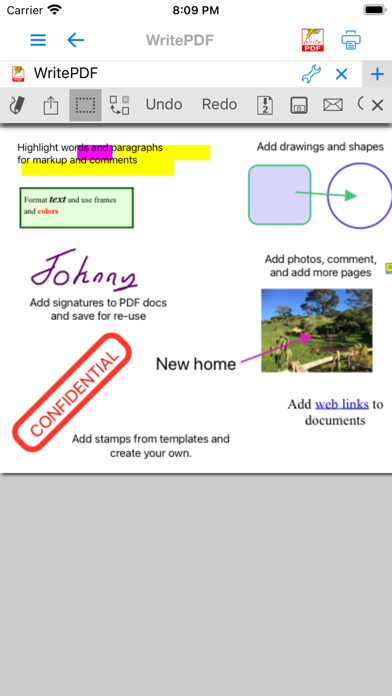


Description by EuroSmartz Ltd Written by the developer, not by AppBrain. Click to read.
WritePDF is created & bought to you by one of the top business app companies - with years of iOS app experience from 2008, EuroSmartz is unrivaled when it comes to apps for use in business.
- "WritePDF is by far the most powerful app of it's kind available on the app store today"
- "I can finally merge non PDF documents into a PDF and leave notes for all of my colleagues"
- "Form filling is made so easy with WritePDF, I have just applied for a new bank account using my iPhone"
Main Features
√ Modifying PDFs
> Add arrows, circles, squares and other shapes to a PDF
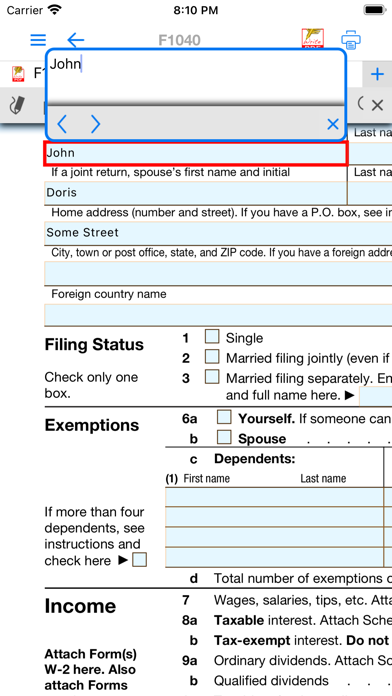
> Fill in PDF forms & add text
> Use Highlighter to highlight single words or entire sections
> Add web page links to words or sections of text
> Transfer PDFs to & from other apps using "Open in.."
> Fully compatible with most PC, Mac & iOS App PDF viewers, shows all changes
> Insert pictures to a PDF
> Quickly & seamlessly transfer PDFs or files from Pages, Numbers or Keynote using Open in
√ Global Search
> Search for keywords or phrases in ALL files stored within WPDF without opening them
> Search results displayed as tapable links
√ PDF Page Organization
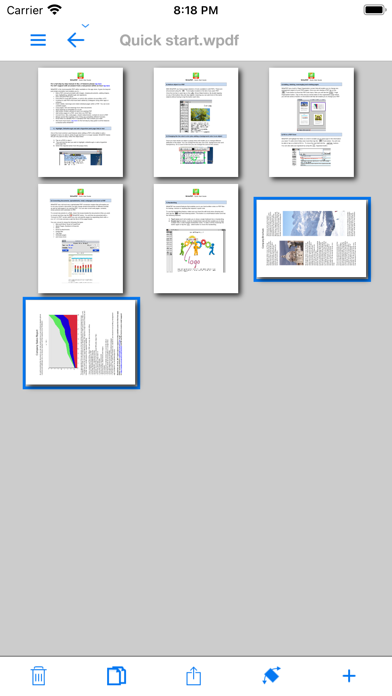
> Move, delete or add pages
> Add, delete, rotate, copy/paste & rearrange pages
> Add selected pages to an existing PDF from docs, spreadsheets or other files
> Drag deleted pages back into document
√ Form Filling
> Easily fill in PDF forms, even with multiple fields and boxes
> Save your signature in the app and reuse when needed
> Email/print completed form right from within the app
√ PDF Conversion & Merging
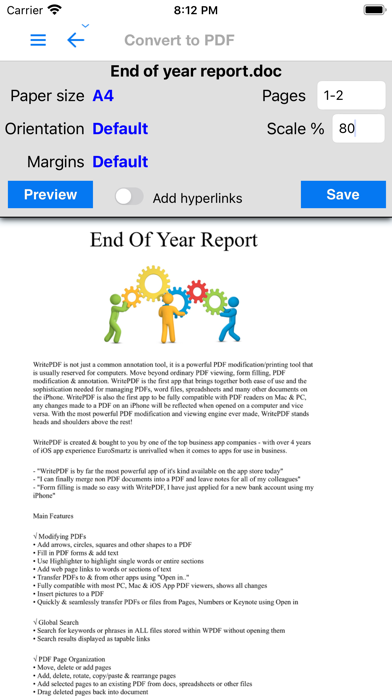
> View/Convert/Merge Microsoft Office files, Photos, PDFs, Contacts, Web Pages, Email & Email attachments as well as many more file formats
> Create a single PDF from multiple files even if they are a different format (i.e. merge a Word file with a Pages document with an existing PDF etc)
> Save Web pages as PDFs
> Print or convert PDFs from other apps using Open in or other methods
√ Full featured Printing
> Print direct to most existing WiFi or shared printers, or use the free printer software for ALL printers.
> Print from Pages, Numbers or Keynote extremely quickly & easily without the need for an AirPrint printer using Open in
> Print to all printers via your Mac or PC
> Print remotely via 3G/EDGE or Google Cloud Print
√ Reminders & Keywords
> Set a reminder for a particular file, PDF or document
> Add keyword metadata to any file for easy searching
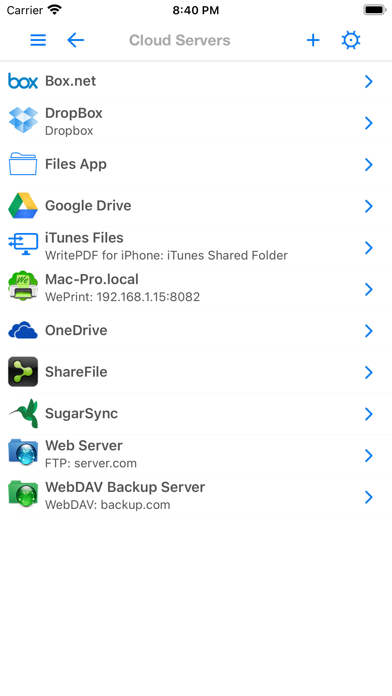
√ Cloud Services & Email
> Save attachments directly from Mail to WritePDF
> CloudMe, Box.net, Dropbox, Google Docs, iDisk, FTP, WebDAV all supported
√ Copy Documents from your Mac or PC
> Mount your iPhone as a network disk on your Mac/PC
QUICK HELP - if you need it.