

x100 is made and published by Astroshock LLC. AppBrain is an independent app data site and isn't affiliated with Astroshock LLC. The app name, icon, screenshots and description belong to Astroshock LLC and are shown as published on the App Store.
AppBrain's verdict
Established- Rating on App Store
- 5.00
- 12 ratings
- Last updated
- June 29, 2022
It doesn't have enough ratings yet to judge what users think.
Rankings
App Store top chartsApp Store Rankings for x100
Competitors
Similar apps and more from Astroshock LLCAlternatives to x100





Releases
Updates seen on the App Store- Version
- 1.2
- Launched
- April 2021
No changelog data
User feedback
Ratings and reviews on the App StoreComments on x100 for iOS
We don't have enough comments to show example comments. Please check back later.
Technology
Found in the app by AppBrain- Price
- Free
- App size
- 33.0 MB
- Content rating
- Everyone
Technologies used by x100
About the app and developer
About x100
x100 is a health & fitness app developed by Astroshock LLC.
What is the rating of x100?
x100 is rated 5.00 out of 5 stars, based on 12 ratings.
Is x100 free?
x100 is free. The app size is 33.04 MB. The latest version available is 1.2. The last update was on June 29, 2022.
What are the requirements for x100?
The app has a content rating of Everyone. The app has been available on the App Store since April 2021.
Developer information for Astroshock LLC
Address:
Frequently asked questions about x100
Is x100 free?
Yes. x100 is free on the App Store.
Is x100 still available?
Yes. x100 is on the App Store, and the last update we saw was on June 29, 2022.
How large is x100?
x100 is 33.04 MB.
Is x100 suitable for children?
App Store rates the content of x100 as suitable for everyone.
How do people rate x100?
x100 scores 5.00 out of 5 stars, from 12 ratings on the App Store.
Who made x100?
x100 was developed by Astroshock LLC. It is listed in the health & fitness category on the App Store.
What are the best alternatives to x100?
People looking at x100 also look at these health & fitness apps: RepCounter Pro, SmartWOD Round Counter, Set & Rep Counter Workout Log, Workout Timer Essential, Steddy: Stay Consistent.
Store listing
By Astroshock LLC, from the App Store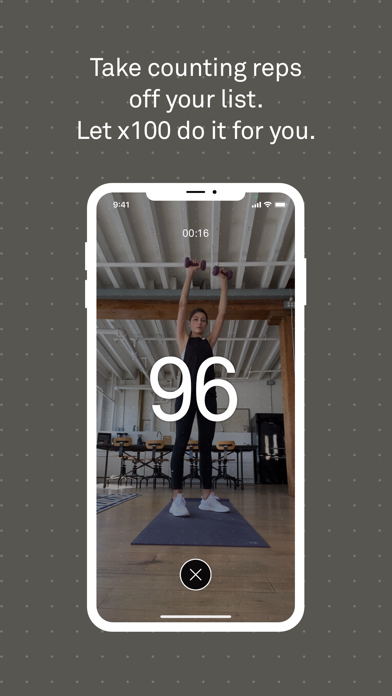


Description by Astroshock LLC Written by the developer, not by AppBrain. Click to read.
We are not here to motivate you, bring suggestions or inspire. We are simply trying to help with one simple task, so let us do the counting.
Features included:
• Select the number of reps and a 5 seconds countdown starts. Once the countdown has begun, assume position and hold still for a few seconds before starting the set. Once the countdown ended you can start doing reps and x100 would keep counting them.
• The first 5 reps are the most important ones. The algorithm identifies the pattern of your movement based on the first couple of reps
• You can take a break in the middle of a set and x100 would stop counting automatically. Once you are back to original position and continue with the same reps, x100 would resume counting
• Once finished a set, you can restart the set for the same about by showing V (victory) gesture to the camera
• Presets. Control your presets in settings. You can add, modify or delete presets.
• Counter and Timer. Switch focus of counter or timer in settings depending on what you want to focus on.
• Statistics. Keep track of the number of reps and sets you’ve done over time.
• Sound. Control sound volume for individual parts of the experience such as countdown, counter and set completion
Limitations:
• We can only count simple repetitive movements (for example push-ups, squats etc). The algorithm will have issues with compound reps (for example burpees). It’s best to avoid complex exercises that consist of several different movements.
• We can not count very fast reps such as excersizing with jumping ropes.
• Make sure your phone is positioned securely. You should be able to see yourself full length while using the app. Don’t move your phone during your workout.
• Counting is more accurate if all reps are performed at similar speed.
• Make sure you are clearly visible and there is enough light. Low light may reduce counting accuracy.
• Once you’ve started your reps, it’s best to stay in the same spot. Try not to move closer to or farther away from the camera. Try not to change your angle towards the camera.
• Make sure that nothing is moving in your background. Additional movement in frame might prevent x100 from counting your reps accurately.
Sign In:
• x100 supports “Sign in with Apple”
• You can use x100 without signing in, but your data such as statistics and presets won’t be transferable between devices as well as might be lost in case you delete x100 from your device.