

XMReality is made and published by XMReality AB. AppBrain is an independent app data site and isn't affiliated with XMReality AB. The app name, icon, screenshots and description belong to XMReality AB and are shown as published on the App Store.
AppBrain's verdict
Established- Rating on App Store
- 5.00
- 4 ratings
- Last updated
- August 29, 2024
It doesn't have enough ratings yet to judge what users think.
Rankings
App Store top chartsApp Store Rankings for XMReality
Competitors
Similar apps and more from XMReality ABAlternatives to XMReality


Releases
Updates seen on the App Store- Version
- 11.2.1
- Launched
- November 2017
No changelog data
User feedback
Ratings and reviews on the App StoreComments on XMReality for iOS
We don't have enough comments to show example comments. Please check back later.
Technology
Found in the app by AppBrain- Price
- Free
- App size
- 109.4 MB
- Content rating
- Medium
Technologies used by XMReality
About the app and developer
About XMReality
XMReality is a business app developed by XMReality AB.
User Ratings
XMReality is rated 5.00 out of 5 stars. The rating is based on 4 ratings.
App Information
XMReality is freely available from the App Store. The app size is 109.44 MB. The latest version available is 11.2.1. The last update was on August 29, 2024.
Technical Requirements
The app has a content rating of Medium Maturity. The app has been available on the App Store since November 2017.
Developer information for XMReality AB
Address:
Store listing
By XMReality AB, from the App Store


Description by XMReality AB Written by the developer, not by AppBrain. Click to read.
(NOTE: You must have an account to use the app )
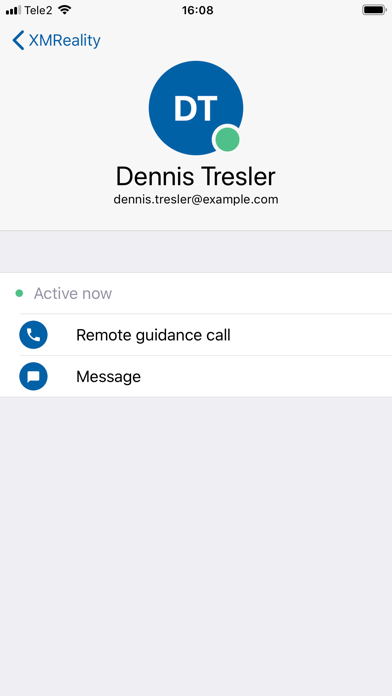
XMReality works for all business sizes. Whether solo tradesman or enterprise, XMReality has a solution for you. Our software can be used on a wide range of hardware, from mobile devices to customised enterprise setups.
Designed to work in even the most challenging conditions, our software performs well even with poor bandwidth, offering low latency sound and video communication. Support your colleagues and your customers with voice and hand - effortlessly solving even the most complex problems.
XMReality Remote Guidance is as simple as it is powerful. Here are some key features:
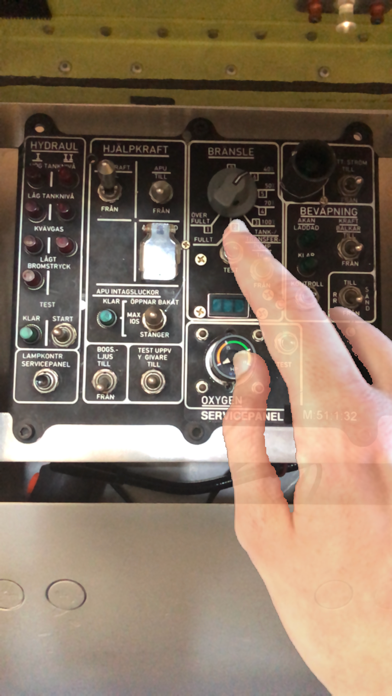
Hands Overlay
Let your hands do the talking, make complex procedures crystal-clear, whatever your language.
Share screen
Share screen from Windows to any device, either the entire desktop or an individual window.
Talk
Back up our visual, gestural tools with an excellent, high-quality voice connection.
Guide on picture
When live video is not available or optimal, guide on images from other sessions, situations or sources.
IMPORTANT: XMReality Remote Guidance solutions include VOIP audio. Some mobile network operators may prohibit or restrict the use of VOIP functionality over their network and may also impose additional fees or charges.