

xoFocus AI Highlighter
xoFocus AI Highlighter is made and published by Kamron Saniee. AppBrain is an independent app data site and isn't affiliated with Kamron Saniee. The app name, icon, screenshots and description belong to Kamron Saniee and are shown as published on the App Store.
AppBrain's verdict
- Rating on App Store
- 5.00
- 7 ratings
- Last updated
- October 7, 2025
It doesn't have enough ratings yet to judge what users think.
Rankings
App Store top chartsApp Store Rankings for xoFocus AI Highlighter
Releases
Updates seen on the App Store- Version
- 1.2
- Launched
- August 2025
No changelog data
User feedback
Ratings and reviews on the App StoreComments on xoFocus AI Highlighter for iOS
We don't have enough comments to show example comments. Please check back later.
Technology
Found in the app by AppBrain- Price
- $1.99
- App size
- 1.06 MB
- Content rating
- Everyone
Technologies used by xoFocus AI Highlighter
About the app and developer
About xoFocus AI Highlighter
xoFocus AI Highlighter is a productivity app developed by Kamron Saniee.
User Ratings
xoFocus AI Highlighter is rated 5.00 out of 5 stars. The rating is based on 7 ratings.
App Information
xoFocus AI Highlighter costs $1.99. The app size is 1.06 MB. The latest version available is 1.2. The last update was on October 7, 2025.
Technical Requirements
The app has a content rating of Everyone. The app has been available on the App Store since August 2025.
Developer information for Kamron Saniee
Address:
Store listing
By Kamron Saniee, from the App Store


Description by Kamron Saniee Written by the developer, not by AppBrain. Click to read.
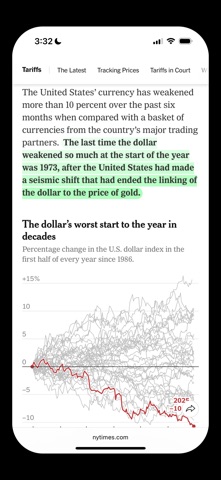
xoFocus instantly identifies key sentences on pages you're reading - so you can quickly grasp core ideas, stay focused, and read more intentionally.
Designed for readers, students, journalists, researchers, and anyone who wants more focus at their fingertips.
Features:
•Smart Highlights: xoFocus uses AI to highlight the most context-relevant sentences on any text-heavy page.
•Smart Navigation: Quickly skip forward/backward through highlights with simple screen taps.
How It Works:
Enable xoFocus in Safari.
When you open a webpage, highlight animations load instantly.
Double-tap the top or bottom of your screen to move between highlights.
xoFocus helps you cut through the noise: no AI-generated summaries, no logins, no tracking. Just an enhanced reading experience.