

Xpense Pro
Xpense Pro is made and published by Aashish Bijukchhe. AppBrain is an independent app data site and isn't affiliated with Aashish Bijukchhe. The app name, icon, screenshots and description belong to Aashish Bijukchhe and are shown as published on the App Store.
AppBrain's verdict
- Last updated
- August 19, 2026
Rankings
App Store top chartsApp Store Rankings for Xpense Pro
Competitors
Similar apps and more from Aashish BijukchheAlternatives to Xpense Pro


More from Aashish Bijukchhe




Releases
Updates seen on the App Store- Version
- 1.2.1
- Launched
- January 2026
No changelog data
User feedback
Ratings and reviews on the App StoreComments on Xpense Pro for iOS
We don't have enough comments to show example comments. Please check back later.
Technology
Found in the app by AppBrain- Price
- Free
- App size
- 50.8 MB
- Content rating
- Everyone
Technologies used by Xpense Pro
About the app and developer
About Xpense Pro
Xpense Pro is a business app developed by Aashish Bijukchhe.
What is the rating of Xpense Pro?
Xpense Pro has no ratings yet.
Is Xpense Pro free?
Xpense Pro is free. The app size is 50.80 MB. The latest version available is 1.2.1. The last update was on August 19, 2026.
What are the requirements for Xpense Pro?
The app has a content rating of Everyone. The app has been available on the App Store since January 2026.
Developer information for Aashish Bijukchhe
Address:
Store listing
By Aashish Bijukchhe, from the App Store

Description by Aashish Bijukchhe Written by the developer, not by AppBrain. Click to read.
KEY FEATURES
- Smart Receipt Scanning
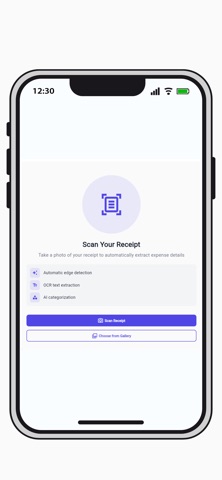
Snap a photo of any receipt and let AI do the work. OpsCentral automatically detects edges, extracts text using OCR, and categorizes expenses—saving you hours of manual data entry.
- Square POS Integration
Connect your Square Point of Sale to view real-time sales data directly in the app. Track daily, weekly, monthly, and yearly sales performance with intuitive charts and summaries. Monitor transaction counts, average order values, and identify top-selling categories.
- Expense Management
Keep all your business expenses organized in one place. Filter by time period, category, or vendor. View detailed breakdowns including subtotals, taxes, and tips. Search across all expenses to find exactly what you need.
- Employee Time Tracking
Built-in attendance system with biometric authentication support. Employees can check in and out with a tap. Managers can view attendance history, total hours worked, and average daily hours.
- Admin Dashboard
Business owners get a comprehensive overview of operations including total expenses, sales figures, receipt counts, and vendor information. Quick action buttons provide instant access to scanning, attendance, expenses, and sales reports.
- Push Notifications
Stay informed about important business events with real-time notifications.
WHO IS IT FOR?
1) Restaurant owners and managers
2) Retail business operators
3) Small business owners using Square POS
4) Teams needing expense tracking and time management
Download Biz Expense AI today and take control of your business operations.