

XPS-to-PDF
XPS-to-PDF is made and published by RootRise Technologies Pvt. Ltd. AppBrain is an independent app data site and isn't affiliated with RootRise Technologies Pvt. Ltd. The app name, icon, screenshots and description belong to RootRise Technologies Pvt. Ltd. and are shown as published on the App Store.
AppBrain's verdict
Established- Rating on App Store
- 5.00
- 3 ratings
- Last updated
- January 9, 2026
- Size
- 3.68 MB
It doesn't have enough ratings yet to judge what users think.
User feedback
Ratings and reviews on the App StoreComments on XPS-to-PDF for iOS
We don't have enough comments to show example comments. Please check back later.
Store listing
By RootRise Technologies Pvt. Ltd., from the App Store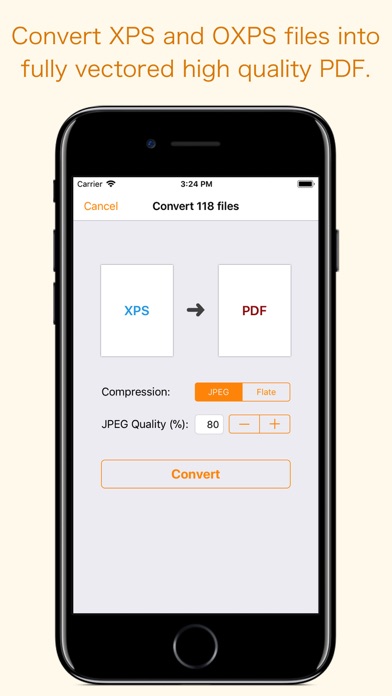
Description by RootRise Technologies Pvt. Ltd. Written by the developer, not by AppBrain. Click to read.
Do not found decent XPS/OXPS reader on your iPhone and iPad? Simply convert XPS/OXPS documents into quality PDF documents and read in your favorite PDF reader.
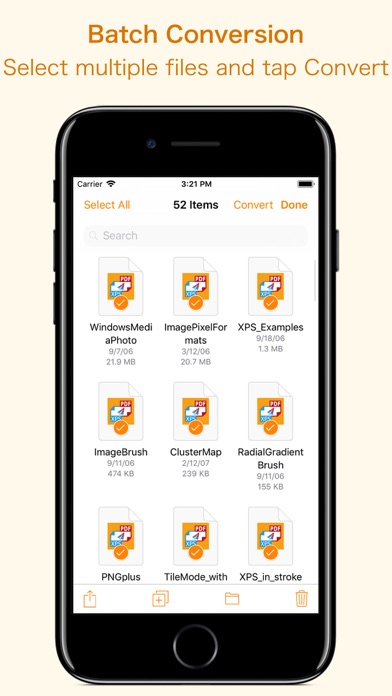
XPS-to-PDF supports batch conversion. Select multiple XPS/OXPS files in document browser view and tap Convert button at top to start batch conversion.
XPS to PDF CONVERSION FEATURES:
- Converts XPS to fully vector-PDF documents. Preserves text, vector graphics and raster images as editable PDF contents.
- Preserves Bookmarks (Outline).
- Preserves XPS internal and external topic hyperlinks into PDF. It automatically maintains XPS topic and page navigation links into PDF compatible annotations.
- Supports PDF conversion using JPEG and Flate image compression methods. Can set image quality for JPEG image compression.
- Preserves metadata properties.
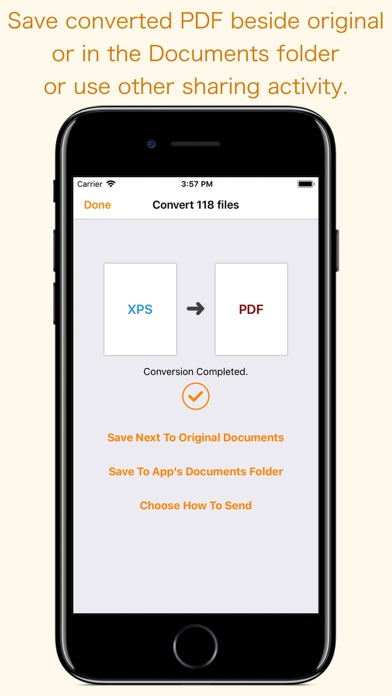
DESTINATION PATH : Convenient options to store converted PDF files at your easily accessible location. Choose from following
Save Next to Original Documents - Tap this button to save a converted file into the same location and directory as an existing original document. The converted document with unique name will be saved beside original document.
Save to App’s Documents Folder - Tap this button to save a converted file with unique name into XPS-to-PDF Documents folder.
Choose How to Send - Tap on this button to popup standard iOS activity controller. Tap one of the option in activity controller for sending, saving or posting a converted PDF. Choose a location, or provide the requested information (for example, an email address if you are sending an email) then send or post a copy of converted PDF.
DOCUMENT MANAGEMENT
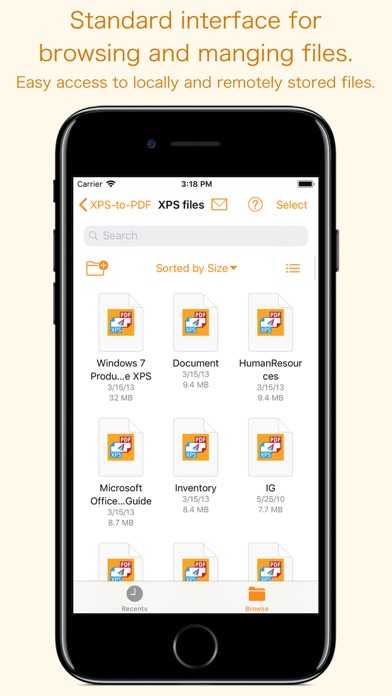
- The inbuilt document browse view automatically gives you the option to share documents using the Share button or a drag-and-drop action. It also provides a standard interface for browsing and managing documents.
- Automatically handles access to iCloud for you within the app. It also provides access to documents managed by third-party storage service extensions installed on your device.
- Browse, find and sort documents to help you locate the document you want. Tap the XPS/OXPS file that you want to convert.
- You can move, delete, duplicate and rename a document with document manager in browser view.
- In the document manager, you can group related documents into folders so they’re easy to find.
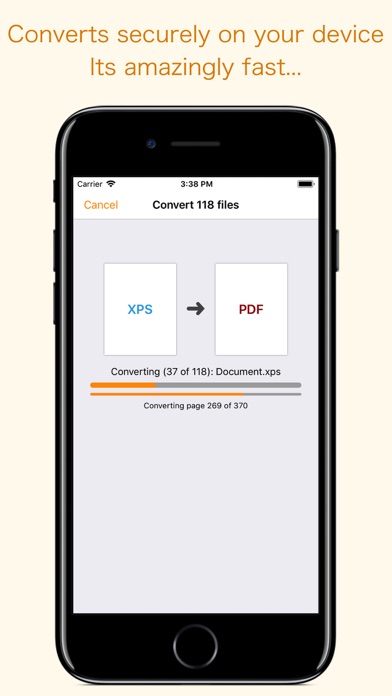
Note: XPS-to-PDF is a standalone application running natively to open and convert XPS and OXPS documents securely right on your iOS device.
You can refer inbuilt User Manual for any assistance Or Contact Support.
Safety and technology
Found in the app by AppBrain- Price
- $5.99
- App size
- 3.68 MB
- Content rating
- Everyone
Technologies used by XPS-to-PDF
Releases
Updates seen on the App Store- Version
- 2.0
- Launched
- April 2018
No changelog data
Alternatives
Similar apps and more from RootRise Technologies Pvt. Ltd.Alternatives to XPS-to-PDF







More from RootRise Technologies Pvt. Ltd.


Rankings
App Store top chartsApp Store Rankings for XPS-to-PDF
About the app and developer
About XPS-to-PDF
XPS-to-PDF is a productivity app developed by RootRise Technologies Pvt. Ltd.
User Ratings
XPS-to-PDF is rated 5.00 out of 5 stars. The rating is based on 3 ratings.
App Information
XPS-to-PDF costs $5.99. The app size is 3.68 MB. The latest version available is 2.0. The last update was on January 9, 2026.
Technical Requirements
The app has a content rating of Everyone. The app has been available on the App Store since April 2018.
Developer information for RootRise Technologies Pvt. Ltd.
RootRise Technologies Pvt. Ltd.
Address: