

Yaqeen Bank is made and published by Yaqeen Bank. AppBrain is an independent app data site and isn't affiliated with Yaqeen Bank. The app name, icon, screenshots and description belong to Yaqeen Bank and are shown as published on the App Store.
AppBrain's verdict
Established- Rating on App Store
- 3.00
- 42 ratings
- Last updated
- June 16, 2025
- Size
- 226.5 MB
It doesn't have enough ratings yet to judge what users think.
User feedback
Ratings and reviews on the App StoreComments on Yaqeen Bank for iOS
We don't have enough comments to show example comments. Please check back later.
Store listing
By Yaqeen Bank, from the App Store

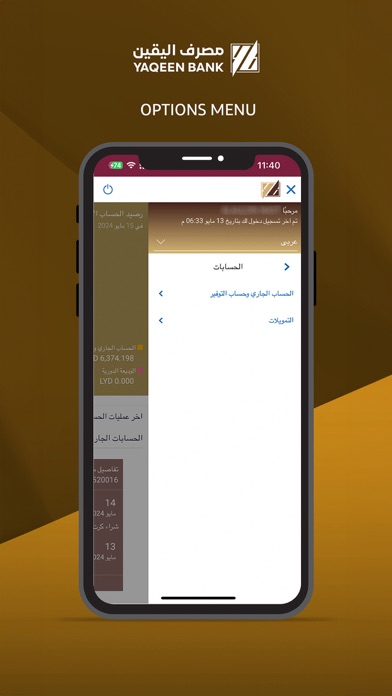


Description by Yaqeen Bank Written by the developer, not by AppBrain. Click to read.
How to Register?
In order to work Yaqeen Bank’s app on your iPhone/iPad, you will need the following:
• A Yaqeen Bank account.
• Visit nearby Branch to register with Yaqeen Digital Banking
• Internet access.
• Your Online Banking username and password.
Features of this app:
1. Two Factor Authentication.
2. Manage Payees.
5. Make Domestic, International, and Internal Transfers.
6. Check your account balance.
7. Access your account details.
8. Request Checkbook.
9. Set up and manage your standing orders.
10. Set up and manage your term deposits.
11. Review your loan accounts.
12. Password re-sets.
13. Statement request.
14. Demand Draft Request
Things you need to know,
1. Ensure you are using the most updated version of the app.
2. You will need to ensure you have registered your mobile number and Mail with the Bank as you will need this to receive your One Time Password (‘OTP’) to confirm Transactions done by the app.
Contact
If you have any issues with the Mobile Banking app installation process please don’t hesitate to contact us.
Email : info@ybank.ly
Safety and technology
Found in the app by AppBrain- Price
- Free
- App size
- 226.5 MB
- Content rating
- High
Technologies used by Yaqeen Bank
Releases
Updates seen on the App Store- Version
- 1.4
- Launched
- September 2021
No changelog data
Alternatives
Similar apps and more from Yaqeen BankAlternatives to Yaqeen Bank



More from Yaqeen Bank

Rankings
App Store top chartsApp Store Rankings for Yaqeen Bank
About the app and developer
About Yaqeen Bank
Yaqeen Bank is a business app developed by Yaqeen Bank.
User Ratings
Yaqeen Bank is rated 3.00 out of 5 stars. The rating is based on 42 ratings.
App Information
Yaqeen Bank is freely available from the App Store. The app size is 226.51 MB. The latest version available is 1.4. The last update was on June 16, 2025.
Technical Requirements
The app has a content rating of High Maturity. The app has been available on the App Store since September 2021.
Developer information for Yaqeen Bank
Address: