Ygrene Portal
Ygrene Portal is made and published by Ygrene Energy Fund, Inc. AppBrain is an independent app data site and isn't affiliated with Ygrene Energy Fund, Inc. The app name, icon, screenshots and description belong to Ygrene Energy Fund, Inc. and are shown as published on the App Store.
AppBrain's verdict
Established- Rating on App Store
- 4.77
- 13 ratings
- Last updated
- September 24, 2026
It doesn't have enough ratings yet to judge what users think.
Rankings
App Store top chartsApp Store Rankings for Ygrene Portal
Competitors
Similar apps and more from Ygrene Energy Fund, Inc.Alternatives to Ygrene Portal
Also available on Google Play
Releases
Updates seen on the App Store- Version
- 3.0.4
- Launched
- December 2017
No changelog data
User feedback
Ratings and reviews on the App StoreComments on Ygrene Portal for iOS
We don't have enough comments to show example comments. Please check back later.
Technology
Found in the app by AppBrain- Price
- Free
- App size
- 76.9 MB
- Content rating
- Everyone
Technologies used by Ygrene Portal
About the app and developer
About Ygrene Portal
Ygrene Portal is a productivity app developed by Ygrene Energy Fund, Inc.
User Ratings
Ygrene Portal is rated 4.77 out of 5 stars. The rating is based on 13 ratings.
App Information
Ygrene Portal is freely available from the App Store. The app size is 76.94 MB. The latest version available is 3.0.4. The last update was on September 24, 2026.
Technical Requirements
The app has a content rating of Everyone. The app has been available on the App Store since December 2017.
Developer information for Ygrene Energy Fund, Inc.
Address:
Store listing
By Ygrene Energy Fund, Inc., from the App StoreDescription by Ygrene Energy Fund, Inc. Written by the developer, not by AppBrain. Click to read.
FEATURES:
Eligibility Check — Find out if a property is eligible for financing in seconds.
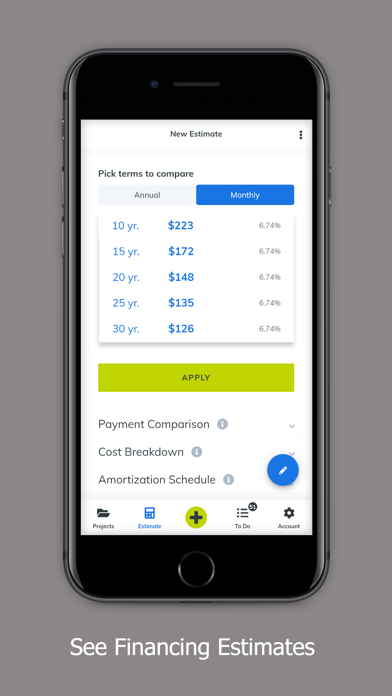
Proposal Tool — Create quick proposals to show property owners their Ygrene financing options for green projects and their estimated savings.
Projects/Pipeline Views — Track the progress and review the status of your projects. Click on individual projects to view details and move them through the process.
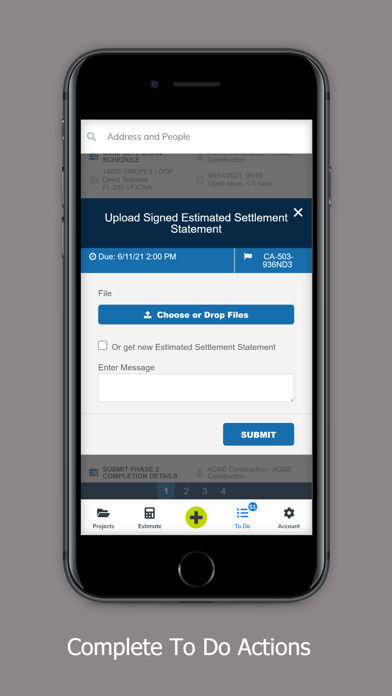
Tasks Tracker — See open tasks and click to complete them. The app will send push notifications when tasks are due and take you to the proper screen with one click.
Resource Center — Here you'll find:
• Presentations: These videos will help you educate property owners on how Ygrene works and make the application process simple. Available in English and Spanish.
• News: Stay up to date with the latest Ygrene and PACE financing news.
• Collateral: Find all the sales materials you need in one spot, including Residential Eligible Improvements & Guidelines, case studies, Consumer Protections & Assurances and more.
• Training: Videos and PDFs for you and your staff that cover how to use Ygrene tools. Available in English and Spanish.
• Web Assets: Grab the logos, video embed codes and other tools you need for your company's website. Highlight to your customers that you're Ygrene Certified and can connect them with Ygrene financing.
Support Services — Click to call or email a customer service representative or your account manager. Submit technical support requests.
Account Information — Make changes to your user information and manage other user accounts at your company.