





AppBrain's verdict
- Last updated
- November 15, 2026
- Size
- 23.6 MB
User feedback
Ratings and reviews on the App StoreComments on Yomiage: Read Articles Aloud for iOS
We don't have enough comments to show example comments. Please check back later.
Store listing
By Shunya Iwasaki, from the App StoreDescription by Shunya Iwasaki Written by the developer, not by AppBrain. Click to read.
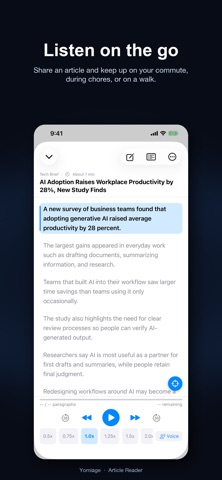
Share an article and Yomiage reads it aloud with a natural voice. Keep up with news, reports, and blogs while commuting, doing chores, exercising, or resting your eyes.
No ads, no account. Pro is a one-time purchase, not a subscription.
ONE-TIME PRO UPGRADE
Yomiage Pro is a one-time purchase—not a subscription. It unlocks playback speeds up to 2.5x, paragraph pause and voice pitch controls, and other Pro features on devices using the same Apple ID. No account is required to use the app.
SHARE AND START LISTENING
Choose Yomiage from the Share menu in Safari or another app. Yomiage removes menus and other distractions, extracts the main article text, and opens it in the player. Japanese and English are detected automatically. Not ready to listen yet? Turn off auto-play in Settings and shared articles wait in Up Next.
LISTEN TO PDFS AND TEXT
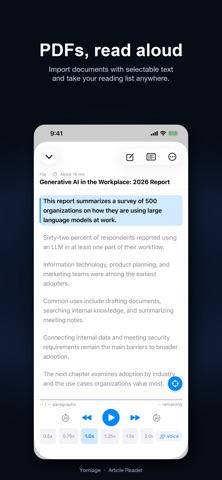
• Import PDFs, reports, and documents with selectable text.
• Paste text directly to hear notes, drafts, or anything without a URL.
• Send a PDF to Yomiage from another app’s Share menu.
SAVE YOUR READING LIST
Bookmark articles, organize them into folders, and see what is unplayed, in progress, or finished. Add articles to Up Next and listen continuously in your preferred order. Articles you share in a row collect in Up Next too—tap Play All to hear them one after another. The free plan saves up to 10 articles, and Pro removes the limit. Delete finished articles to add more.
SAVE A SENTENCE TO REVISIT
Tap Save Sentence while listening to keep the sentence you're hearing. You can also use Siri, Shortcuts, or Control Center (iOS 18 or later) to save without looking at your screen. Read your saved sentences in a list and tap one to listen again from that paragraph. Save up to 20 sentences, or an unlimited number with Pro.
OPTIONAL AI FEATURES
• Get a quick summary before listening. On supported devices, summaries can run on-device with no API key or network connection.
• After an article finishes, generate related questions and create a researched follow-up audio article.
• Improve Japanese pronunciation for names and specialized terms.
Follow-up research requires your own Gemini API key. AI pronunciation correction works with your own Gemini or OpenAI-compatible API key. AI features are optional and separate from Yomiage Pro.
VOICEVOX VOICES FOR JAPANESE (PRO)
Read Japanese articles with 13 VOICEVOX voices, including Zundamon and Shikoku Metan. Speech is synthesized on your device, and article text is never sent anywhere for it. The voice data (about 80 MB or more) downloads when you choose a voice. Every voice can be previewed for free. English paragraphs are read with the system voice.
COMFORTABLE, NATURAL PLAYBACK
• Japanese and English system voices
• Playback speed from 0.5x to 2.5x (2.5x requires Pro)
• Adjustable pause between paragraphs and voice pitch (Pro)
• Background playback and lock-screen controls
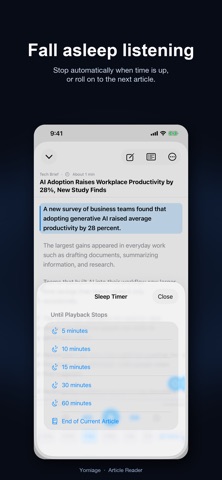
• Sleep timer, continuous playback, and repeat playback (repeat requires Pro)
• Tap any paragraph to start listening from that point
• Adjustable reading text size
• Home Screen and Lock Screen widgets, Siri, and Shortcuts to resume listening (Control Center on iOS 18 or later)
• Listening Log for your listening time and finished articles, with an optional daily goal
FIX PRONUNCIATION
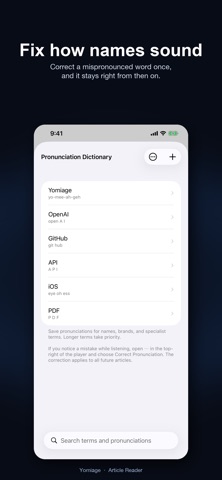
Correct a word once and Yomiage remembers it for future articles. Search your pronunciation dictionary, and with Pro, export or import a backup.
CREDITS
VOICEVOX:ずんだもん / VOICEVOX:四国めたん / VOICEVOX:春日部つむぎ / VOICEVOX:雨晴はう / VOICEVOX Nemo
Terms of Use (EULA): https://www.apple.com/legal/internet-services/itunes/dev/stdeula/
Privacy Policy: https://common-legume-c99.notion.site/33cfb55d2567807c8d42f53617338b8e
Safety and technology
Found in the app by AppBrain- Price
- Free
- App size
- 23.6 MB
- Content rating
- Everyone
Technologies used by Yomiage: Read Articles Aloud
Releases
Updates seen on the App Store- Version
- 1.5.3
- Launched
- April 2026
No changelog data
Alternatives
Similar apps and more from Shunya IwasakiAlternatives to Yomiage: Read Articles Aloud



More from Shunya Iwasaki


Rankings
App Store top chartsApp Store Rankings for Yomiage: Read Articles Aloud
About the app and developer
About Yomiage: Read Articles Aloud
Yomiage: Read Articles Aloud is a news app developed by Shunya Iwasaki.
User Ratings
The app has no ratings yet.
App Information
Yomiage: Read Articles Aloud is freely available from the App Store. The app size is 23.61 MB. The latest version available is 1.5.3. The last update was on November 15, 2026.
Technical Requirements
The app has a content rating of Everyone. The app has been available on the App Store since April 2026.
Yomiage: Read Articles Aloud is made and published by Shunya Iwasaki. AppBrain is an independent app data site and isn't affiliated with Shunya Iwasaki. The app name, icon, screenshots and description belong to Shunya Iwasaki and are shown as published on the App Store.
Developer information for Shunya Iwasaki
Address: