

Youbook!
Youbook! is made and published by The Ritz Acme Ltd Liability Company. AppBrain is an independent app data site and isn't affiliated with The Ritz Acme Ltd Liability Company. The app name, icon, screenshots and description belong to The Ritz Acme Ltd Liability Company and are shown as published on the App Store.
AppBrain's verdict
Established- Rating on App Store
- 2.00
- 3 ratings
- Last updated
- October 31, 2022
It doesn't have enough ratings yet to judge what users think.
Rankings
App Store top chartsApp Store Rankings for Youbook!
Competitors
Similar apps and more from The Ritz Acme Ltd Liability CompanyAlternatives to Youbook!





 Photo Scan & Colorize - Raven


More from The Ritz Acme Ltd Liability Company








Releases
Updates seen on the App Store- Version
- 4.3.2
- Launched
- October 2010
No changelog data
User feedback
Ratings and reviews on the App StoreComments on Youbook! for iOS
We don't have enough comments to show example comments. Please check back later.
Technology
Found in the app by AppBrain- Price
- Free
- App size
- 65.6 MB
- Content rating
- Everyone
Technologies used by Youbook!
About the app and developer
About Youbook!
Youbook! is a photo & video app developed by The Ritz Acme Ltd Liability Company.
User Ratings
Youbook! is rated 2.00 out of 5 stars. The rating is based on 3 ratings.
App Information
Youbook! is freely available from the App Store. The app size is 65.64 MB. The latest version available is 4.3.2. The last update was on October 31, 2022.
Technical Requirements
The app has a content rating of Everyone. The app has been available on the App Store since October 2010.
Developer information for The Ritz Acme Ltd Liability Company
The Ritz Acme Ltd Liability Company
Address:
Store listing
By The Ritz Acme Ltd Liability Company, from the App Store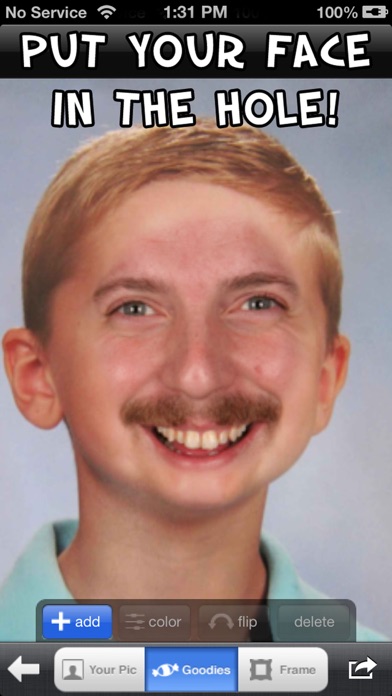


Description by The Ritz Acme Ltd Liability Company Written by the developer, not by AppBrain. Click to read.
Have you ever wanted to stick your face in an old photo?
See what you'd look like as a woman?
Put your dog's face on a woman with long curly hair?
or just have some fun with old photos?
Then Youbook! is the app for you!
Choose from over 200 images!
Adjust placement, color, brightness, and hue!
Share your creation via Facebook!, Twitter, Instagram, E-mail, and more!
And now it's even more fun with the goodies pack! 216 great things to put on top of your pictures!
And a caption tool so you can write on your pictures!
And frames to put your pictures in!
Download it now!
And if you like it please come back and give it a review.
- Includes the following
1. The Yearbook pics!! More than 200 old pics to stick your face in!
2. Goodies pack! 216 great images to stick on your picture!
3. Caption tool! Write stuff on your pictures!
4. Frames pack! Put your finished picture in one of over 40 great frames!
Quick Instructions
- Download it, then open it!
- Click a painting
- Then either take a photo or choose one from your photo album.
- The app should find your face and place it in the hole.
- Use Multi-touch to move and resize your photo until it's perfect!
( Click "Flip" if you wanna flip the pic )
- Click "Color" to adjust the colors of your image to make it match the painting!
- When your done click on the goodies tab to add fun stuff to your pic!
- Then click frames to add a classic frame to your picture!
- Or at any time click the share button in the bottom right and..
- Then you can save it, put it on facebook, twitter, Instagram, photoapplink, or copy it to send your pic in an SMS!