YouEdit - Video Editor
YouEdit - Video Editor is made and published by Sumita Hirpara. AppBrain is an independent app data site and isn't affiliated with Sumita Hirpara. The app name, icon, screenshots and description belong to Sumita Hirpara and are shown as published on the App Store.
AppBrain's verdict
- Last updated
- May 23, 2023
- Size
- 16.5 MB
User feedback
Ratings and reviews on the App StoreComments on YouEdit - Video Editor for iOS
We don't have enough comments to show example comments. Please check back later.
Store listing
By Sumita Hirpara, from the App StoreDescription by Sumita Hirpara Written by the developer, not by AppBrain. Click to read.
- YouEdit - Video Editor is one of the finest applications for video editors and video makers.
moreover, it is a full entertainment video editor and video maker application without any limitations. Just Try & have fun with the YouEdit - Video Editor App.
## Features: ##
# Merge Video #
- Video Merge function provides consistently join N-number of video files together in JUST ONE CLICK.
# Video Compress #
- Video Compress function helps to compress video size and resolution at your choice.
# Video Trim #
- Video Trim is a startling function of Video All in one editor. With the help of a Video cutter, the user can cut or trim the stablest part from a video file without losing original quality.in addition that it support many different file formats like .mp4, .mkv, .mov and many other.
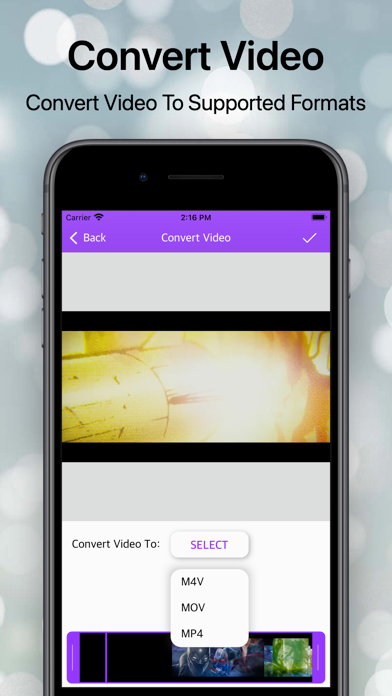
# Video Converter #
- Would you like to convert the Video files configuration to another formation? Convert Video Function has brazenly transform your Video file to a various format like as .mp4, .mkv, .mov etc. Just explore it.
# Motion Video #
- Motion Video is a startling function, users can make slow or fast video streaming in just a step. And it applies also to audio.
# Reverse VIdeo #
- Make a slow-motion video! You can also make magic fast-motion videos. You can edit your video and change the speed of it.
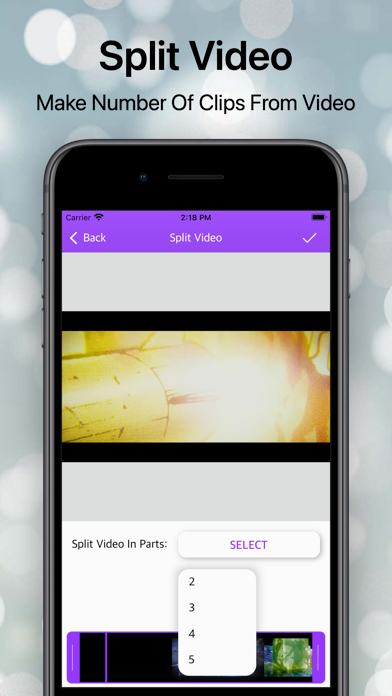
# Split Video #
- Split Video is a startling function for split a video into small parts. Using this Split Video you can Split and trim a video.
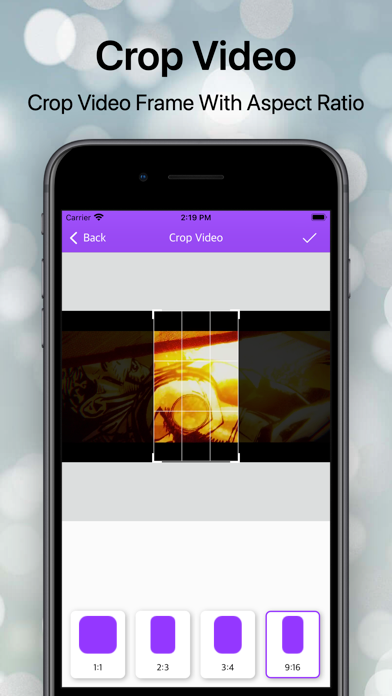
# Crop Video #
- Use the video crop feature to resize the video to the size that meets your needs. There are various options available, where you can choose from predefined sizes to any custom size!
# B&W Video #
- Use Black & white video to convert your video into grayscale video filter.
# Extract Audio #
- Extract Audio has to be a function of Video all in one where
The user can Extract from a Video file to an audio file and save an audio file to supportive formats.
# Mute Video #
- Sometimes we come to a situation where we have to show the only visualization not audio here you can remove audio with the help of the mute function.
# Extract Frame #
- With the help of this function, you can make an album of the image from a video file every second.
# Video Boomerang #
- Boomerang Video function helps to create boomerang videos that loop back and run continuously.
Safety and technology
Found in the app by AppBrain- Price
- Free
- App size
- 16.5 MB
- Content rating
- Everyone
Technologies used by YouEdit - Video Editor
Releases
Updates seen on the App Store- Version
- 1.1
- Launched
- September 2021
No changelog data
Alternatives
Similar apps and more from Sumita HirparaAlternatives to YouEdit - Video Editor
More from Sumita Hirpara
Rankings
App Store top chartsApp Store Rankings for YouEdit - Video Editor
About the app and developer
About YouEdit - Video Editor
YouEdit - Video Editor is a photo & video app developed by Sumita Hirpara.
User Ratings
The app has no ratings yet.
App Information
YouEdit - Video Editor is freely available from the App Store. The app size is 16.53 MB. The latest version available is 1.1. The last update was on May 23, 2023.
Technical Requirements
The app has a content rating of Everyone. The app has been available on the App Store since September 2021.
Developer information for Sumita Hirpara
Address: