Zero Password is made and published by
Li Wei.
AppBrain is an independent app data site and isn't affiliated with Li Wei.
The app name, icon, screenshots and description belong to Li Wei and are shown as
published on the App Store.
About Zero Password
Zero Password is an utilities app developed by Li Wei.
User Ratings
The app has no ratings yet.
App Information
Zero Password is freely available from the App Store. The app size is 147.23 MB. The latest version available is 2026.05. The last update was on May 27, 2026.
Technical Requirements
The app has a content rating of Everyone. The app has been available on the App Store since February 2025.
Description by Li Wei(from the App Store)
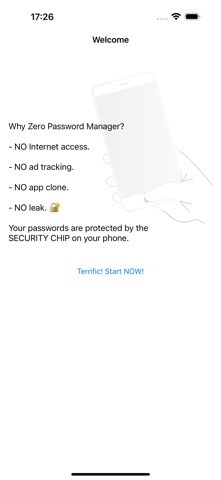
Why is Zero Password Manager more trustworthy? - We have been developing many verifiable security technologies instead of "Please trust the developers". - We have consistently improved the security instead of always saying, "The UI has been updated again".
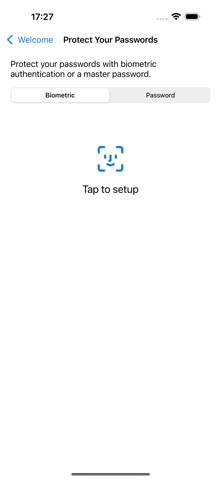
【Solid security model】 - True offline keeps your data isolated from the Internet. Your passwords are only stored on your phone and can never be uploaded to the cloud secretly. - Security chip encrypts your data on your device. Mobile wallets use the same chip to protect your card information, so if you trust the mobile wallet, you can trust Zero. - Neither require sign-up nor collect personal information. We don't have any information on you and don't know who you are, let alone bother you with ad tracking. - Biometric authentication to safely unlock the app. Or you can set a master password for an extra layer of protection. Of course, we also use other standard encryption technologies like AES-256 and PBKDF2.
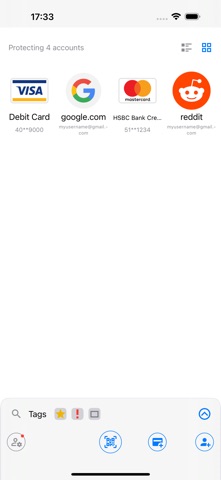
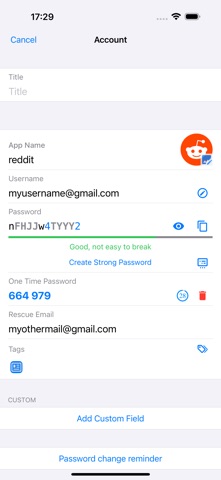
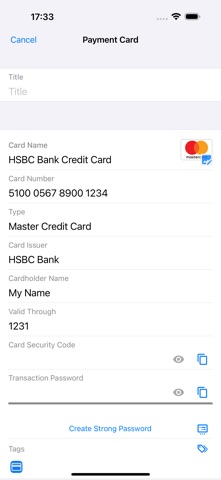
【Feature-rich and easy to use】 - Account security templates Hundreds of account templates, including Apple ID, Capital One, Binance, Epic, etc., can hold all sorts of security information you can think of, such as passwords, recovery keys, and security q&a. Some templates also have security tips. - Save payment cards As long as you enter the card number, Zero password manager can automatically identify the card issuer, card organization, etc. It's easier than ever to store payment card information. - Autofill passwords Fill in your username and password on mobile apps or websites with only two taps. Zero password manager will also automatically check the security of the app or website you are filling in. - OTP authenticator Zero password manager integrates OTP (one-time password) authenticator to facilitate 2FA. You can keep passwords and OTPs in just one record. - Desktop browser extension With the extension, you can scan QR codes with the app to safely fill passwords into desktop browsers (Safari, Chrome, Edge, and Firefox). - Password generator Besides the most basic options like numbers, letters, and length, you can also choose to include certain special symbols, emojis, etc., in your passwords. It works for websites with complex password rules. - Find back master password Forgot your master password? Don't worry. You can ask your friends to help find it back; they can't peek at any data. More great features like password meter, password timeline, password change reminder, etc. are all available in Zero password manager.
Each subscription will automatically renew 3 days before the expiration date for
the same time period. Subscriptions can be cancelled at any time before the renewal.