

Zero Pixel - Photo Art Studio
Zero Pixel - Photo Art Studio is made and published by 月蓬 桂. AppBrain is an independent app data site and isn't affiliated with 月蓬 桂. The app name, icon, screenshots and description belong to 月蓬 桂 and are shown as published on the App Store.
AppBrain's verdict
- Last updated
- October 6, 2026
Rankings
App Store top chartsApp Store Rankings for Zero Pixel - Photo Art Studio
Competitors
Similar apps and more from 月蓬 桂Alternatives to Zero Pixel - Photo Art Studio


More from 月蓬 桂

Releases
Updates seen on the App Store- Version
- 1.2.2
- Launched
- September 2026
No changelog data
User feedback
Ratings and reviews on the App StoreComments on Zero Pixel - Photo Art Studio for iOS
We don't have enough comments to show example comments. Please check back later.
Technology
Found in the app by AppBrain- Price
- Free
- App size
- 31.4 MB
- Content rating
- Everyone
Technologies used by Zero Pixel - Photo Art Studio
About the app and developer
About Zero Pixel - Photo Art Studio
Zero Pixel - Photo Art Studio is a photo & video app developed by 月蓬 桂.
User Ratings
The app has no ratings yet.
App Information
Zero Pixel - Photo Art Studio is freely available from the App Store. The app size is 31.41 MB. The latest version available is 1.2.2. The last update was on October 6, 2026.
Technical Requirements
The app has a content rating of Everyone. The app has been available on the App Store since September 2026.
Developer information for 月蓬 桂
Address:
Frequently asked questions about Zero Pixel - Photo Art Studio
Is Zero Pixel - Photo Art Studio free?
Yes. Zero Pixel - Photo Art Studio is free on the App Store.
Is Zero Pixel - Photo Art Studio still available?
Yes. Zero Pixel - Photo Art Studio is on the App Store, and the last update we saw was on October 6, 2026.
How large is Zero Pixel - Photo Art Studio?
Zero Pixel - Photo Art Studio is 31.41 MB.
Is Zero Pixel - Photo Art Studio suitable for children?
App Store rates the content of Zero Pixel - Photo Art Studio as suitable for everyone.
Who made Zero Pixel - Photo Art Studio?
Zero Pixel - Photo Art Studio was developed by 月蓬 桂. It is listed in the photo & video category on the App Store.
What are the best alternatives to Zero Pixel - Photo Art Studio?
People looking at Zero Pixel - Photo Art Studio also look at these photo & video apps: 关关-欲让些愉悦的时辰持续, Memory Camera: Photo Scrapbook, Kondobox, Cambler: Y2K CCD Camcorder, POCKLO: Photo Scrapbook.
Store listing
By 月蓬 桂, from the App Store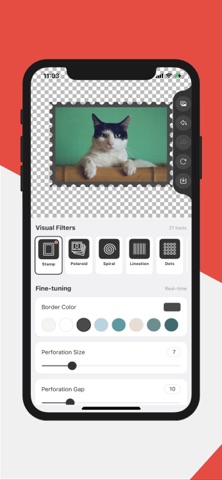


Description by 月蓬 桂 Written by the developer, not by AppBrain. Click to read.
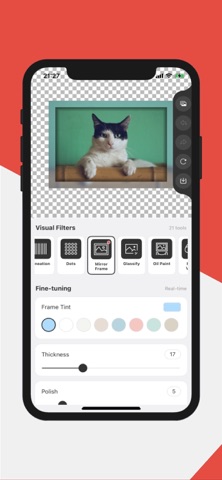
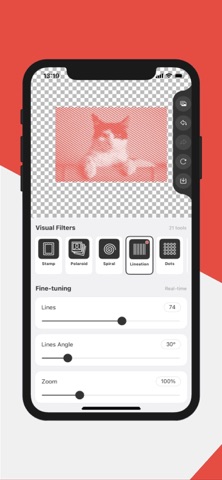
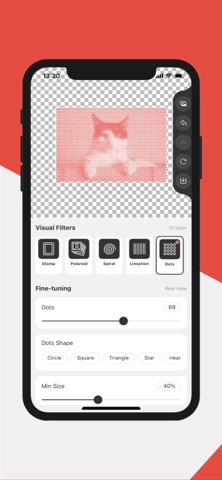
Pick a photo or shoot a new one, choose an effect, and watch it render instantly. Fine-tune every parameter — color, angle, strength, size — until it looks exactly right, then save the result to your album in high quality.
30 CREATIVE TOOLS
• Stamp — turn photos into perforated postage-stamp artwork
• Polaroid — classic instant-photo frames with vintage tones
• Film — 35mm film strip frames with sprocket holes, standard or negative look
• Spiral — hypnotic spiral line art
• Lineation — flowing line drawings from any photo
• Dots — rebuild photos from circles, squares, stars, hearts and more
• Mirror Frame — sleek metallic mirror frames
• Line Drawing — pencil-style line art with adjustable thickness and color
• Low Poly — triangulated low-poly artwork with adjustable point density
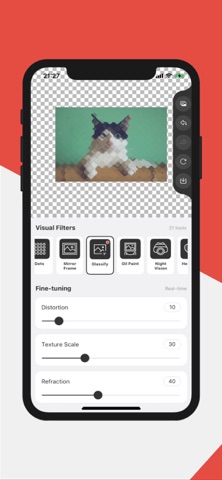
• Glassify — frosted-glass refraction with tint
• Oil Paint — rich painterly brushwork
• Night Vision — military-style green night-vision look
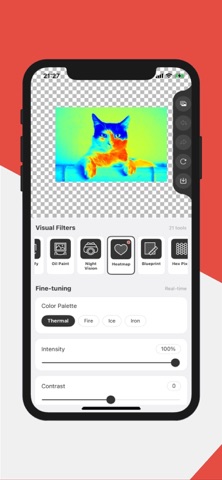
• Heatmap — thermal imaging palettes: thermal, fire, ice, iron
• Blueprint — technical drawings on an adjustable grid
• Hex Pixel — hexagonal pixel mosaics
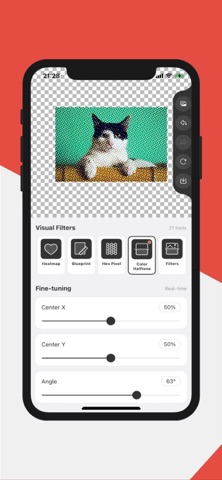
• Color Halftone — print-style CMYK halftone dots
• Filters — curated visual filter styles
• Kaleidoscope — symmetric kaleidoscope art
• Emboss — embossed 3D relief effect
• Dot Screen — comic-book screening dots
• Bulge — playful fisheye bulge distortion
• Swirl — twist and vortex distortions
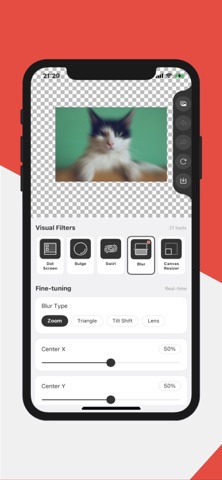
• Blur — zoom, lens, triangle and tilt-shift blur
• Ink — bold ink-outline renditions of your photos
• Edge Work — chiseled, etched edge relief
• Vignette — cinematic edge darkening with adjustable size and amount
• Canvas Resizer — expand your canvas with transparent or solid backgrounds
• Cropper — crop to any aspect ratio, with rotate and flip
• Round Corner — round one or all corners by pixels or percent
• Pixelator — classic mosaic pixelation with adjustable pixel size
WHY YOU'LL LOVE IT
• Real-time rendering — every change is drawn instantly
• Deep fine-tuning — each effect is fully parameterized
• One-tap compare between original and result
• Shoot with the camera or import from your album
• High-quality export to your photo album
• Clean, focused interface built for creating
Whether you make pixel art, poster-style prints, thermal art or playful distortions, Zero Pixel gives you a complete effect workshop in one app.
Friendly Reminder:
Your images never leave your device. All processing is done in your client-side, ensuring your data privacy and security. The App doesn't upload, transfer, or store your data. Your privacy is our top priority. This means you can safely sharpen your personal images without any concerns about data security.
Download today and transform your photos to all art effects!
Terms of Use: https://www.apple.com/legal/internet-services/itunes/dev/stdeula/
Privacy Policy: https://a.tools/Apps/zero-pixel/privacy-policy.html