ZIP Archiver - UnZIP is made and published by
梓峰 戴.
AppBrain is an independent app data site and isn't affiliated with 梓峰 戴.
The app name, icon, screenshots and description belong to 梓峰 戴 and are shown as
published on the App Store.
About ZIP Archiver - UnZIP
ZIP Archiver - UnZIP is an utilities app developed by 梓峰 戴.
What is the rating of ZIP Archiver - UnZIP?
ZIP Archiver - UnZIP is rated 4.55 out of 5 stars, based on 120 ratings.
Is ZIP Archiver - UnZIP free?
ZIP Archiver - UnZIP is free. The app size is 62.64 MB. The latest version available is 1.0.3. The last update was on June 19, 2025.
What are the requirements for ZIP Archiver - UnZIP?
The app has a content rating of Everyone. The app has been available on the App Store since January 2025.
Description by 梓峰 戴(from the App Store)
This app is specifically designed for iPhone and iPad, providing a powerful and easy-to-use file management and extraction solution. It supports a variety of common file extraction formats and offers features such as file preview, file management, photo and video compression, and more, helping users efficiently manage files on their devices. Whether for everyday use or work, it provides the best support and becomes a reliable assistant for handling your files.
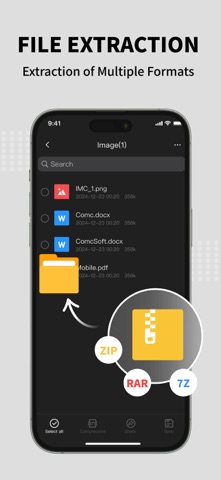
FEATURES File Extraction - The app supports extracting various common file formats, including ZIP, RAR, TAR, GZ, 7Z, and more, allowing users to easily handle compressed files and quickly access their contents.
File Compression - Users can compress photos and video files on their iPhone or iPad to save storage space while maintaining good quality.
Format Conversion - For HEIC photos, the app allows quick conversion to the widely used JPG format, making it easier for users to view and share across different devices and platforms.
File Preview - In addition to supporting the extraction of common file types, the app also supports previewing photos, videos, documents, spreadsheets, and more, so users can directly view content without needing additional apps.
File Manager - The app provides simple and intuitive file management features, allowing users to easily browse, move, rename, delete, and organize files to ensure efficient and organized file handling.
File Printing - Users can print files directly from the app, providing a quick and convenient way to print documents and photos for work or personal needs.
Dark Mode - The app supports system-wide dark mode, offering a more comfortable visual experience, especially for long-term use.
This app is not just a simple file extraction tool; it also integrates file management, photo and video compression, file preview, printing, and other useful features. Whether it’s managing files in daily life or handling various work-related documents, it is an indispensable assistant.
Each subscription will automatically renew 3 days before the expiration date for
the same time period. Subscriptions can be cancelled at any time before the renewal.