

Zlinky is made and published by Ukufu Pty LTD. AppBrain is an independent app data site and isn't affiliated with Ukufu Pty LTD. The app name, icon, screenshots and description belong to Ukufu Pty LTD and are shown as published on the App Store.
AppBrain's verdict
- Last updated
- September 14, 2026
Rankings
App Store top chartsApp Store Rankings for Zlinky
Competitors
Similar apps and more from Ukufu Pty LTD








Releases
Updates seen on the App Store- Version
- 1.23.13
- Launched
- August 2022
No changelog data
User feedback
Ratings and reviews on the App StoreComments on Zlinky for iOS
We don't have enough comments to show example comments. Please check back later.
Technology
Found in the app by AppBrain- Price
- Free
- App size
- 71.2 MB
- Content rating
- Everyone
Technologies used by Zlinky
About the app and developer
About Zlinky
Zlinky is a productivity app developed by Ukufu Pty LTD.
User Ratings
The app has no ratings yet.
App Information
Zlinky is freely available from the App Store. The app size is 71.19 MB. The latest version available is 1.23.13. The last update was on September 14, 2026.
Technical Requirements
The app has a content rating of Everyone. The app has been available on the App Store since August 2022.
Developer information for Ukufu Pty LTD
Address:
Frequently asked questions about Zlinky
Is Zlinky free?
Yes. Zlinky is free on the App Store.
Is Zlinky still available?
Yes. Zlinky is on the App Store, and the last update we saw was on September 14, 2026.
How large is Zlinky?
Zlinky is 71.19 MB.
Is Zlinky suitable for children?
App Store rates the content of Zlinky as suitable for everyone.
Who made Zlinky?
Zlinky was developed by Ukufu Pty LTD. It is listed in the productivity category on the App Store.
What are the best alternatives to Zlinky?
People looking at Zlinky also look at these productivity apps: ChirpNotes - Bookmarks Manager, SelfNote: Email Note to Self, EasyOCR.Me, Save to Linksort, Internalize.
Store listing
By Ukufu Pty LTD, from the App Store





Description by Ukufu Pty LTD Written by the developer, not by AppBrain. Click to read.
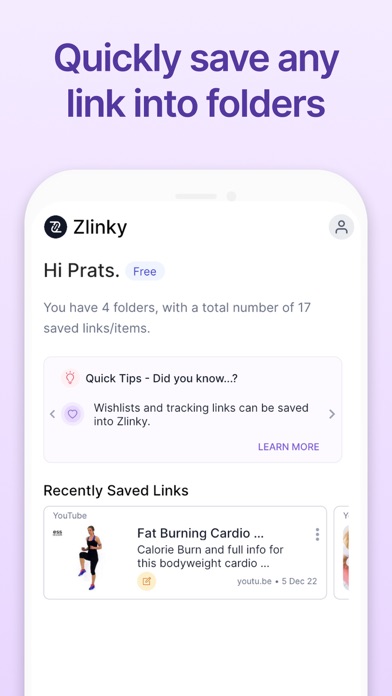
* Save and organize your most important screenshots and images
* Save the links to your favorite videos in one place [eg. TikTok, YouTube, Instagram Reels]
* Organize holiday research
* Create and manage online shopping wishlists
* Recipe organization
* Save bookmarks to frequently used websites and applications
* Organize project or student research
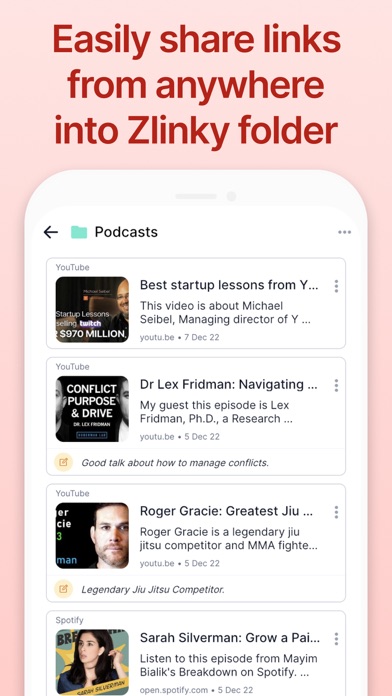
* Save links to Podcasts for future listening
* Save articles to read later
* Save links to your online shopping parcel tracking
You can access your Zlinky account via any mobile, laptop or desktop device.
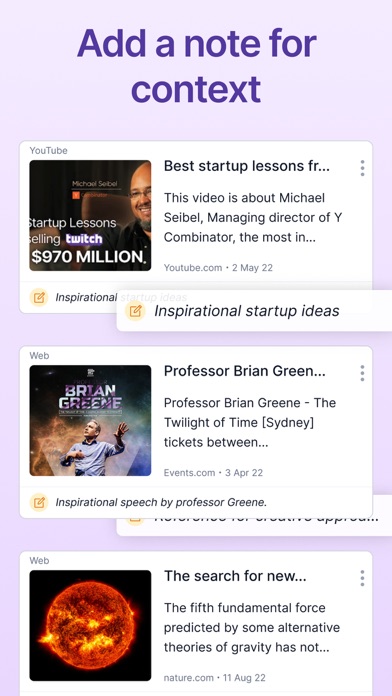
SAVE ANY IMAGE, SCREENSHOT, WEB OR SOCIAL MEDIA LINK INTO ZLINKY IN 2-3 STEPS USING YOUR PHONE'S “NATIVE SHARE FEATURE” [Hit share from within the app, and select Zlinky, and your list of Zlinky folders will appear. You can add a note for context to each link / image.]
SAVE LINKS FROM THE FOLLOWING APPS INTO ZLINKY:
* TikTok
* YouTube
* Spotify
* Amazon Wishlists
* Web content
* Google Drive
* ... and more
Save screenshots, photos or any image quickly into your Zlinky folders for easy access.
We hope you’ll give Zlinky a try, to see for yourself how Zlinky can elevate your productivity.
Any questions? Please reach out to contact@zlinky.com
----
Terms of Service: https://zlinky.com/terms
Privacy Policy: https://zlinky.com/privacy