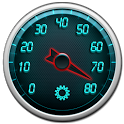
Gps Speedometer was a tools app developed by linxmap. It was removed from Google Play May 27, 2019 and is no longer available for download.
Download Statistics
Gps Speedometer had been downloaded 2.2 million times before it became unavailable.
User Ratings
Gps Speedometer was rated 3.98 out of 5 stars, based on 9.2 thousand ratings.
App Information
Gps Speedometer was free to download. The APK download size was 12.90 MB. The last available version was 1.3.2. The last update was on August 4, 2014.
Technical Requirements
Gps Speedometer required Android 2.3+ or higher. The app had a content rating of Everyone. The app had been available on Google Play December 2010.
Description
Most advanced, tailor made, highly customisable, auto scalable speedometer with classic analogue and futuristic Zoom view, designed for daily use with amazing visual graphics.
A perfect companion whenever you need to know your speed information,direction and altitude, Gps Speedometer can be used efficiently for driving,riding,hiking,cycling,walking,racing etc... Keep track of your route and create trip logs.
Features • Works on airplanes in high altitude • Fast Performance • Hardware Accelerated Graphics for Android 3.0 and Over • Pro version is available with all features enabled. • *Important* Exporting trip logs feature is available only in Pro version.
Speedometer Scale (Speedometer Numbers) • Auto scale. • Scales can be adjusted. • 0 - 80 Scale • 0 - 160 Scale • 0 - 260 Scale
Speed Information • KM/H,MPH,KNOTS • Average Speed • Maximum Speed • Average and Maxium Speed can be reset • Speed Precision • Speed Correction (Positive or negative speed correction values can be added to current speed value
Odometer • MILE,KM,METRE,FOOT • Odometer show/hide option • Odometer can be reset
Compass Information • Direction • Degree
Altitude Information • METRE,FEET • Altitude • Altitude correction,It can be adjusted by user ,positive or negative altitude correction values can be added to current altitude value
GPS • Smart Gps lock • Quick Gps locking
Themes • Select from 2 different themes. • Petrol Theme • Grass Head Theme
Compass Information • Direction • Degree
Speedometer Design • Select from 2 different speedometer style Classic And Zoom. • Classic Style • Zoom Style
Speedometer Hand Design • Select from 2 different designs. • Medium Red • Thick Red
Speedometer Center Wheel Design • Select from 3 different designs. • Large Dark • Loop Circle • Metallic
Fonts • Digital Font • Normal Font
Chronometer • Trip time • Chronometer can be reset.
Theme And Speedometer Design • Create customised speedometer with over 50 different combinations. • Change every part of the speedometer design,select your text colour. • Tweak themes with your custom selection colours and create your custom speedometer with vibrant colours.
Speed Limiter Warning • Vibration • Sound Alarm • Volume Control for sound alarm • Avoid with speed tickets with speed limit warning. Set speed limit easily by touch and rotating around speedometer scale. • Speed Limiter can be adjusted by touch and rotation around center -wheel as seen in the screenshots.
Screen Rotation • Adjust the screen according to your need. • Portrait. • Landscape. • Auto Screen Orientation.
User Permissions,Privacy,Security • Gps Speedometer does not store or collect any personal information • This application has 3rd party software (advertisements) .
Quick Guide • Please make sure you are outside of your room or before you enable your gps, • First enable your Gps by pressing the red gps button on the top right of the screen. • Once the gps signal is picked or gps is locked, gps button will become blue color which indicates that gps signal is available, in cases when gps signal is lost,gps icon will turn to red,indicating that gps is trying to get gps lock. • In case you have a problem for any reason or you are not sure how to start using the app. Please contact our developers. • Support Email: linxmap@hotmail.co.uk
Enjoy the new version and have a safe ride... Linxmap Dev Team http://www.linxmap.com
Get a detailed PDF report for Gps Speedometer with download trends, rating history,
and key performance statistics — useful for competitive research or tracking your own app.
Learn more
★★★★★
What I'm mainly looking for is a display of current elevation as I drive & hike in the Rocky Mountains... Have compared several apps for their display of current elevation and this one comes across as the most accurate. Would like to see an option to more prominently display the elevation, but so far this one is a winner for me.
★★★★★
Very nice speedometer app. Space can be utilised more properly in landscape mode.
★★★★★
Great GPS Speedo app. No intrusive ads
★★★★★
Very helpful if you have no speed ometer . I use it on my 4 wheeler all the
time works very good very accurate
★★☆☆☆
When vehicle engine was turned off and parked, still this app kept displaying speed as 7km/hr and higher values for several minutes.
★★☆☆☆
Very bad Very bad for me
★★☆☆☆
Only works occasionally
★★☆☆☆
I cant even play bcuz of the activating ur account thing it's stupid
★★☆☆☆
This app doesn't work for me, even in internet mode, and gps mode
★★☆☆☆
I keep getting ads that auto open. "You have a virus" or "Amazon gift card". Use to use this regularly. They need to screen the ads better.
Technologies used by Gps Speedometer
Gps Speedometer is requesting 10 permissions and is using 10 libraries.
Show details
Each subscription will automatically renew 3 days before the expiration date for
the same time period. Subscriptions can be cancelled at any time before the renewal.