
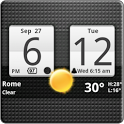
Sense Analog Clock Widget
Sense Analog Clock Widget was made and published by Factory Widgets. AppBrain is an independent app data site and isn't affiliated with Factory Widgets. The app name, icon and description belong to Factory Widgets and are shown as last published on Google Play.
AppBrain's verdict
Removed- Install estimate
- 7.1 million
- Rating on Google Play
- 4.05
- 33,135 ratings
- Last updated
- March 15, 2015
Sense Analog Clock Widget is no longer on Google Play. It was there for 7 years, until November 2017. It was popular, with 7.1 million installs. Users rated it well: 4.1 stars from 33,135 ratings.
Installs
Tracked by AppBrain- Play install range
- 5+ million
- Launched
- May 2010
Releases
Updates seen on Google Play- Version
- 4.5.0
- Launched
- May 2010
User feedback
Ratings and reviews on Google PlayGoogle Play Rating history and histogram
The year before it was removed from Google Play, up to November 2017
Comments on Sense Analog Clock Widget for Android
Technology
Found in the app by AppBrain- Ads
- Contains ads
- Price
- Free
- Libraries
- 2
- App size
- 3.00 MB
- Needs Android
- 2.3+
- Content rating
- Unrated
Technologies used by Sense Analog Clock Widget
About the app and developer
About Sense Analog Clock Widget
Sense Analog Clock Widget was a weather app developed by Factory Widgets. It was removed from Google Play Nov 24, 2017.
Install Statistics
Sense Analog Clock Widget had been installed 7.1 million times before it became unavailable.
User Ratings
Sense Analog Clock Widget was rated 4.05 out of 5 stars, based on 33 thousand ratings.
App Information
Sense Analog Clock Widget was free. The app size was 3.00 MB. The last available version was 4.5.0. The last update was on March 15, 2015.
Technical Requirements
Sense Analog Clock Widget required Android 2.3+ or higher. The app had a content rating of Unrated Maturity. The app had been available on Google Play since May 2010.
App Performance Report
Get a detailed PDF report for Sense Analog Clock Widget with download trends, rating history, and key performance statistics — useful for competitive research or tracking your own app. Learn more
Get PDF Report — $29Developer information for Factory Widgets
Store listing
By Factory Widgets, from Google PlaySimilar apps


“Android Digital clock widget with Calendar, Time, System info,weather & forecast”
Description by Factory Widgets Written by the developer, not by AppBrain. Click to read.
Sense cross Analog style clock,size 4x2
A Digital Clock widget with size 4x2
It features:
============
140 skins
12/24 hour + Color choice on all info displayed
System Stats Info + pop-up
Moon phase icon
Weather & Forecast
2 Weather layouts on clock(user choice)
2 Forecast layouts(user choice)
Sunrise/Suntime times and calculations
Interactivity
=============
+tap bottom right->preferences
+tap bottom left->system information dialog
+tap weather icon->forecast
+tap Hour->launch anything!
+tap Minutes->launch anything!
Widgets General
===============
Widgets on Android work a bit differently than a normal application. Unlike regular programs they don't just install themselves in the application tray so you have to add them manually. They will not open or launch.
Here's how to add a widget on your Android home screen.
STEPS HOW TO ADD A WIDGET
==========================
1.On your Android home screen, tap any blank or “empty” area with size 4x2 and hold down your finger.
2.An “Add to Home screen” window will pop up. From that window, tap “Widgets”.
3.You’ll be presented with a list of all the installed Widgets on your Android device.
4.Select the "3D Digital Weather Clock” to add to your home screen by tapping it.
Steps how to add a widget (ICS Android 4.0)
==========================================
On any Home screen, touch the All Apps icon located in the center of the Favorites tray. Then select the Widgets tab and touch & hold a widget.
Drag and drop the widget on a screen with empty space.
If the widget is not visible under the widgets tab in the application drawer,restart your phone and it will appear.
under the tab widgets.
Touch & hold a widget, then drag and drop it on a screen with empty space.
Notes
=====
"Time frozen/not updating"-> taskiller killed the clock(exclude it from taskillers)
When phone starts, clock starts in less than a min too.
ROM users-> make sure the clock is NOT moved on SD card.
Widgets are not supposed to be on SD card. Move it back to the phone storage.
Weather hint: For world destinations with two words in the name, type in the box the words with a plus sign.
For example "Buenos Aires" type "Buenos+Aires",remember the "+" sign -no spaces, don't include the quotes.
Email problems/suggestions
Check our website for more help.
EXCLUDE IT FROM TASKILLERS!!!
Be polite, this is a free app :-)
VIDEO HOW TO ADD WIDGETS
http://www.youtube.com/watch?v=DpMLF9b2aTQ
Recent changes:
4.5.0
weather fixes
forecast screens fixes
4.2
* support for more devices
* code improvements
* many fixes
! -->Please remove and add widget again4.1
-more fixes for weather for lower end devices
4.0
-fixed weather location problems
+added moon phases in the forecast screen. (requested) Launch by pressing the moon
icon for detailed views on moon-phases for the current day, current month and the years half
and full phases.
+other improvements