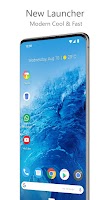
Launcher for Android 13 Style is a personalization app developed by Marwa Themes Studio.
How many times has Launcher for Android 13 Style been downloaded?
Launcher for Android 13 Style has been downloaded 290 thousand times. In the last 30 days, the app was downloaded 4.1 thousand times.
What is the rating of Launcher for Android 13 Style?
Launcher for Android 13 Style is rated 3.76 out of 5 stars, based on 1.3 thousand ratings.
Is Launcher for Android 13 Style free?
Launcher for Android 13 Style is free to download. The APK download size is 24.58 MB. The latest version available is 3.5. The last update was on July 9, 2026.
What are the requirements for Launcher for Android 13 Style?
Launcher for Android 13 Style requires Android 8.0+ or higher. The app has a content rating of Everyone. The app has been available on Google Play April 2022.
Description
All File Access Permission All Files Access Permission usage is for the following purpose 1) This permission is required for builtin file manger which requires full access to file system for cut, copy and paste operations. It has also builtin zip and unzip function that also requires permission to compress files at any location. 2) Backup and restore function requires storage permission 3) To get system wallpaper requires storage permission - Accessibility Permission This permission is required provide some advance functionality such as double tap lock the screen and show power menu using custom gestures as provided in launcher settings.
Launcher for Android 13 is a powerful, customizable, and versatile home screen theme replacement. Theme for Android brings advanced features to enhance your home screens, but still remains a great, user-friendly choice for everyone. Whether you want to completely overhaul your home screens or are looking for a cleaner, faster home launcher, Android 13 Style is the answer. • The Newest Features: Android 13 Style brings the latest Android launcher features to all other phones. • Custom Icon Themes: Android 13 Style supports thousands of icon themes available in the Play Store. • Night Mode and Dark Theme: Have night mode come on automatically at a specific time, or just leave it on for a dark theme. • Customizable App Drawer: Vertical or horizontal scroll, page effects, and card or immersive options are just a few of the things you’ll find available for the app drawer. • Subgrid Positioning: With the ability to snap icons and widgets in between grid cells, it’s easy to get a precise feel and layout with Android 13 Style in a way that’s impossible with most other launchers. • Backup and Restore: Moving from phone to phone or trying new home screen setups is a snap thanks to Android 13 Style’s backup and restore feature. Backups can be stored locally or saved to the cloud for easy transfers. • Speed: Android 13 Style is highly optimized, with smooth and snappy animations that will even older phones a fast and fluid feel.
Do more with Android 13 Style Launcher Android 13 Style Launcher Features :
• Gestures: Swipe, pinch, double tap, and more on the home screen to execute custom commands. • App Drawer Groups: Create custom tabs or folders in the app drawer for an ultra-organized feel. • Hide Apps: Remove apps from the app drawer without uninstalling them. • Custom Icon Swipe Gestures: Assign swipe gestures to home screen icons or folders for custom actions. • …and more. More scrolling effects, unread counts, and others.
This app uses the Device Administrator permission for optional screen off/lock functionality.
Get a detailed PDF report for Launcher for Android 13 Style with download trends, rating history,
and key performance statistics — useful for competitive research or tracking your own app.
Learn more
Are you the developer of this app? Join us for free to see more information about your app and learn how we can help you promote and earn money with your app.
Comments on Launcher for Android 13 Style for Android
★★★★★Ailee Beth Camilon· Apr 6, 2026
It's good I've been using this like a year now, and it makes my phone aesthetic, and I can customize the icon, the size of text and even a theme it's so good that I always love to customize it 💖❣️🧡
★★★★☆P N Krishnan Kutty (kkpn)· May 30, 2023
Good launcher. Listing of apps needed over and above alphabetizing
★★★★★Muh Ibrahim· Oct 30, 2024
This was excellent my phone was slow before now It went very fast
★★★★★Naeem Akbar· Jan 26, 2026
It is better than" go launcher" if you have the device with Android 13 go. It allows you to create shortcuts for your files and folders, and it also allows using widgets.
★★☆☆☆Thyeon Isaac Lurzano· Dec 10, 2024
I am giving this a two star, Because The widgets are really buggy when I show my battery widget my current battery is 46% But it shows in the widget its 59%
★★☆☆☆Nithiyanandam T.A· Mar 13, 2023
Unread notifications in numerical not showing perfectly either lock screen or on icon badges for all application whereas the system. Launcher is showing, also third party launcher is also sowing in lock screen, home screen, also on badges...please rectify this issue, for these reasons only I previously instead and uninstalled due these reasons, again today seems to be the same issues though I have permissions whichever you have asked to provide which given by me with automatic auto start, no use
★★☆☆☆P.Vishnu Prasad· Aug 12, 2026
Fake app, in spite of me purchasing full version by paying full amt, ads keep appearing, pls refund me my money if u can provide d full version
Google Play Rankings for Launcher for Android 13 Style
This app is not ranked
Technologies used by Launcher for Android 13 Style
48 permissions·65 libraries
Subscribe to see full permission and library details
Each subscription will automatically renew 3 days before the expiration date for
the same time period. Subscriptions can be cancelled at any time before the renewal.