

PDF Reader: Scan & Edit is made and published by Code Dao. AppBrain is an independent app data site and isn't affiliated with Code Dao. The app name, icon, screenshots and description belong to Code Dao and are shown as published on Google Play.
AppBrain's verdict
NewNiche- Total installs
- 490
- Best rank
- #18
- Top New Free, Germany
- Last updated
- October 16, 2026
PDF Reader: Scan & Edit came out 14 days ago. It is a niche app, with 490 installs. It doesn't have enough ratings yet to judge what users think. Its best ranking is #18 in Top New Free, Tools in Germany.
Installs
Tracked by AppBrain- Last 30 days
- 220
- Play install range
- 100+
- Launched
- October 2026
Rankings
Google Play top charts- Highest rank
- #18
- Chart
- Top New Free
- Tools
- Country
- Germany
Google Play Rankings for PDF Reader: Scan & Edit
Top rankings
| Rank | Country | Category | List |
|---|---|---|---|
| 48 | Germany | Overall | Top New Free |
| 49 | Germany | Applications | Top New Free |
| 83 | South Korea | Overall | Top New Free |
| 18 | Germany | Tools | Top New Free |
| 157 | Turkey | Overall | Top New Free |
| 85 | South Korea | Applications | Top New Free |
| 19 | South Korea | Tools | Top New Free |
| 165 | Turkey | Applications | Top New Free |
| 34 | Turkey | Tools | Top New Free |
| 61 | Brazil | Tools | Top New Free |
Ranking history in Germany
Competitors
Similar apps and more from Code DaoAlternatives to PDF Reader: Scan & Edit


More from Code Dao


Releases
Updates seen on Google Play- Version
- 1.0.0
- Launched
- October 2026
User feedback
Ratings and reviews on Google PlayComments on PDF Reader: Scan & Edit for Android
We don't have enough comments to show example comments. Please check back later.
Technology
Found in the app by AppBrain- Ads
- Contains ads
- Price
- Free
- Libraries
- ?
- App size
- 53.9 MB
- Content rating
- Everyone
Technologies used by PDF Reader: Scan & Edit
About the app and developer
About PDF Reader: Scan & Edit
PDF Reader: Scan & Edit is a tools app developed by Code Dao.
Install Statistics
PDF Reader: Scan & Edit has been installed 490 times. In the last 30 days, the app was installed 220 times. It is ranked in the top 100 tools apps.
User Ratings
The app has no ratings yet.
App Information
PDF Reader: Scan & Edit is freely available from Google Play. The app size is 53.94 MB. The latest version available is 1.0.0. The last update was on October 16, 2026.
Technical Requirements
The app has a content rating of Everyone. The app has been available on Google Play since October 2026.
App Performance Report
Get a detailed PDF report for PDF Reader: Scan & Edit with download trends, rating history, and key performance statistics — useful for competitive research or tracking your own app. Learn more
Get PDF Report — $29Developer information for Code Dao
Frequently asked questions about PDF Reader: Scan & Edit
Is PDF Reader: Scan & Edit free?
Yes. PDF Reader: Scan & Edit is free on Google Play.
Is PDF Reader: Scan & Edit still available?
Yes. PDF Reader: Scan & Edit is on Google Play, and the last update we saw was on October 16, 2026.
Does PDF Reader: Scan & Edit contain ads?
Yes. Google Play lists PDF Reader: Scan & Edit as containing ads.
How large is PDF Reader: Scan & Edit?
PDF Reader: Scan & Edit is 53.94 MB.
Is PDF Reader: Scan & Edit suitable for children?
Google Play rates the content of PDF Reader: Scan & Edit as suitable for everyone.
How many times has PDF Reader: Scan & Edit been installed?
Google Play lists 100+ installs for PDF Reader: Scan & Edit.
Who made PDF Reader: Scan & Edit?
PDF Reader: Scan & Edit was developed by Code Dao. It is listed in the tools category on Google Play.
What are the best alternatives to PDF Reader: Scan & Edit?
People looking at PDF Reader: Scan & Edit also look at these tools apps: PDF Reader & PDF Viewer, PDF Reader & View PDF Files, PDF Viewer - PDF Reader, PDF Reader & All Docs Viewer, PDF Document Reader & Editor.
Store listing
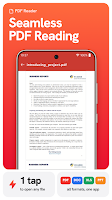
By Code Dao, from Google Play“Read PDF files, scan documents, edit PDFs, and organize files with ease.”



Description by Code Dao Written by the developer, not by AppBrain. Click to read.
From work documents to study materials and everyday paperwork, keep your PDF files organized and easy to access.
KEY FEATURES
📖 PDF Reader & PDF Viewer
Open and read PDF documents with a simple, easy-to-use PDF viewer. Browse pages, review content, and access your files whenever you need them.
📷 PDF Scanner – Scan Documents
Turn paper documents into digital files using your phone camera. Scan pages, enhance document images for better readability, and save your scans for later use.
✏️ PDF Editor & Annotation
Edit and annotate PDF documents with built-in tools. Mark important information, add annotations, and organize PDF pages to suit your needs.
📂 Document Reader & File Viewer
Open and view multiple file formats, including PDF, Word (DOC, DOCX), Excel (XLS, XLSX), and PowerPoint (PPT, PPTX). Browse documents by file type, preview supported files, and keep everything organized in one convenient place.
🔐 Protect & Unlock PDF Files
Manage password protection for supported PDF documents. Add a password to protect your files or remove password restrictions when you have the required access.
🤖 AI PDF Summary & Translation
Use AI-powered tools to work with document content. Generate summaries of supported PDF files and translate text into different languages.
🖨️ Print & Organize PDFs
Prepare documents for printing and manage your PDF files using convenient tools.
PDF Reader: Scan & Edit combines PDF reading, document scanning, editing, and AI tools to help you handle everyday document tasks.
Download PDF Reader: Scan & Edit and enjoy a simpler way to work with your PDF documents.