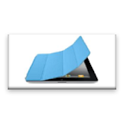
Proximity Smart Cover was a tools app developed by Daniel Ling. It was removed from Google Play Jul 25, 2018 and is no longer available for download.
Download Statistics
Proximity Smart Cover had been downloaded 71 thousand times before it became unavailable.
User Ratings
Proximity Smart Cover was rated 3.97 out of 5 stars, based on 1 thousand ratings.
App Information
Proximity Smart Cover was free to download. The last update was on February 11, 2014.
Technical Requirements
Proximity Smart Cover required Android 2.2+ or higher. The app had a content rating of Everyone. The app had been available on Google Play February 2013.
Description
** Please contact me if you encounter any issues with this app. Please. Because we developers are unable to get ** back to the users directly which is very sad so let me help you if my app gave you a problem. You can still leave a ** negative feedback but still, please let me help. You can email me through this page or through the app. Thanks!
Ever considering having a Smart Cover feature for your Android Device? Now you can!!
This application allows you to Turn On your screen after removing it from cover.
Gentlemen, do you keep your device in your pockets? Check your device status immediately after taking it out without pressing any buttons!!
Ladies, do you keep your device in your bag? This application will turn on your screen for you without you having to reach for the buttons!
Might you be using a Device Wallet which also acts as a Cover?
Additional Features ** Turn on your Screen and automatically unlock!! ** Turn on/off your screen without using Power or Home buttons. ** Perform magic tricks. ^_^ ** Disable in Landscape mode ** Beep option when turning on/off screen (Thanks Brian) ** Choice of tone for the above feature (Thanks Novak, Andreas) ** Vibrate option when turning on/off screen (Thanks Ignatius)
Note: ** Due to the sensitivity of the Proximity Sensor, I strongly suggest not to use the function turn off screen by this application. To turn off the feature, just set the duration to -1 seconds.
Instead, I suggest that you use another application to lock your screen. Here, I suggest using "Lock Screen Now" which is also developed by me. There are also many other Lock Screen applications which you can find on Google Play.
** Do note that this application requires proximity sensor to work.
** Requires Device Administrator for the Turn Off screen feature.
** To UNINSTALL this application, you have to first remove the Device Administrator rights for this application. When you choose to uninstall this application, it will prompt you to remove the Device Administrator Rights. If not, please go to Settings > Security > Device Administrator > Uncheck this application.
Recent changes: 18th Oct New Feature: As requested by user, added additional duration for screen off/on New Feature: As requested by user, added option for different tones for screen off/on
2014 6th Feb New Feature: Locale language available for Russian Fix: Now the vibrate duration will be correct. But Turn on screen will feel longer than turn off screen
11th Feb Fix: Updated the Russian language with the help of a user. Thanks!
Get a detailed PDF report for Proximity Smart Cover with download trends, rating history,
and key performance statistics — useful for competitive research or tracking your own app.
Learn more
★★★★★
Works perfect Asus zenfone 2 Does not require app history or caller ID info. Works well with my pleather ebay case.
★★★★★
Works well for its intended purpose however it locks my screen when I'm doing stuff on my phone without anything covering sensor.
★★★★★
Best cover app Faster than other all play store cover apps. I used all cover apps and finaly chose it.. Developers:- please Remove in Notification Bar than i will give you 5 Star
★★★★★
Nice app I have one question, this app doesn't handle phone call job. We need to open key lock pattern again and touch back to phone call. Not displaying the end call button automatically. Pretty frustrating. Do u have solution for this? Other than that, works really fine
★★☆☆☆
High baterry consumption - Nexus 5 The app works just as expected, BUT needs too much juice from the battery.
★★☆☆☆
Cannot uninstall!!! I just can't uninstall this app. So annoying... It just keeps saying that I need to deactivate first, even though I've already done it...
★★☆☆☆
Does not work, Nexus 6P, Android 7.
★★☆☆☆
Not working on infinix note 3 pro.auto turn off but not auto turn on.i must turn on manual
Technologies used by Proximity Smart Cover
Proximity Smart Cover is requesting 0 permissions and is using 3 libraries.
Show details
Back to top
AppBrain Intelligence premium content
Subscribe now to get full and unlimited access to AppBrain Intelligence.
You'll have access to:
Each subscription will automatically renew 3 days before the expiration date for
the same time period. Subscriptions can be cancelled at any time before the renewal.